
If you see messages like "MSVCR100.dll is missing," "MSVCR100.dll not found," or "The program can't start because MSVCR100.dll is missing," it means the application cannot load a required Microsoft runtime component. This error is common on Windows, especially with older games and software that depend on the Microsoft Visual C++ 2010 Redistributable. In most cases, the problem is caused by a missing, corrupted, or incorrect version of the runtime file after Windows changes, software removal, or malware cleanup. The issue can usually be resolved safely by repairing the required Visual C++ components.
Restart the PC First
Before trying deeper fixes, restart your computer. This may sound basic, but it can help if Windows is still finishing an update, if a file is temporarily locked, or if a recent install has not fully completed
After the restart, open the program again and see whether the error remains
Reinstall Microsoft Visual C++ 2010 Redistributable
Download the official Microsoft Visual C++ 2010 Redistributable package and install it again. On many systems, it is worth installing both the x86 and x64 versions, because some 64-bit versions of Windows still run 32-bit applications that require the x86 runtime. After installation, restart your PC and test the affected program again
If the runtime was already installed, you can still reinstall it to replace damaged files and repair broken registry entries connected to that package

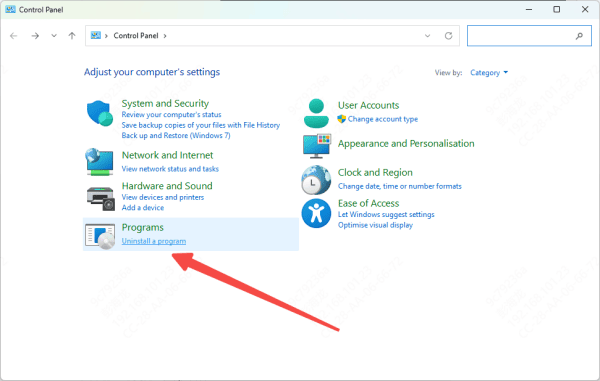
Reinstall the Program That Shows the Error
Uninstall the application, restart your computer, and reinstall it from an official or trusted source. A clean reinstall can restore required files, correct install paths, and fix problems caused by an incomplete update or broken setup. If the program includes its own bundled Visual C++ installer, let that installation complete fully
This step is especially useful when the error appeared right after moving the program folder, restoring it from backup, or manually deleting related files
Run System File Checker
If reinstalling the runtime and the affected app does not work, Windows system files may also be damaged. You can check and repair them using the built-in System File Checker tool.
Open Command Prompt as administrator and run this command:
sfc /scannow
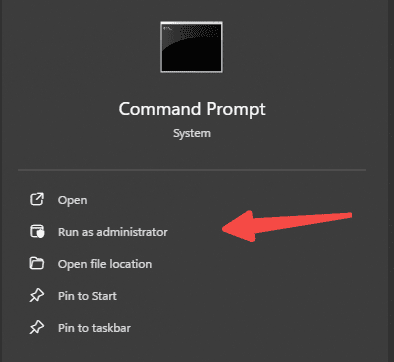
This scan checks protected Windows files and replaces corrupted versions when possible. Wait for the process to finish, restart the PC, and then try launching the program again.
Use DISM for Deeper Repair
If SFC cannot fully fix the issue, or if the problem keeps coming back, use DISM to repair the Windows component store.
Open Command Prompt as administrator and run:
DISM /Online /Cleanup-Image /RestoreHealth
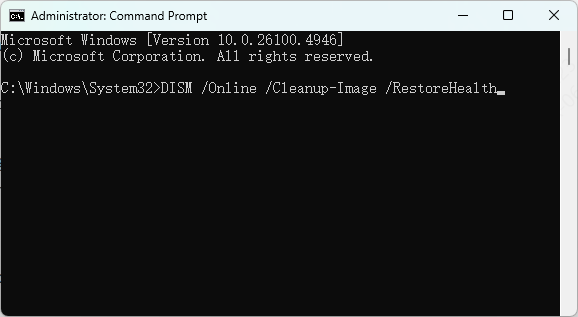
DISM repairs the source files that Windows uses for recovery and replacement. After it completes, restart the computer and run sfc /scannow again. Then test the program once more.
Scan for Malware
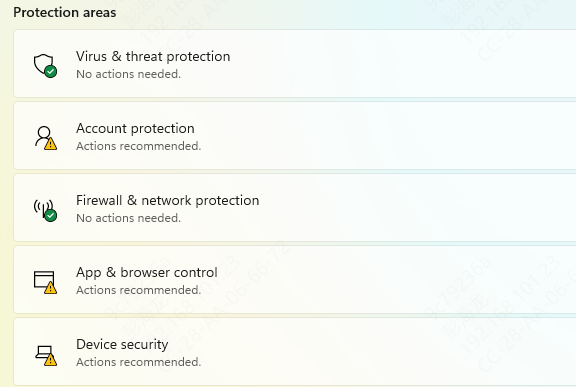
Use Windows Security or a trusted antivirus tool to perform a complete scan. Remove any threats that are found. After cleaning the system, run SFC and DISM again to repair the damage left behind
If malware is the real cause, reinstalling the runtime alone may not be enough until the infection is removed
Update Windows
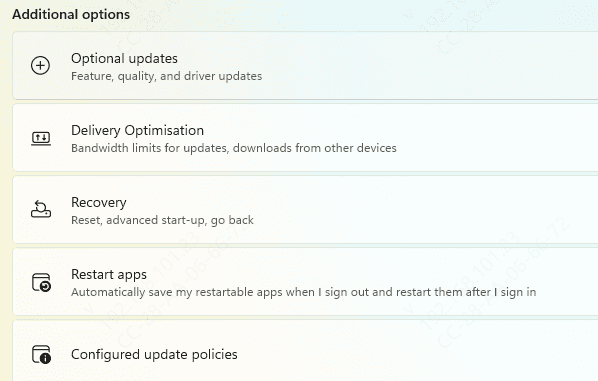
Windows updates can repair compatibility issues, replace missing components, and improve runtime support for older applications. If your system is out of date, install all important updates and restart the computer
While Windows Update may not always restore MSVCR100.dll directly, it can fix underlying system issues that interfere with Visual C++ packages and shared runtime libraries
Use PcGoGo DLL Fixer for Broader Problems
If your computer is showing multiple DLL errors across different programs, the issue may be wider than one single runtime package. There may be damaged runtime entries, broken DLL registrations, or deeper system inconsistencies
In that case, a repair tool such as PcGoGo DLL Fixer can help scan the PC for missing or corrupted DLL components and repair them automatically
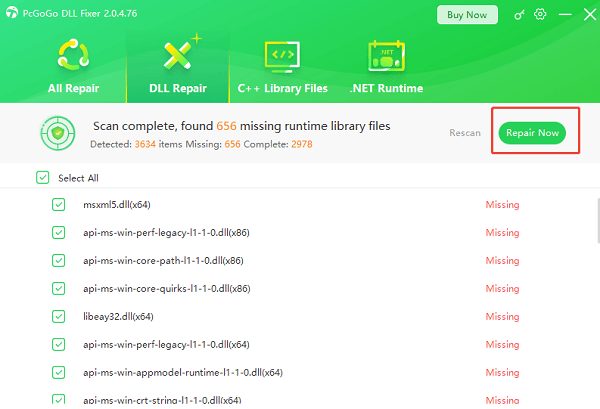
This can be useful when the system has repeated startup errors, not just one isolated application problem. After any automatic repair, restart the computer before testing the affected app again.
Final Thoughts
The MSVCR100.dll missing or not found error is usually caused by a damaged Microsoft Visual C++ 2010 Redistributable package, a broken application install, corrupted Windows files, or malware. The most effective fixes are to reinstall the Visual C++ 2010 runtime, reinstall the affected program, run SFC and DISM, check antivirus quarantine, and update Windows.
If the problem affects multiple apps, the system may need broader repair. If it affects only one app, a clean reinstall is often enough. In either case, avoid downloading DLL files from random websites. Restoring the correct Microsoft components and fixing the underlying cause is the safer and more reliable solution.