
Losing important files such as documents, photos, videos, and work-related data can happen unexpectedly due to accidental deletion, formatting, system crashes, or storage device errors. Fortunately, deleted files are often not permanently erased immediately, and they can be recovered with the help of reliable data recovering software. By using the right recovery tool and following proper steps, even beginners can restore lost files safely. This guide explains how data recovery software works, what precautions to take after data loss, and how to recover deleted files using PcGoGo Data Recovery.
Before You Start: Important Precautions
To maximize your chance of recovering deleted files:
Stop using the affected drive immediately to avoid overwriting data
Do not install new programs on the same disk where files were lost
Avoid saving new files, downloading items, or continuing normal operations
Use another device, if possible, to download recovery software
These precautions greatly increase the likelihood of successful recovery
Simple Steps to Recover Deleted Files Using Data Recovery Software
Step 1: Install a reliable data recovery tool
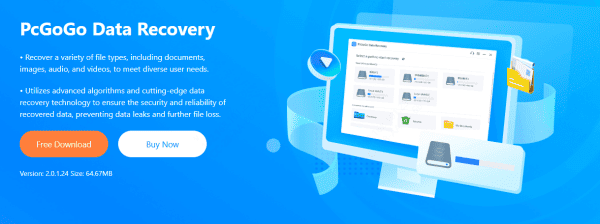
Download and install PcGoGo Data Recovery
Step 2: Select the location to scan
Choose the drive, external hard disk, USB, or SD card where the files were lost
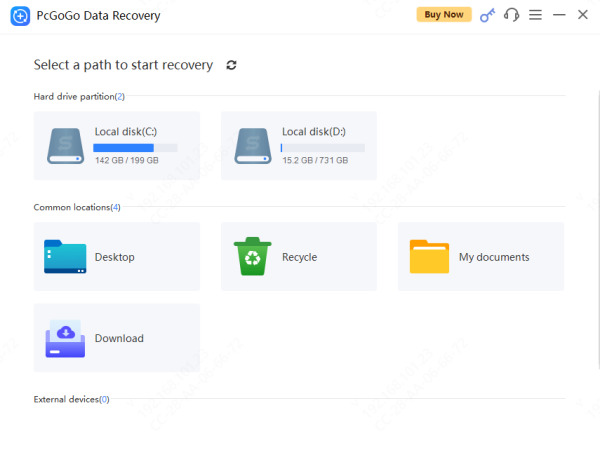
Step 3: Scan
Scan for recently deleted files
The software will begin detecting recoverable files
Step 4: Preview recovery results
Review documents, photos, videos, and other file types to ensure they are intact
Step 5: Recover and save files
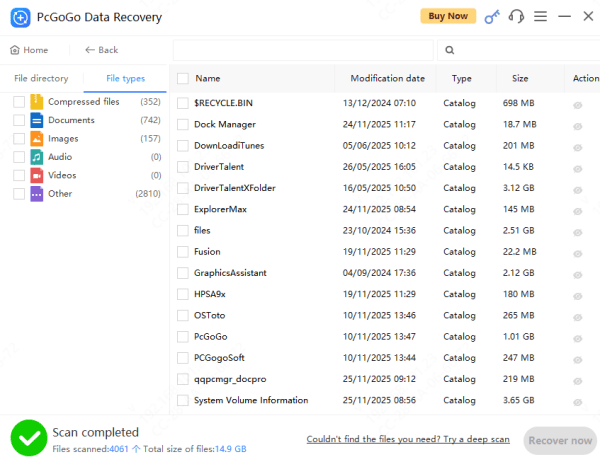
Select the files you want to restore and save them to a different location (not the same drive)
Key Features of PcGoGo Data Recovery
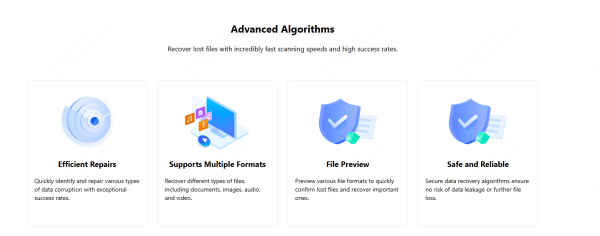
Advanced Repair Capabilities: PcGoGo Data Recovery utilizes intelligent scanning technology to swiftly detect and resolve various kinds of file damage. Whether your data was corrupted during transfer, compromised by malware, or affected by system glitches, the software delivers a strong rate of successful restoration
Broad File Type Compatibility: The tool supports a large variety of formats—such as documents, photos, audio tracks, videos, and compressed files—ensuring you can retrieve virtually any type of lost information with ease
Preview Before Restoring: With its built-in preview feature, PcGoGo Data Recovery allows you to check photos, videos, PDFs, documents, and other file types ahead of recovery, helping you confirm which items you truly want to bring back
Secure and Non-Destructive: PcGoGo Data Recovery uses a safe, read-only recovery process that protects your existing data. It performs all scans without overwriting or harming the files stored on your device, making the recovery experience dependable and risk-free
When Software Recovery Might Not Work
Some situations require professional help:
Physical damage to the drive (clicking noises, failure to power on)
Severe corruption or bad sectors
SSD TRIM technology permanently wiping deleted blocks
Water or fire damage
In these cases, contact a certified data recovery service
Tips to Prevent Future Data Loss
Preventing future data loss starts with building safe data habits, and the most important step is to back up your files regularly using reliable methods such as the 3-2-1 rule, cloud storage, or external drives
Keep your devices protected with up-to-date antivirus software, avoid unplugging USB drives or SD cards without using the "Safely Remove" option, and routinely check the health of your hard drives or SSDs to detect early signs of failure
Keeping your operating system and apps updated reduces security risks, while protecting your devices from physical damage—heat, moisture, drops, or dust—helps prevent sudden drive failure
Cloud syncing adds an extra layer of safety by saving changes automatically, and encryption keeps sensitive data secure in case your device is lost or stolen
Also, avoid filling storage devices to maximum capacity and choose high-quality, reliable drives to reduce the risk of corruption. By following these simple but effective practices, you can greatly reduce the chances of losing important files again in the future
Common Reasons Files Get Deleted
There are many reasons why files disappear, including:
Accidental deletion or clearing the Recycle Bin
Formatting a drive, SD card, USB flash drive, or partition
Operating system crashes or updates
Virus or malware infections
File system corruption caused by unsafe ejection or hardware issues
Understanding the cause helps determine the best recovery method
Conclusion
Recovering deleted files is often easier than you think. With the right data recovering software and quick action, most lost data can be restored successfully. Tools like PcGoGo Data Recovery make the process fast, simple, and effective—even for beginners. Always follow safe recovery practices and consider regular backups to protect your data long-term.