


Death Stranding 2: On the Beach brings Sam Porter Bridges back for another adventure through a mysterious world filled with dangerous environments, challenging deliveries, and cinematic storytelling. Developed by Kojima Productions, the game also features a PC version developed in collaboration with Nixxes Software.
However, some players may experience Death Stranding 2 crashing on PC, preventing them from enjoying the game. Common symptoms include startup crashes, sudden desktop returns, freezing during gameplay, and black screens. This guide explains eight practical solutions to fix Death Stranding 2 crashing on Windows 10 and Windows 11.
Fix 1: Check RAM, Virtual Memory, and Storage
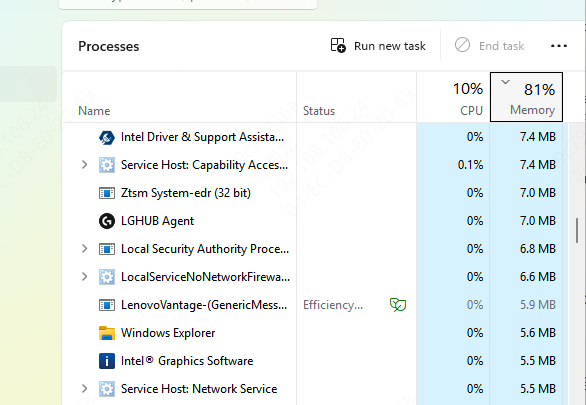
Open Task Manager and select the Performance tab.
Monitor RAM usage while playing.
If memory usage is consistently high, close unnecessary applications.
You should also confirm that Windows virtual memory is enabled.
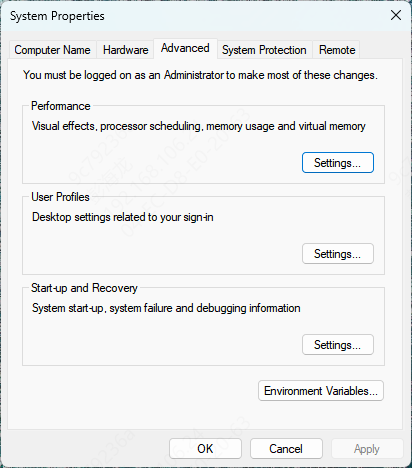
Press Windows + R.
Type sysdm.cpl and press Enter.
Open the Advanced tab.
Under Performance, select Settings.
Choose Advanced > Virtual memory > Change.
Fix 2: Reset Game Settings
Before resetting settings, back up important local files.
Avoid deleting unfamiliar game folders, particularly those containing saved progress.
If the game can still open, restore its graphics settings to their defaults.
If it cannot launch, consult Nixxes' official support instructions for any version-specific configuration reset procedures.
Fix 3: Update Graphics Drivers
Graphics drivers play an important role in how Windows communicates with the GPU.
An outdated or incompatible graphics driver can cause Death Stranding 2 to crash during startup, freeze during gameplay, or display graphical errors.
Nixxes also recommends installing current graphics drivers when troubleshooting PC crashes
Option A: Update Drivers with Driver Sentry
Driver Sentry provides an automated way to check for certain outdated, missing, or problematic Windows drivers.
Download Driver Sentry from the official website.
Install and launch the software
Click Scan to check your computer for driver issues.
Review the detected graphics driver updates.
Install an appropriate compatible driver if available.
Restart Windows and launch Death Stranding 2 again.
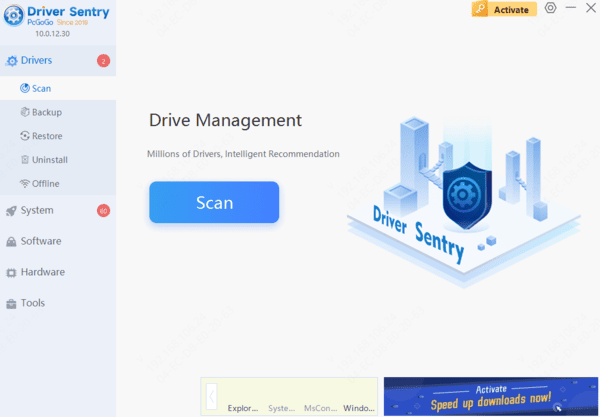
Driver Sentry can help investigate supported driver issues, although it cannot guarantee a solution for crashes caused by game bugs or hardware faults.
Option B: Update Graphics Drivers Manually
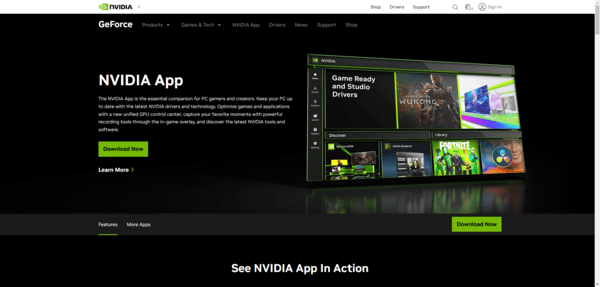
You can also install a compatible graphics driver directly from the manufacturer.
Visit the official NVIDIA, AMD, or Intel support website.
Download and install the appropriate driver.
Restart your computer.
Fix 4: Verify and Repair Game Files
Missing or corrupted game files can cause Death Stranding 2 to crash during startup or gameplay.
This may happen after interrupted downloads, incomplete updates, or storage-related problems.
Fortunately, Steam and the Epic Games Launcher include tools for checking installed game files.
Verify Files on Steam
Open Steam.
Navigate to your Library.
Right-click Death Stranding 2: On the Beach.
Select Properties.
Open Installed Files.
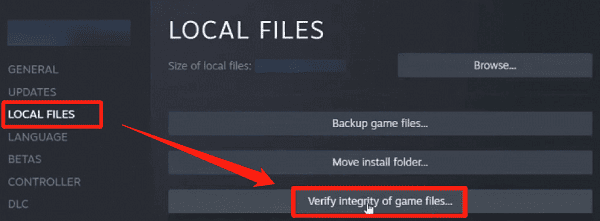
Click Verify integrity of game files.
Wait for Steam to complete the verification process.
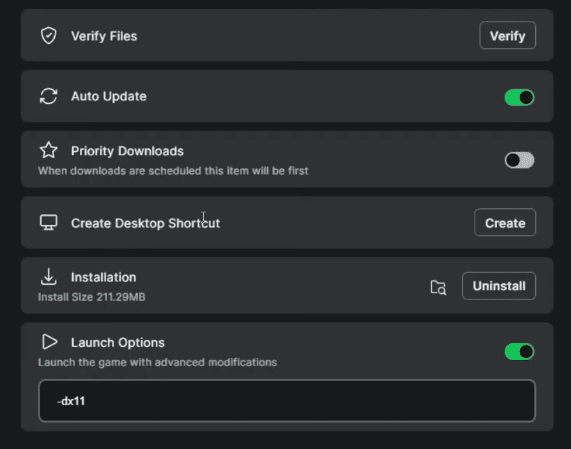
For Epic Games users, open the game library, select the game's management options, and choose Verify.
Restart the game after verification.
Frequently Asked Questions
Why does Death Stranding 2 crash after several minutes of gameplay?
Crashes under sustained load may involve rising temperatures, memory pressure, unstable overclocking, or driver problems. Note whether crashes occur during demanding scenes and test with lower settings and default hardware clock speeds.
Should I disable virtual memory if my PC has plenty of RAM?
Generally, leave the paging file enabled and allow Windows to manage its size. Disabling it can contribute to application failures when memory demands exceed available resources.
Does verifying game files delete saved progress?
Verification normally checks and repairs installation files without removing saves. However, it may replace modified game files, so back up important saves and custom modifications before troubleshooting.
By troubleshooting the problem systematically, you can identify the likely cause and improve your chances of enjoying Death Stranding 2 without unexpected interruptions.