NVIDIA recently launched Game Ready driver version 560.94, designed to optimize gaming performance, especially for the game "Black Myth: Wukong", offering players a smoother experience.
1. NVIDIA Game Ready Driver Version 560.94
The NVIDIA Game Ready driver version 560.94 is an update designed to enhance game performance and stability. It not only includes support for new games but also incorporates several technical improvements to ensure players can enjoy a smooth and high-quality gaming experience.
Supports DLSS 3.5 Technology:
The driver is optimized for DLSS 3.5 technology, allowing games that support this technology to achieve higher frame rates while maintaining high image quality.
Optimized for New Games:
Several new games, including "Black Myth: Wukong", "Star Wars Outlaws", "Final Fantasy XVI", and "Exoprimal", have been specifically optimized to ensure players have the best possible gaming experience.

(Image source: Ubisoft)
Stability and Compatibility Improvements:
In addition to performance enhancements, the 560.94 driver also addresses known issues to improve overall stability and compatibility.
2. Impact on "Black Myth: Wukong"
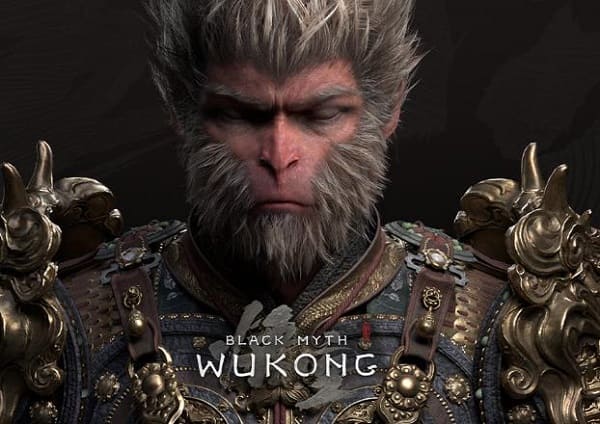
"Black Myth: Wukong" is a highly anticipated action-adventure game from China, praised for its faithful representation of mythological backgrounds and excellent visual effects.
(Image source: NVIDIA)
The NVIDIA 560.94 driver performs exceptionally well with this game, especially when running at 4K resolution with maximum settings, 50% supersampling, and ultra-high ray tracing. Tests show that players using an RTX 4080 Super graphics card can achieve an average of 77 FPS with the new driver, up from 74 FPS previously.
3. How to Install the NVIDIA Game Ready Driver Version 560.94
To ensure your system can smoothly install and use the NVIDIA Game Ready driver version 560.94, it is recommended to use Driver Sentry to automatically detect and update the driver, saving time and avoiding the risk of downloading or installing the wrong driver.
Click the download button to get the latest version of Driver Sentry. After installation, open the software and click "Scan".
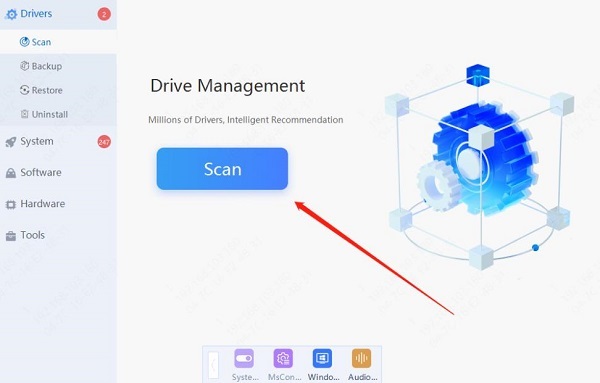
Once the scan is complete, it will show which drivers are not installed or need updating. Find the NVIDIA graphics driver in the results list and click the "Update" button.
After updating, it is recommended to restart your computer to ensure the updated driver can function properly.
The release of the NVIDIA Game Ready driver version 560.94 is undoubtedly good news for many gamers. Whether you are a hardcore gamer or a casual user who likes to experience the latest games, this driver can provide you with a better gaming experience. Download and install the latest driver now to experience the performance improvements in "Black Myth: Wukong" and other games!
See also:
How to Fix No Sound on Your Computer
How to Quickly Check Your Computer's Graphics Card Configuration
6 Ways to Restore Computer Audio
7 Ways to Fix Windows Screen Flickering