
In 2026, as AI assistants like OpenClaw become integral to managing sensitive data and automating critical workflows, the stakes for security have never been higher. OpenClaw's flexibility and connectivity make it an invaluable tool, but they also create potential entry points for attackers seeking to exploit stored credentials, conversation histories, and connected systems. Protecting your instance goes beyond simple passwords — it requires robust encryption, careful secrets management, and proactive monitoring. This guide explores the most effective strategies for safeguarding your OpenClaw data, offering practical tips, best practices, and modern encryption methods to help you stay one step ahead of emerging threats.
Common Vulnerabilities and Attack Vectors
How Attackers Target OpenClaw
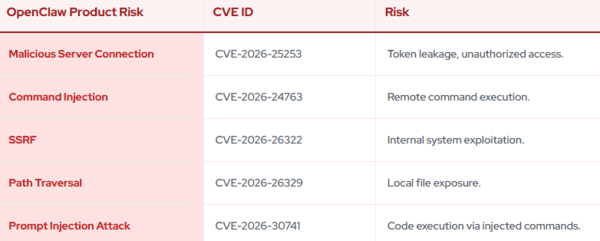
Attackers use several methods to compromise OpenClaw. They may trick users into executing harmful commands or exploit web-based vectors that silently connect to your gateway
Brute-force attempts on weak authentication can allow attackers to impersonate trusted devices and gain control. Some risks appear during initial setup, while others emerge later through stolen files or manipulated memory
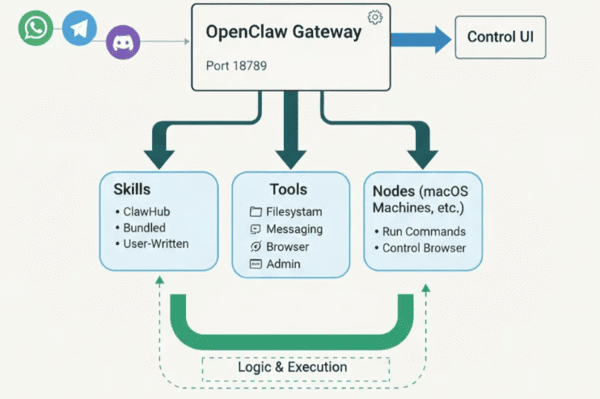
Every new integration or connected tool potentially expands the attack surface, so careful configuration is vital
Data Storage Risks
OpenClaw stores sensitive items such as API keys, OAuth tokens, and conversation history. If an attacker gains control, they can extract or modify these secrets
Memory is often kept in simple local files, which can be altered or exfiltrated without immediate detection. More integrations mean more potential weak points, increasing the chance of credential leaks
Configuration Pitfalls
Common configuration mistakes can expose your instance. Running on public networks, using default settings, or failing to isolate multi-user access can lead to serious breaches
Prompt injection can force the agent to reveal private information or modify files. Reusing the same configuration templates across multiple setups amplifies the impact of any single error
Best Practices for OpenClaw Data Encryption and Protection
Key Management and Rotation
Never hardcode encryption keys directly into your configurations or scripts — they can be easily discovered. Instead, store them securely using environment variables or a dedicated secrets manager
Rotate your encryption keys every 90 days as a standard practice. Perform immediate rotations if a team member leaves or if you suspect a key may have been compromised. Use separate keys for different types of data to limit the impact of any single breach
Rotate keys every 90 days
Rotate immediately after staff changes or suspected leaks
Apply unique keys per data category
These habits significantly strengthen your overall protection
Secure Secrets Storage
Handle all secrets with extreme care. Avoid sharing them in chats, notes, or any unsecured locations
Use a dedicated secrets manager or a properly permission-restricted local file for storage. Never commit secrets to version control repositories. Rotate any exposed or outdated secrets without delay
Best practices for secrets
Rely on a secrets manager whenever possible
Keep secrets out of code, chats, and public repositories
Rotate credentials promptly when needed
Data and Session Isolation
Isolation is a critical layer of defense. Treat every user session as its own secure boundary to prevent cross-contamination or leaks between different users or tasks
Test your isolation setup regularly, especially after updates or major changes. Running OpenClaw in a dedicated, contained environment further readuces risk by limiting potential damage if one component is compromised
Regular Access Audits
Perform frequent audits to understand who can access your OpenClaw data and detect any unusual behavior
Schedule audits after configuration changes, network adjustments, or team updates. Look for suspicious patterns such as unexpected commands, unusual network activity, or attempts to access restricted files
Address any findings immediately to maintain strong control over your environment
Enable Sandboxing and Additional Layers
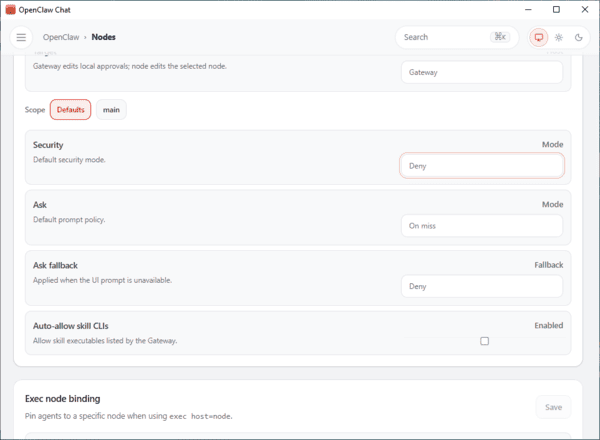
Activate sandboxing to add extra protection around OpenClaw processes. This restricts what the agent can do and contains potential threats
Combine sandboxing with other measures like strong authentication, allowlists for commands, and encrypted backups for comprehensive defense
Choosing Reliable Options
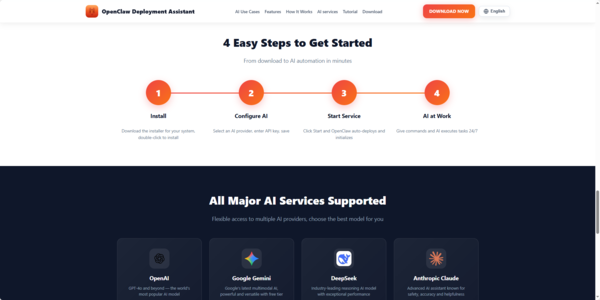
OpenClawTool handle updates, installation and deployment, allowing you to focus on using your AI assistant
Final Thoughts
In 2026, securing your OpenClaw instance is not optional — it's essential for protecting sensitive data and maintaining operational trust. By implementing strong encryption methods, careful key and secrets management, strict session isolation, and regular audits, you can significantly reduce risks. Layer these practices with reliable hosting choices for the best results.