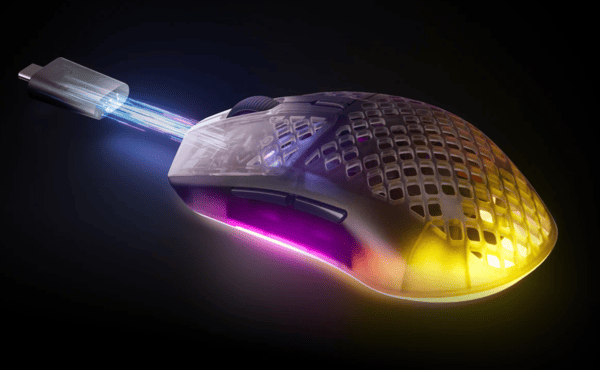
The SteelSeries Aerox 3 Wireless Gen 2, released in 2026, builds on the original's lightweight, honeycomb design and solid wireless performance with key upgrades. It retains the perforated shell and IP54 AquaBarrier protection while adding a TrueMove 26K sensor, 4000 Hz wireless polling, improved battery management, and adjustable lift-off distance. Weighing just 68 grams, it offers tri-mode connectivity (2.4 GHz, Bluetooth, and wired) and up to 120 hours of battery life on 2.4 GHz or 200 hours on Bluetooth. Priced around $100/£100, it's aimed at competitive FPS players, hybrid gamers, and anyone who values portability and durability, and this review examines whether the Gen 2 improvements make it worth upgrading.
First Impressions
Unboxing the Aerox 3 Wireless Gen 2 reveals a clean, modern package with the mouse, a USB-C dongle, a USB-A to USB-C charging cable, and a USB-C adapter for flexible setup
The mouse is available in colors like Shadow (black), Ghost (white), and Magenta Haze, with a new translucent casing that lets the 3-zone PrismSync RGB lighting shine through the honeycomb holes for a dramatic effect
Right out of the box, the 68 g weight feels impressively light yet substantial enough not to feel cheap. The honeycomb pattern on the top and rear shell remains the standout visual feature — it reduces weight while allowing airflow and RGB glow
Compared to the original Aerox 3 Wireless, the Gen 2 has a slightly grippier matte coating and a more refined scroll wheel texture. It immediately gives the impression of a durable, travel-friendly mouse that can survive spills or dust thanks to its IP54 rating
Shape, Coating, and Mouse Feet
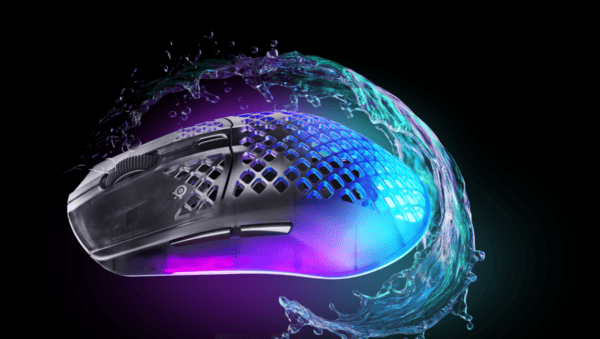
The Aerox 3 Wireless Gen 2 retains a symmetrical shape with dimensions of approximately 120.55 mm × 67.03 mm × 37.98 mm. This makes it versatile for different grip styles: palm grippers with medium-to-large hands will find it comfortable, while claw and fingertip users appreciate the relatively flat hump and compact feel
It suits right-handed users best due to the left-side thumb buttons, though ambidextrous players can still use it effectively
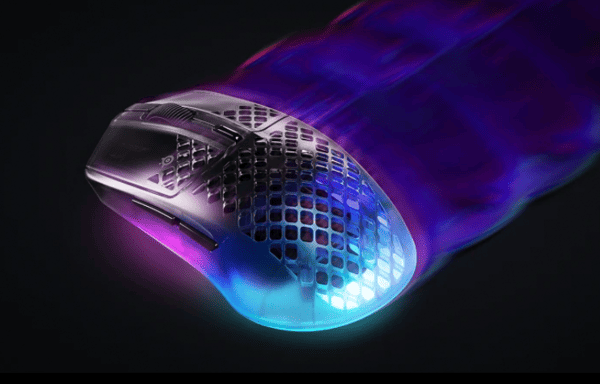
The coating is a clear improvement over the first generation. The Gen 2 features a slightly textured, grippier matte finish that resists sweat and oils better, reducing the shiny wear that plagued earlier models over time. It provides excellent control without feeling sticky
The mouse feet (PTFE skates) are large and smooth, delivering low-friction gliding on most surfaces, including hard pads and cloth
They feel premium and durable out of the box, with minimal initial scratchiness that quickly breaks in. The perforated design helps with overall lightness but does allow some dust entry over long periods — though the sealed sides and IP54 rating mitigate major issues

Buttons and Scroll Wheel
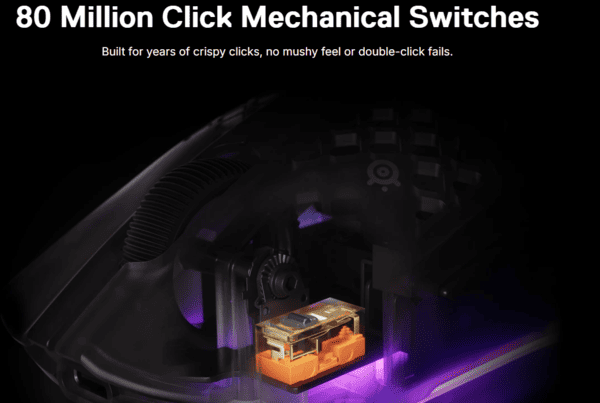
The Aerox 3 Gen 2 has six programmable buttons: left and right mains, a scroll wheel with middle click, a DPI switch on top, and two side buttons on the left. The mechanical switches are rated for 80 million clicks and deliver a crisp, tactile feedback with a satisfying "click" sound that feels responsive without being overly loud
Main buttons have good pre-travel and a consistent actuation force, making them suitable for rapid clicking in games. The side buttons are well-placed for thumb access and have minimal wobble, though they can feel slightly mushier than flagship competitors
The scroll wheel is one of the nicest upgrades — it's quieter, has clearer steps, and a better texture than the Gen 1, improving both gaming precision and everyday scrolling
All buttons are fully customizable via SteelSeries GG software, including macros and profile switching
Build Quality
SteelSeries has done a strong job maintaining rigidity despite the honeycomb shell. There is virtually no creaking or flex when squeezing the sides or pressing the shell, which is impressive for a perforated lightweight design. The translucent ABS plastic feels high-quality, and assembly precision is tight
The IP54 AquaBarrier protection remains a major selling point — the mouse can handle dust and light water exposure (SteelSeries has even tested it in extreme conditions like dishwashers in promotional material). The USB-C port is conveniently placed for charging, and the included dongle is compact
Long-term durability looks promising thanks to the 80M-click switches and robust feet. Minor concerns include potential dust accumulation in the holes over years of heavy use, but overall build quality feels competitive at this price point
Sensor and Everyday Performance
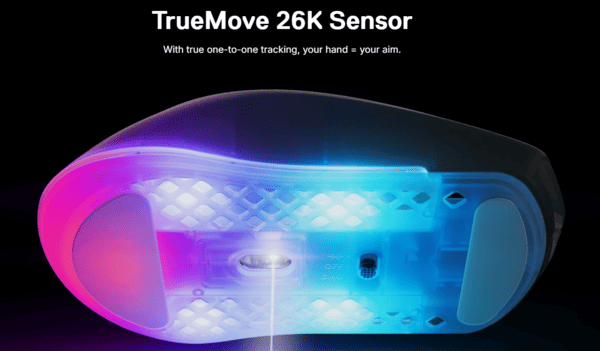
The biggest upgrades live inside. The new TrueMove 26K sensor offers 26,000 DPI, 400 IPS tracking speed, and 40G acceleration — more than enough for even the fastest flicks. It includes adjustable lift-off distance (1 or 2 mm), which helps fine-tune tracking to your preference
Wireless performance shines with Quantum 4K technology, supporting up to 4000 Hz polling rate over 2.4 GHz (dropping to 1000 Hz when wired). This results in ultra-low latency (around 1.2 ms click response) and noticeably snappier cursor movement compared to standard 1000 Hz mice. In fast-paced FPS titles, the difference in responsiveness is appreciable for competitive players
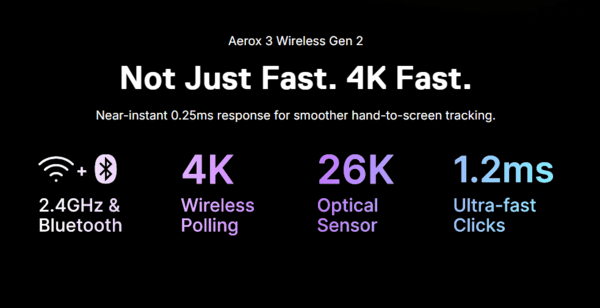
Battery life is excellent in balanced modes: up to 120 hours at 1000 Hz on 2.4 GHz and 200 hours on Bluetooth (with RGB off). At full 4000 Hz, it drops to around 35 hours, which is still usable for a workweek but requires more frequent charging. Bluetooth mode is great for travel or office use with minimal latency for non-gaming tasks
Everyday performance is smooth across desktop work, browsing, and gaming. SteelSeries GG software provides deep customization, including sensitivity tools, RGB control, and power management. The mouse feels reliable with no skipping or jitter in testing
Pro Tip
For the best performance with your Aerox 3 Wireless Gen 2, keeping your system drivers up to date is essential
Tools like Driver Sentry provide a one-click solution to scan, update, and repair outdated or missing drivers, including USB controllers, chipset drivers, and other components that directly impact wireless and gaming peripherals
Using Driver Sentry helps ensure your Aerox 3 Wireless Gen 2 delivers smooth, responsive tracking with minimal latency and maximum reliability

Alternatives
Razer Viper V3 Pro or Viper V4 Pro: Even lighter (around 54-60 g), with potentially superior sensor and coating, but usually more expensive and without the honeycomb aesthetic or IP54 rating
Logitech G Pro X Superlight 2: Excellent build, hero sensor, and shape for many gamers, though heavier than the Aerox and lacking the perforated design
Lamzu Atlantis / Thorn or Pulsar X2 series: Popular ultra-light options with similar weights and high polling rates, often praised for glide and clicks, sometimes at a lower price
Finalmouse or other boutique lightweight mice: For those chasing absolute minimum weight, though they may sacrifice battery life or durability
Conclusion
The SteelSeries Aerox 3 Wireless Gen 2 is a solid evolutionary upgrade rather than a revolution. It refines an already good mouse with a better sensor, 4K polling support, improved coating, and more efficient battery management while preserving the lightweight honeycomb design and excellent durability.