

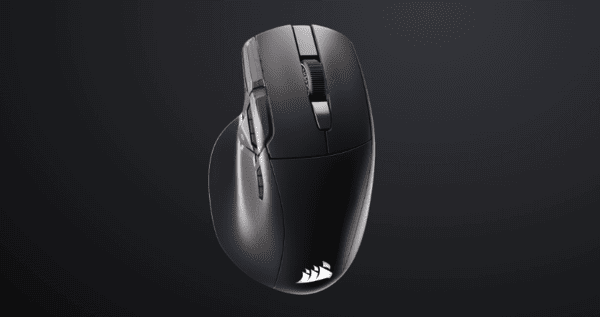
The Corsair Nightsword V2 Wireless is a feature-rich gaming mouse designed for players who want comfortable ergonomics, customizable controls, and reliable wireless performance. Unlike ultra-lightweight esports mice that prioritize speed above everything else, the Nightsword V2 focuses on versatility.
Its most distinctive feature is a dedicated Elgato Stream Deck Launch Button, which provides access to customizable shortcuts and application controls. Combined with 11 buttons, a high-performance optical sensor, and multiple connection options, the mouse aims to serve gamers, streamers, and productivity-focused users.
First Impressions
The Corsair Nightsword V2 Wireless immediately stands out with its large ergonomic shape and gaming-oriented appearance.
Its right-handed design includes a pronounced thumb rest, textured gripping areas, and multiple buttons positioned around the main controls. The overall styling is functional rather than minimalist.
At approximately 89 grams, the mouse is noticeably heavier than many modern competitive gaming mice. However, that additional weight accompanies a larger body and more extensive controls.
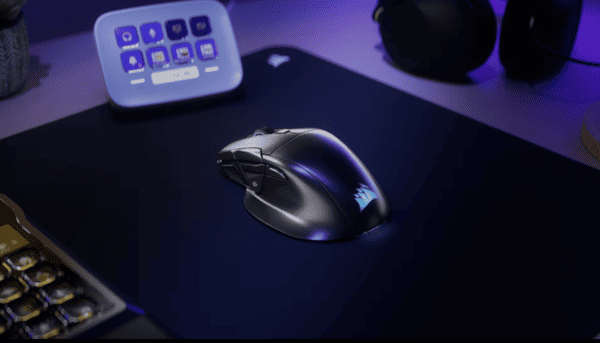
The dedicated Stream Deck button is the most unusual element. Instead of simply providing another programmable shortcut, it opens access to a customizable on-screen control panel.
Shape, Coating, and Mouse Feet
Shape and Ergonomics
The Nightsword V2 Wireless features an asymmetrical right-handed shape designed primarily around comfortable palm support.
Its curved shell follows the natural resting position of the hand, while the integrated thumb rest provides additional support along the left side.
The larger dimensions may appeal to medium and large hands, particularly when using a palm grip.
A relaxed claw grip may also work, although the extended rear section can limit how easily some users reposition the mouse using their fingertips.
Surface Coating and Grip
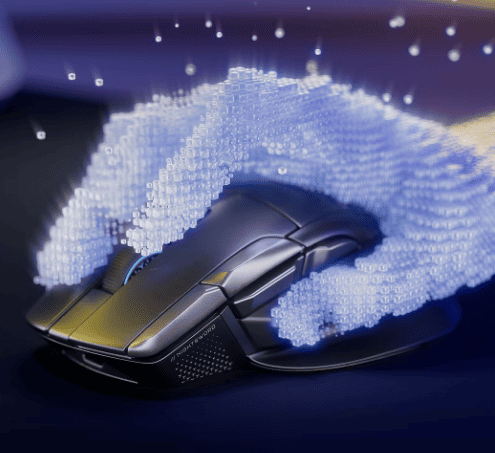
Corsair uses a matte exterior finish with textured gripping areas.
The textured sides are intended to improve grip security during extended gaming sessions, especially when the hand begins to sweat.
The coating also contributes to the mouse's distinctive appearance.
However, matte surfaces can collect fingerprints and skin oils over time. Independent reviews have identified visible buildup as a potential drawback of this model.
Regular cleaning with a suitable soft cloth can help maintain the surface.
Mouse Feet and Glide
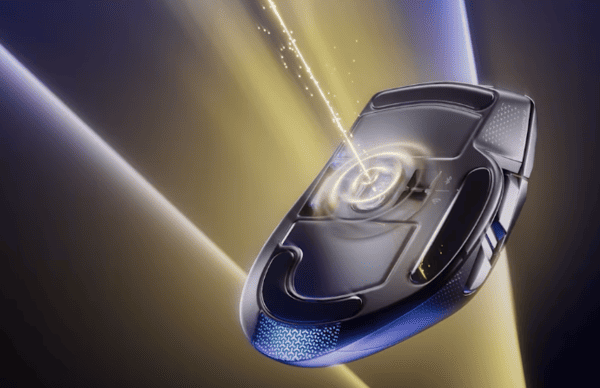
The Nightsword V2 Wireless uses PTFE mouse feet designed to support movement across compatible mousepads.
PTFE is commonly used in gaming mice because of its low-friction properties.
However, the mouse's 89g weight means it requires more effort to accelerate and stop than a substantially lighter esports mouse.
Independent reviewers have also reported that the stock feet can feel less smooth than those on some competing premium models.
For general gaming and productivity, the glide should be functional, but players who prioritize exceptionally light movement may prefer a different design.
Buttons and Scroll Wheel
Main Buttons
Optical switches detect actuation using light rather than relying on conventional mechanical electrical contacts.
This design can provide consistent input detection and reduce certain forms of contact wear.
Button construction, shell design, and internal components also influence tactile feedback.
Some independent reviews describe the primary clicks as relatively hollow compared with competing premium gaming mice.
Programmable Buttons
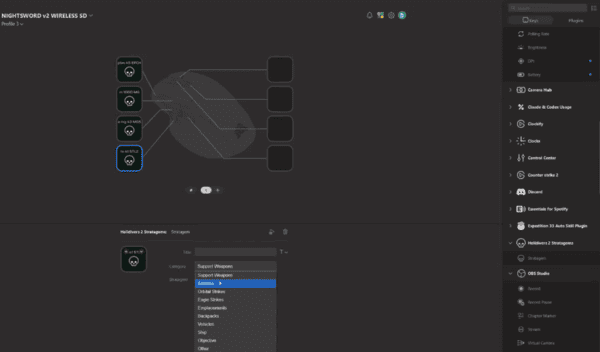
The Nightsword V2 offers an 11-button layout with multiple customizable controls
Additional buttons can be useful for games that require frequent access to equipment, abilities, or commands.
In FPS games, players may assign controls for weapon switching or communication.
In RPGs and MMOs, the extra inputs can provide access to commonly used abilities without requiring additional keyboard movement.
The same flexibility extends to everyday productivity, where buttons can trigger shortcuts or application functions.
Elgato Stream Deck Integration
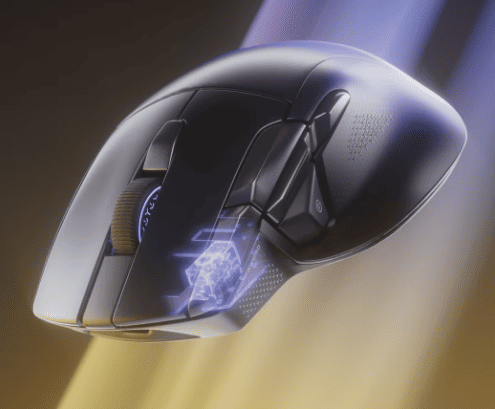
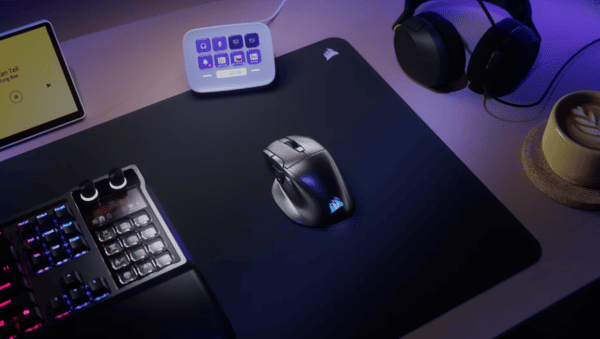
The dedicated Stream Deck Launch Button is the defining feature of this mouse.
Pressing it can open Elgato's Virtual Stream Deck, providing access to a customizable panel of actions.
Users can configure shortcuts for applications, games, streaming software, and productivity workflows.
Scroll Wheel
The Nightsword V2 features a textured scroll wheel with conventional stepped scrolling.
The wheel is suitable for weapon selection, document navigation, and general browsing.
It also supports additional tilt inputs, expanding the available control options.
However, it does not offer the free-spinning scrolling mode available on certain competing productivity-oriented gaming mice.
Independent testing has also raised concerns about the wheel's firmness and tactile feedback.
Users who frequently scroll through long documents may prefer a mouse with a more advanced scrolling mechanism.
Build Quality
The Corsair Nightsword V2 Wireless combines a substantial ergonomic shell with multiple integrated controls.
Its construction is designed to support frequent gaming and everyday use.
The optical switches are rated for up to 100 million clicks, although this rating applies to the switches rather than every component of the mouse.
The integrated thumb rest and larger body contribute to a secure resting position.
Independent reviews generally describe the shell construction positively, even when criticizing certain button sensations.
Sensor and Everyday Performance
Corsair MARKSMAN S 33K Optical Sensor
The Nightsword V2 Wireless features Corsair's MARKSMAN S optical sensor.
According to Corsair, it supports a maximum resolution of 33,000 DPI, tracking speeds up to 750 IPS, and acceleration up to 50G.
These specifications place it among modern high-performance gaming sensors.
However, maximum DPI alone does not determine practical gaming performance.
Most players use substantially lower sensitivity settings based on their preferred games, display resolution, and mousepad space.
The sensor's extensive DPI range provides flexibility for different preferences.
For FPS gaming, lower sensitivity settings can support controlled aiming, while higher sensitivity may be useful for certain productivity tasks.
Polling Rate and Responsiveness
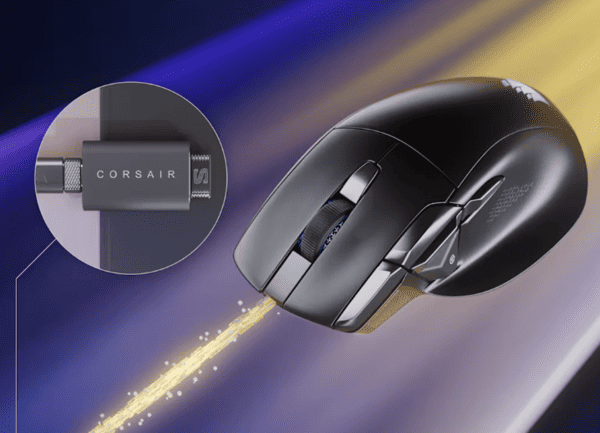
One of the Nightsword V2's technical highlights is support for polling rates up to 8,000Hz in compatible wired and 2.4GHz wireless modes.
Polling rate describes how frequently the mouse reports information to the computer.
At 1,000Hz, the reporting interval is approximately one millisecond. At 8,000Hz, that interval decreases to approximately 0.125 milliseconds.
Higher polling rates can reduce the interval between reports, although the actual benefit depends on the computer, game, display, and overall input pipeline.
Corsair ships the mouse at 1,000Hz by default.
Users can select higher polling rates through Corsair Web Hub, provided their system supports them.
Software and Customization
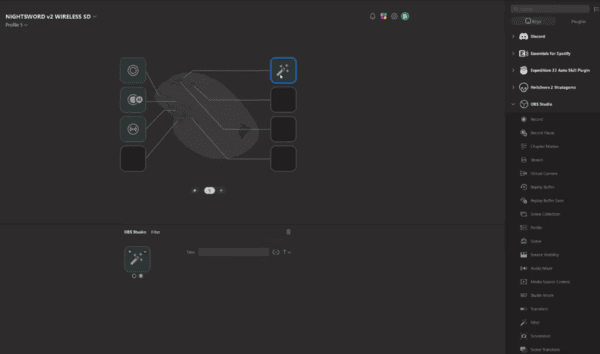
Users can adjust DPI settings, remap buttons, create macros, and manage supported device settings.
Corsair also provides firmware update functionality through Web Hub.
The mouse does not require Corsair iCUE for its standard configuration.
For Stream Deck integration, users need the appropriate Elgato software.
Gaming and Everyday Productivity
The Nightsword V2 is best understood as a multifunction gaming mouse rather than a specialist lightweight esports model.
Its ergonomic shape and additional controls make it particularly interesting for RPGs, MMOs, strategy games, and general productivity.
The programmable buttons can reduce repetitive keyboard actions, while Stream Deck integration expands the available shortcut options.
For competitive FPS gaming, the high-performance sensor and polling-rate support are attractive.
Driver Updates and Connectivity Stability
Keeping your system drivers updated can help maintain stable wireless connectivity and reliable mouse performance. Outdated or corrupted USB and Bluetooth drivers may sometimes cause connection drops, input lag, or device recognition problems.
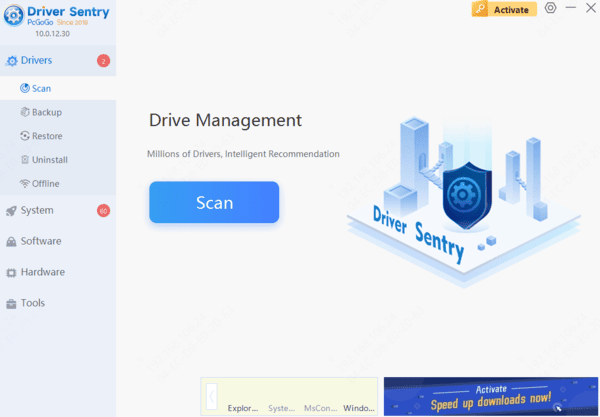
If you experience these issues with the Corsair Nightsword V2 Wireless, you can use Driver Sentry to scan for outdated or problematic system drivers and install compatible updates when available.
Alternatives
Logitech G502 X Plus
The Logitech G502 X Plus is a strong alternative for users who want a versatile ergonomic gaming mouse.
It offers extensive programmable controls, wireless connectivity, and a distinctive scroll wheel with multiple scrolling modes.
Its design is suitable for gaming and productivity, making it a direct competitor to the Nightsword V2.
Razer Basilisk V4 Pro
The Razer Basilisk V4 Pro is another premium ergonomic gaming mouse focused on customization and advanced controls.
It offers modern sensor technology, multiple programmable inputs, and versatile scrolling functionality.
Its feature set makes it attractive for users who want a high-end mouse for both gaming and everyday tasks.
Corsair Nightsword RGB
The original Corsair Nightsword RGB remains worth considering for users who prefer a wired connection.
Its most distinctive feature is an adjustable weight system, allowing users to customize the mouse's physical balance.
The Nightsword V2 replaces that approach with wireless connectivity, a newer sensor, higher polling-rate support, and Stream Deck functionality.
For users who want a comfortable wireless gaming mouse with extensive controls and meaningful productivity features, the Corsair Nightsword V2 Wireless is a compelling option worth considering.