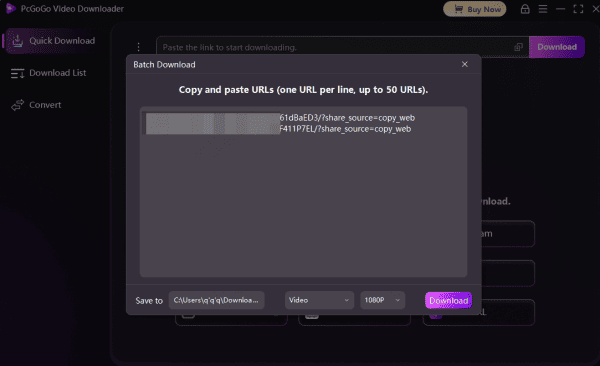
Want to download online videos from YouTube, Instagram, TikTok, or other platforms using a link? This guide shows you how to use PcGoGo Video Downloader to paste a URL, choose your preferred format and resolution, and download single or multiple videos in batch — quickly and without watermarks.
Download Videos with PcGoGo Video Downloader
Copy the Video Link
Open the website or app where you found the video
Find the video you want to save
Copy the URL link of the video. This can be done by right-clicking the video and selecting "Copy link," or copying it from the address bar if you're on a desktop
Launch PcGoGo Video Downloader
Download and install PcGoGo Video Downloader if you haven't already
Open the software after installation
Paste the URL into PcGoGo Video Downloader
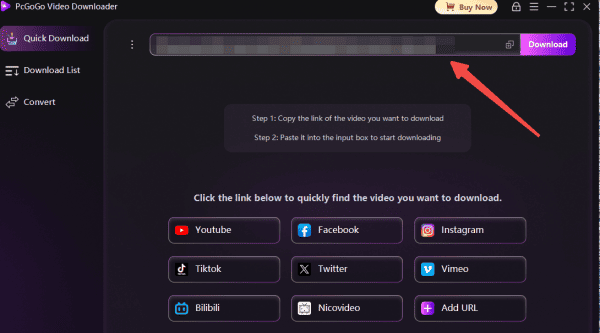
In the PcGoGo Video Downloader, locate the download bar or input field
Paste the copied video link into the input field
Select the Video Format and Resolution
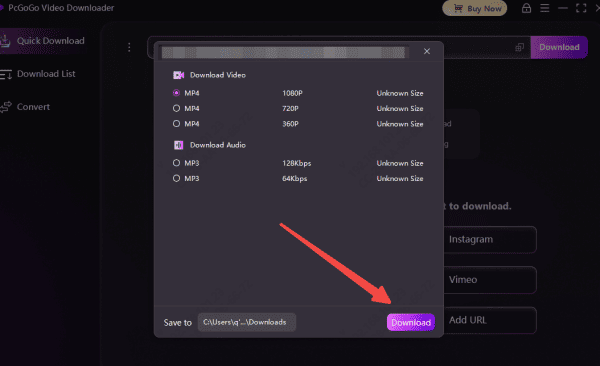
Once you paste the link, PcGoGo Video Downloader will automatically detect the video and present options for you
Choose your preferred video format, such as MP4 for video or MP3 for audio
Select the desired resolution for the video (e.g., 720p, 1080p, or higher if available)
Download Your Video
After selecting your options, click the Download button
PcGoGo Video Downloader will start downloading the video, and you can track the progress within the software
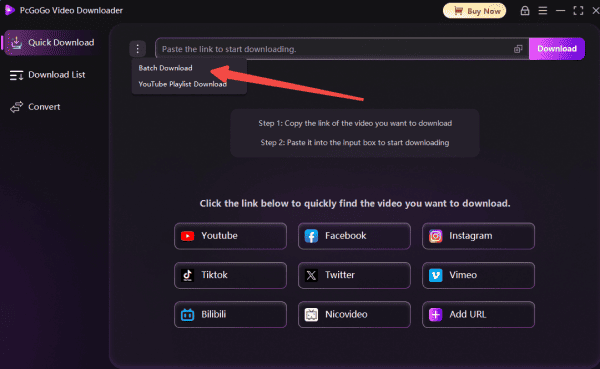
Batch Download Videos with PcGoGo Video Downloader
PcGoGo Video Downloader allows you to download multiple videos at once, streamlining the process of saving large amounts of content from supported websites.
Collect Multiple Video Links
Find the videos you want to download across supported platforms like YouTube, Facebook, Instagram, TikTok, and more
Copy the URLs for all the videos you wish to download
Paste the Links into PcGoGo Video Downloader
Open the PcGoGo Video Downloader on your device
Paste all the copied links into the input field or download bar in one go
The software will automatically detect and analyze the links to prepare them for download
Choose Your Preferred Format and Quality
After the links are added, select the format for each video
Pick the resolution for the individual videos, such as 720p, 1080p, or even 8K if available
Alternatively, you can apply uniform settings to all videos in the batch for consistency
Start the Batch Download
Once your settings are ready, click on the Download button
PcGoGo Video Downloader will begin processing and downloading the videos one by one at high speeds
Track the download progress directly within the software as it saves the videos to your designated folder