

Is Helldivers 2 hard crashing on your PC during missions or intense combat? The game may suddenly close to the desktop, freeze on a black screen, or cause your computer to restart unexpectedly. These problems can interrupt gameplay and make it difficult to complete missions.
Helldivers 2 crashes can result from outdated graphics drivers, corrupted game files, anti-cheat conflicts, demanding graphics settings, or unstable hardware. In some cases, background applications and Windows system errors may also contribute to the problem.
Method 1: Verify Helldivers 2 Game
Corrupted or missing game files can prevent Helldivers 2 from launching correctly or cause crashes during gameplay.
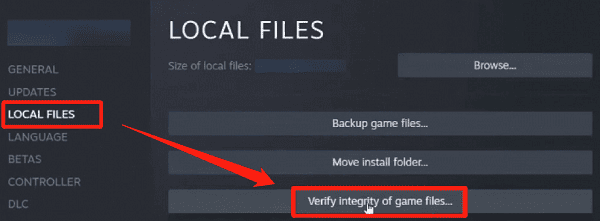
Steam includes a built-in feature that checks installed files and replaces damaged or missing content.
To verify the game installation:
Open Steam.
Go to Library.
Right-click Helldivers 2.
Select Properties.
Open Installed Files.
Click Verify integrity of game files.
Wait for Steam to finish checking the installation.
Method 2: Resolve Easy Anti-Cheat and GameGuard Conflicts
Remove Leftover Game Modifications: Check whether modified files remain in the game installation folder.
Check Legacy Anti-Cheat Files: Follow the developer's recommended cleanup procedure for legacy GameGuard components when applicable.
Review Security Software Conflicts: Check whether antivirus software has quarantined legitimate game or anti-cheat components.
Method 3: Update Graphics and System Drivers
Graphics drivers play an important role in game rendering, performance, and stability. If your graphics driver is outdated, corrupted, or incompatible with the current game version, Helldivers 2 may freeze, display graphical errors, or close unexpectedly.
Checking graphics and chipset drivers is a useful starting point, particularly when other games also experience problems.
Check Drivers with Driver Sentry
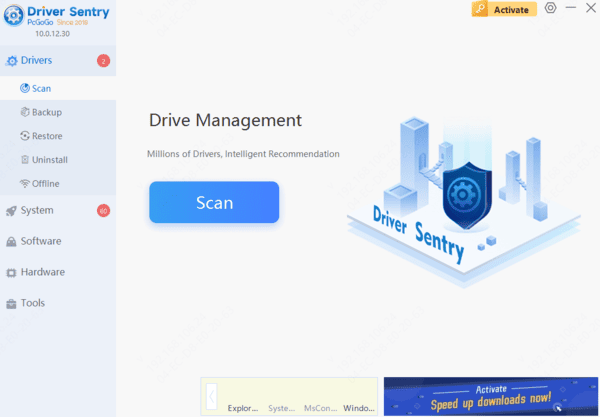
Driver Sentry is a Windows driver management utility that can identify supported missing, outdated, or problematic drivers.
It provides an additional way to check graphics, chipset, and other relevant driver issues.
Download Driver Sentry.
Install and launch the application.
Click Scan to examine your computer.
Review the detected driver issues.
Install appropriate compatible updates if available.
Restart Windows.
Update Graphics Drivers Manually
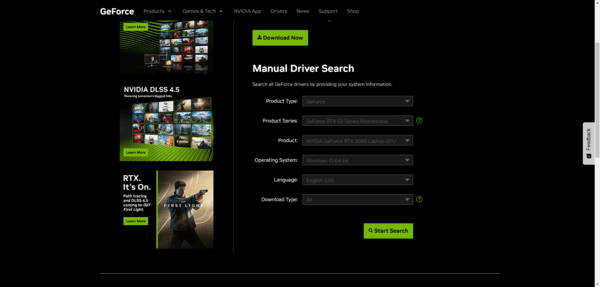
You can also download graphics drivers directly from NVIDIA, AMD, or Intel.
Identify your graphics card model and install a compatible driver from the manufacturer's official website.
If Helldivers 2 started crashing immediately after a graphics driver update, consider rolling back to a previously stable version.
Method 4: Lower Graphics Settings
High graphics settings can increase GPU workload and memory usage. If Helldivers 2 crashes during intense combat or large-scale missions, reducing graphics demands may improve stability.
Try these adjustments:
Launch Helldivers 2.
Open the graphics settings.
Reduce demanding visual quality options.
Lower the rendering resolution or resolution scale if necessary.
Limit the frame rate to a stable value.
Method 5: Reset Corrupted Game Configuration Files
Damaged configuration files may cause Helldivers 2 to crash during startup or after loading graphics settings. Resetting the affected configuration can help restore default game behavior.
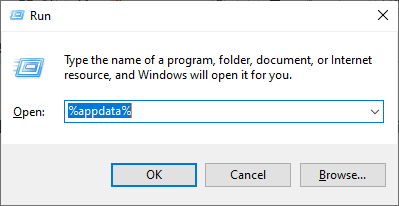
Press Windows + R, enter %appdata%, and press Enter.
Locate the Arrowhead folder associated with Helldivers 2.
Back up the relevant configuration files before modifying them.
If the official troubleshooting instructions identify a particular configuration file, rename or remove that file as directed.
Restart the game and allow it to recreate the necessary settings.
Method 6: Close Conflicting Background Applications
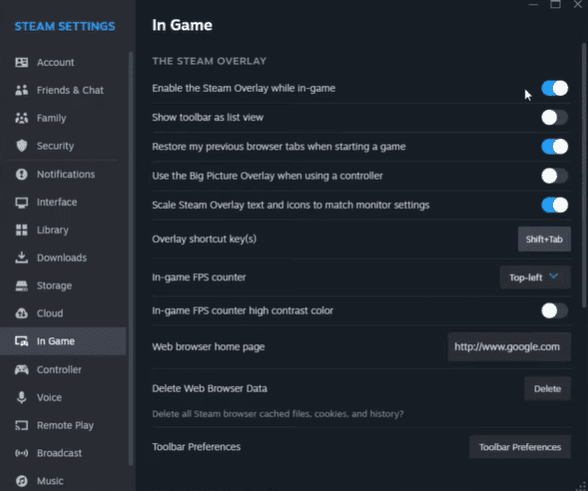
Background applications may interfere with game rendering, overlays, or anti-cheat components. Some recording tools, performance utilities, and third-party overlays can contribute to crashes. You can also test the game without optional overlays.
For Steam:
Open Steam.
Right-click Helldivers 2.
Select Properties.
Open General.
Disable the Steam Overlay for the game.
Launch Helldivers 2 again.
Method 7: Repair Windows Components
Corrupted Windows system files can affect application stability and hardware communication.
If Helldivers 2 crashes alongside other system problems, use Windows repair tools.
Install Windows Updates
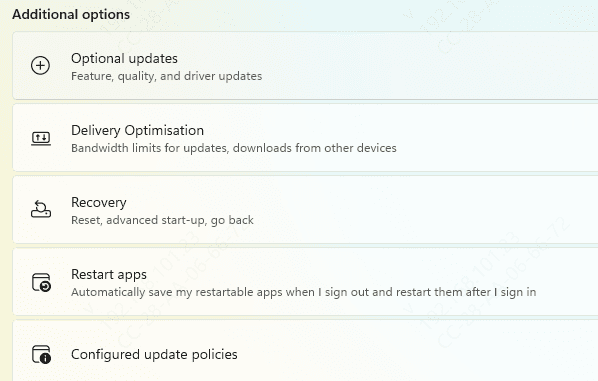
Open Settings > Windows Update.
Click Check for updates and install applicable updates.
Restart Windows afterward.
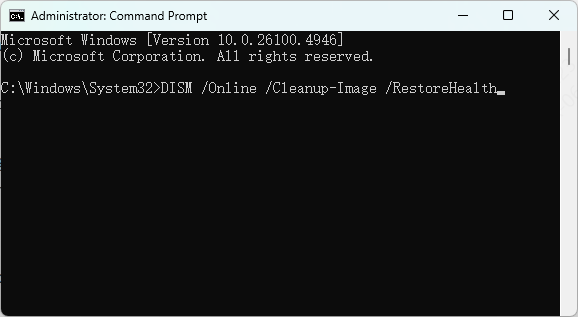
Run DISM and SFC
Open Command Prompt as an administrator.
Enter:
DISM /Online /Cleanup-Image /RestoreHealth
Wait for the process to finish.
Then run:sfc /scannow
Method 8: Reinstall Helldivers 2
If the previous methods fail, reinstalling the game may resolve persistent installation problems.
Before uninstalling, back up any local configuration files you want to preserve.To reinstall:
After reinstalling, launch the game before adding optional modifications or custom settings.
If the crashes continue on a clean installation, investigate drivers, Windows stability, and hardware conditions.
Frequently Asked Questions
What should I check if Helldivers 2 crashes only when I join a squad?
Compare a solo mission with a squad session. If the crash happens only in multiplayer, note whether it occurs while joining the lobby, loading the mission, or playing. That detail gives support a clearer way to reproduce the issue.
Why does Helldivers 2 still crash after Steam verifies the files?
Verification checks the installed game files. It can leave local settings and extra mod files untouched. If the crash started after a settings change or mod installation, undo that change and test again.
What should I do if an anti-cheat error appears at launch?
Save the exact error message and follow Arrowhead's instructions for that error. Avoid deleting anti-cheat files or disabling security protections based on a guide written for a different game version.
By following these methods and identifying when the crashes occur, you can narrow down the cause and improve Helldivers 2 stability on your Windows PC.