
NicoVideo (also known as Niconico) is a popular Japanese video-sharing platform known for its unique scrolling comments, music content, gaming videos, anime-related media, livestream recordings, and user-created content. Many users want to save NicoVideo videos for offline viewing, personal backups, editing projects, or content research. However, downloading videos directly can be complicated due to platform limitations and different video formats. This guide explains available download options and shows how to easily save NicoVideo videos using PcGoGo Video Downloader, including URL importing, quality selection, batch downloading, and format conversion.
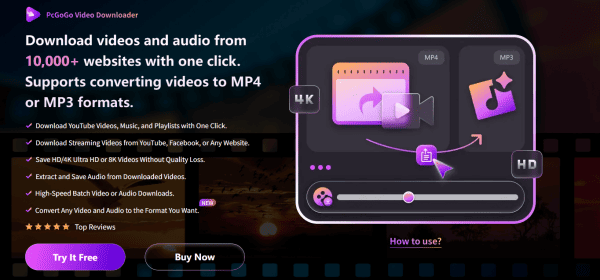
Key Features of PcGoGo Video Downloader
PcGoGo Video Downloader offers powerful features that make it ideal for downloading NicoVideo content:
Multi-Platform Downloading: NicoVideo, YouTube, TikTok, Instagram, Facebook. One tool covers all your downloading needs
Watermark-Free Downloads: Unlike many online converters, PcGoGo Video Downloader provides clean output without watermarks
Flexible Format Conversion: Choose the format that fits your device or workflow--MP4 or MP3
Batch Downloading: Save multiple NicoVideo URLs at once, including: Series, Playlists, Multiple bookmarked videos. Supports HD, 4K, and 8K without losing quality.
High-Speed Parsing: PcGoGo Video Downloader's optimized engine ensures fast loading
How to Download a NicoVideo Video Using PcGoGo Video Downloader
Follow these simple steps to download any NicoVideo video efficiently.
Download and Launch PcGoGo Video Downloader
Visit the official PcGoGo Video Downloader website
Download and install the software
Open the program
Copy the NicoVideo URL
Open NicoVideo in your browser
Navigate to the video you want
Copy the video link from the address bar
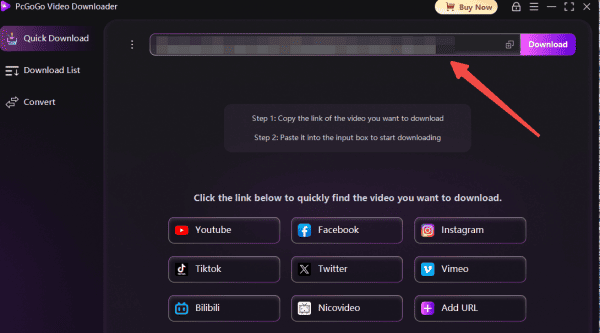
Paste the Link Into PcGoGo Video Downloader
Go to PcGoGo Video Downloader
Paste the link into the download bar
The software will automatically analyze the video
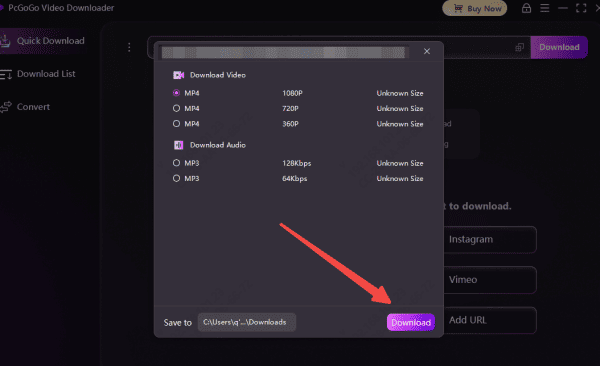
After parsing, you will see details like title, duration, and available quality options
Choose the Format and Quality
Select:
MP4 for video
MP3 / WAV if you only want audio
Resolution options like 720P, 1080P, 4K, or 8K (depending on availability)
Start Downloading
Click Download
PcGoGo will begin high-speed processing
Track progress in the download list
The video will be saved to your system within seconds
Important notes
Respect Copyright Regulations: When downloading or reusing videos made by others, always follow copyright laws. If you intend to share, repost, or distribute someone else's content, ensure you have explicit permission or that the material is available under a public-domain or free-to-use license
Ensure a Stable Internet Connection: A reliable internet connection is crucial for uninterrupted downloads. Verify that your network speed is adequate to prevent long delays, buffering, or failed downloads
Check Available Storage: High-quality videos—such as HD, 4K, or 8K—can take up a large amount of space. Before you start downloading, make sure your device has sufficient free storage to accommodate the file
Conclusion
Downloading videos from NicoVideo becomes simple and hassle-free with the right tool, and PcGoGo Video Downloader offers one of the most efficient solutions available. With fast parsing, watermark-free output, flexible format choices, and support for high-quality downloads, it makes saving NicoVideo content easy for offline viewing, editing, or archiving. By following the steps in this guide and keeping basic tips like copyright, storage, and stable internet in mind, you can reliably download and manage any NicoVideo video you need.