
Saving YouTube videos can make it easier to watch content offline, reduce data usage, and keep personal backups of videos you have permission to save. While YouTube limits direct downloads for most content, there are official and practical options available depending on your needs. In this guide, we'll introduce two reliable methods for saving YouTube videos: using YouTube Premium for offline viewing and PcGoGo Video Downloader for managing permitted downloads.
Method 1: Save YouTube Videos with YouTube Premium
YouTube Premium is an official and legal option for saving YouTube videos. It allows users to download content directly within the app without relying on third-party tools.
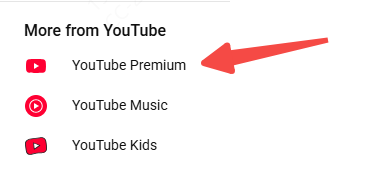
To save videos with YouTube Premium, first subscribe to the service through the official YouTube Premium page
Then open the YouTube app on your mobile device or desktop. Search for or open the video you want to save
Tap the Download button located under the video player. Choose your preferred video quality, such as 720p or 1080p
After downloading, the video will appear in your Library tab, where you can watch it offline at any time
Method 2: Save YouTube Videos with PcGoGo Video Downloader
PcGoGo Video Downloader is a more flexible solution for users who want additional control over video formats and quality. It supports high-quality downloads, including 1080p and even 4K, and can download videos from other platforms like TikTok and Instagram.
Install PcGoGo Video Downloader
To use PcGoGo Video Downloader, first download and install the software by following the on-screen instructions
After installation, launch the program
Copy URL
Next, open YouTube in your browser and navigate to the video you want to save
Copy the video's URL from the browser's address bar
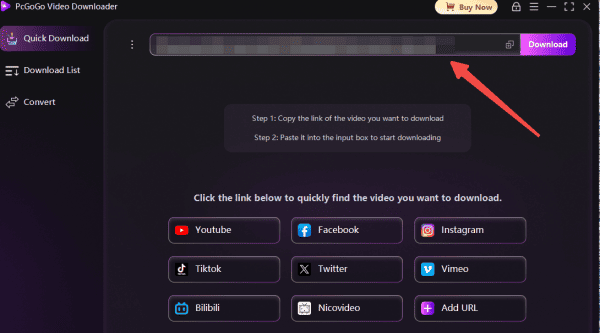
Return to PcGoGo Video Downloader and paste the URL into the provided field. The software will automatically analyze the link and detect available video formats and resolutions
Paste URL
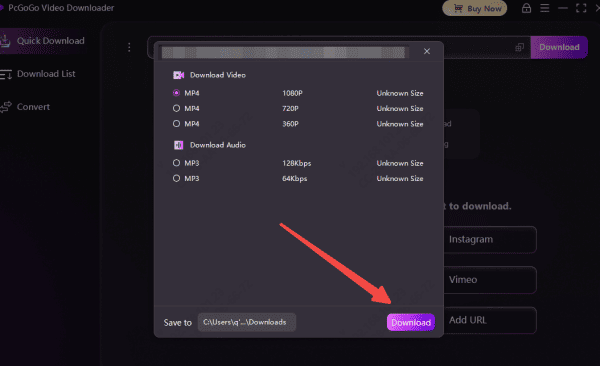
Once the analysis is complete, select the quality and format you prefer. Choose a folder on your computer where the video will be stored
Select Quality and Start Download
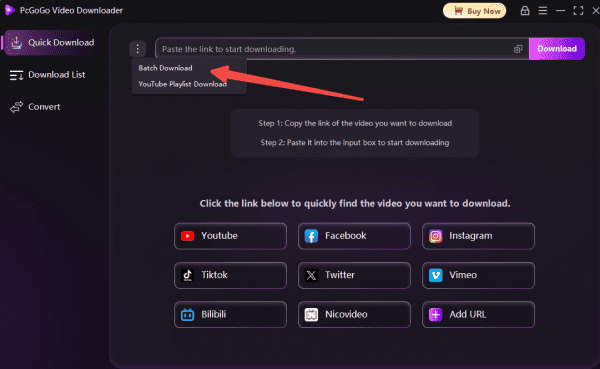
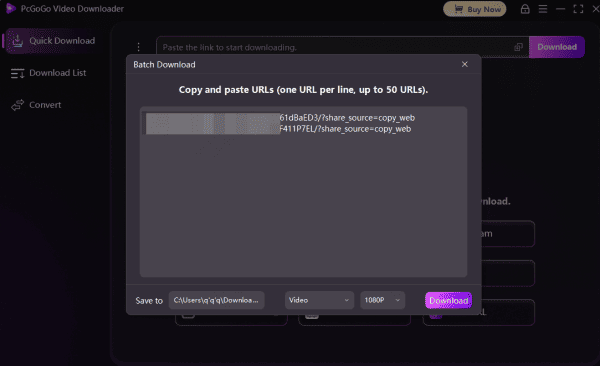
Click the Download button to begin saving the video. PcGoGo Video Downloader also supports batch downloading, allowing you to paste multiple URLs at once
Batch Save YouTube videos
Copy URL
Copy multiple YouTube video links
Copy the URL of each video you plan to download
Paste all URL
Paste all links into PcGoGo Video Downloader. Open PcGoGo Video Downloader and paste all the copied YouTube URLs into the download bar at once
The software will automatically analyze each link and prepare the files for download
Start Download
Choose format and quality. Select your preferred format for each video, such as MP4 for full videos or MP3 for audio only. Choose the resolution you want for each video, such as 720p or 1080p
Start batch downloading. Click the Download button to start downloading all added YouTube videos. Monitor the progress in the download list as PcGoGo Video Downloader processes each file
Advantages of Using PcGoGo Video Downloader
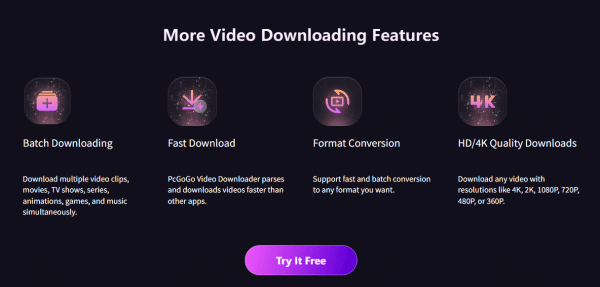
PcGoGo Video Downloader offers fast and efficient downloading thanks to its advanced parsing algorithm
The videos downloaded are free of watermarks, making them suitable for professional use
The software supports multiple platforms, including YouTube, Instagram, and TikTok
Its interface is simple and intuitive, making it easy for both beginners and experienced users
Saving YouTube videos is easy and convenient with the right tools. YouTube Premium provides an official and reliable solution for offline viewing, while PcGoGo Video Downloader offers greater flexibility with high-quality downloads and multiple format options. Both methods allow you to save YouTube videos and watch them anytime you want.