

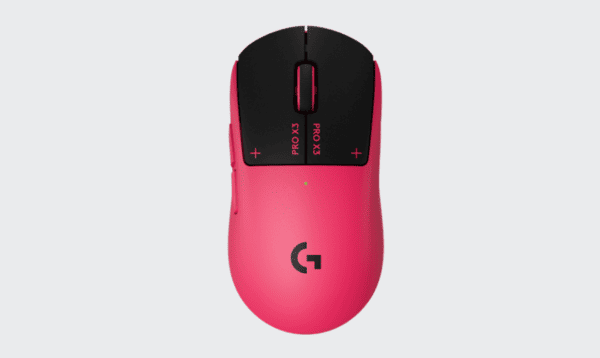
The Logitech G PRO X3 SUPERSTRIKE is a premium wireless gaming mouse designed for competitive players who prioritize speed, precision, and customizable controls. As the successor to the PRO X2 SUPERSTRIKE, it builds on Logitech's innovative Haptic Inductive Trigger System (HITS) while introducing a more efficient chipset, improved weight distribution, and longer battery life.
The PRO X3 SUPERSTRIKE allows users to adjust click actuation and haptic feedback. This approach offers greater control over how mouse clicks register and feel during gameplay.
The mouse also features an upgraded HERO 2 optical sensor, up to 8,000Hz polling, and Logitech LIGHTSPEED wireless technology.
First Impressions
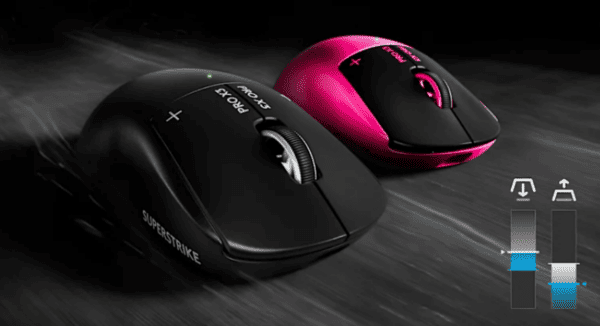
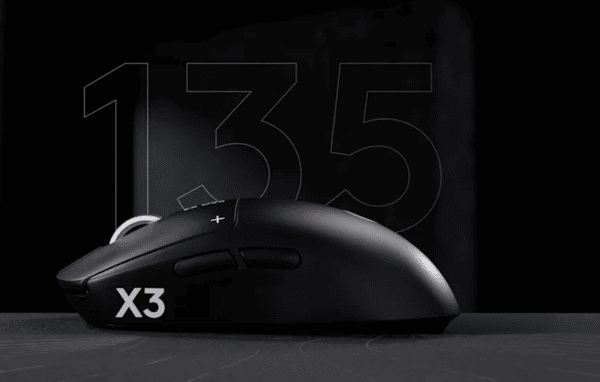
The Logitech PRO X3 SUPERSTRIKE follows the familiar design philosophy of the company's competitive gaming mice. Its symmetrical shape, understated appearance, and lightweight construction emphasize functionality rather than decorative features.
At approximately 59 grams in the US version, the PRO X3 SUPERSTRIKE is slightly lighter than its predecessor. Logitech has also adjusted the internal component placement to improve weight distribution.
Its dimensions are approximately 125 mm long, 63.5 mm wide, and 40 mm high, making it familiar to users of previous Logitech PRO gaming mice.
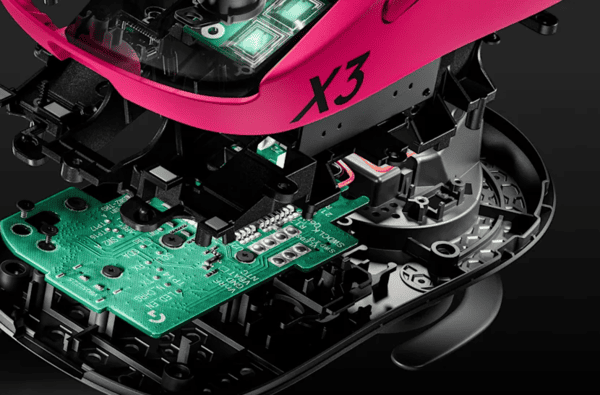
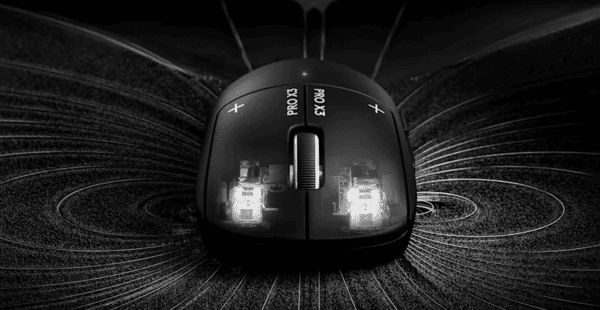
The most interesting feature is not immediately visible. Instead of conventional microswitches, the primary buttons use Logitech's HITS technology, allowing users to customize the clicking experience through software.
Shape, Coating, and Mouse Feet
Shape and Ergonomics
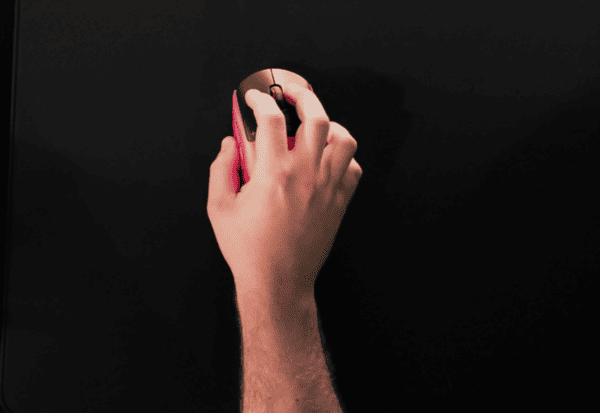
The PRO X3 SUPERSTRIKE uses a symmetrical shell with a rounded rear section and relatively balanced proportions.
Its shape is designed to accommodate different grip styles, including claw, palm, and fingertip grips.
For medium-sized hands, the mouse offers a familiar combination of palm support and maneuverability. Larger hands may find it more comfortable with a claw grip, while smaller hands may need to adjust their grip depending on finger length.
The lightweight construction makes rapid movements and repeated repositioning easier than with heavier gaming mice.
Logitech has also revised the internal weight distribution compared with the X2 SUPERSTRIKE. However, independent testing suggests that the mouse can still feel slightly front-heavy during frequent lifting.
Surface Coating and Grip
The mouse features a smooth, slightly rubberized exterior designed to provide a secure grip.
Its understated finish contributes to the clean appearance of the PRO series.
During competitive gaming, grip consistency matters because players frequently accelerate, stop, and reposition the mouse.
The included grip tape provides an additional option for users who want more friction along the sides or main buttons.
Mouse Feet and Glide
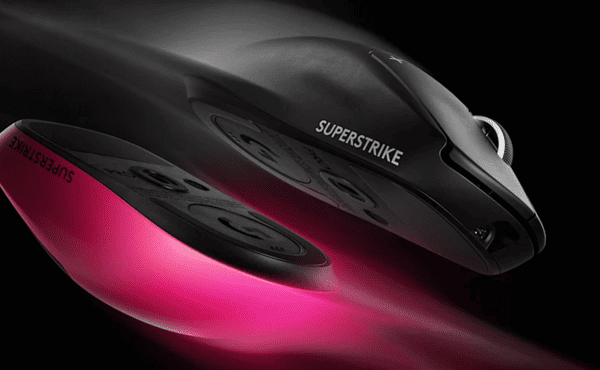
The PRO X3 SUPERSTRIKE uses UHMWPE mouse feet rather than the conventional PTFE feet found on many competing gaming mice.
UHMWPE is a durable, low-friction material, but the actual glide depends on the mousepad surface and the design of the feet.
Independent reviewers have reported that the stock feet do not glide as smoothly as some premium PTFE alternatives.
This difference may be noticeable to players who use low mouse sensitivity and make large movements across their mousepads.
Buttons and Scroll Wheel
Haptic Inductive Trigger System
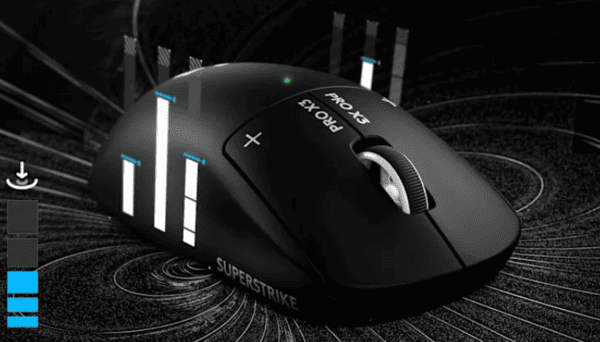
The Haptic Inductive Trigger System is the defining feature of the Logitech PRO X3 SUPERSTRIKE.
Traditional gaming mice typically register clicks through mechanical or optical switches with relatively fixed actuation characteristics.
HITS takes a different approach by using inductive sensing and adjustable haptic feedback.
Users can customize how far the main buttons must travel before a click registers.
Logitech provides 10 actuation levels, five Rapid Trigger reset options, and six haptic feedback settings.
Rapid Trigger allows the click to reset based on button release movement, potentially making repeated inputs more responsive.
Main Buttons and Side Buttons
The primary buttons are designed around the HITS system, making their behavior different from conventional mechanical switches.
Players can choose lighter actuation settings for faster inputs or less sensitive settings for greater control.
The adjustable haptic feedback also allows users to change the perceived click sensation.
This flexibility may be useful in games that require precise shooting and rapid repeated inputs.
The mouse also includes two side buttons positioned for thumb access.
Scroll Wheel
The PRO X3 SUPERSTRIKE uses a conventional stepped scroll wheel.
Its textured surface is designed to provide grip during scrolling, while the defined steps support controlled weapon switching and menu navigation.
The wheel also functions as a middle mouse button.
Unlike some productivity-focused gaming mice, it does not offer free-spinning scrolling or horizontal tilt controls.
Build Quality
Build quality is an important consideration for a premium gaming mouse, particularly one designed for frequent competitive use.
The Logitech PRO X3 SUPERSTRIKE uses a fully enclosed lightweight shell that emphasizes structural stability.
Independent testing has praised its overall construction, reporting strong resistance to unwanted flexing and creaking.
The main buttons also benefit from the distinctive HITS mechanism, which replaces conventional microswitch actuation with an inductive system.
Sensor and Everyday Performance
Upgraded HERO 2 Sensor
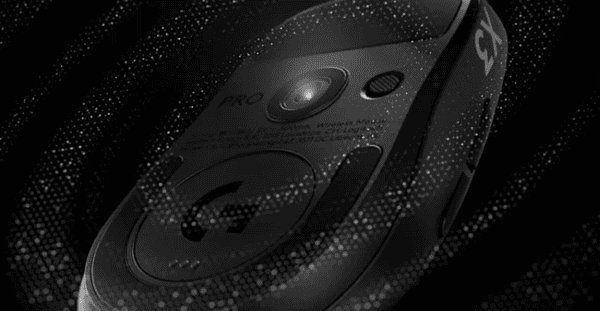
The Logitech PRO X3 SUPERSTRIKE features an upgraded HERO 2 optical sensor.
According to Logitech, the sensor supports up to 48,000 DPI, 930 IPS tracking speed, and 90G acceleration.
These specifications are designed to accommodate extremely fast movements and precise tracking.
LIGHTSPEED Wireless and 8,000Hz Polling
The PRO X3 SUPERSTRIKE uses Logitech LIGHTSPEED wireless technology.
It supports polling rates up to 8,000Hz through both compatible wired USB and wireless connections.
Polling rate determines how frequently the mouse reports movement and button information to the computer.
At 1,000Hz, the reporting interval is approximately one millisecond. At 8,000Hz, that interval decreases to approximately 0.125 milliseconds.
Higher polling rates can reduce the time between reports, but the practical improvement depends on the computer, game, display, and overall input latency.
The higher settings may also increase CPU usage and power consumption.
Gaming Performance and Click Responsiveness
The most important performance difference between the PRO X3 SUPERSTRIKE and conventional gaming mice is its adjustable click behavior.
By customizing actuation distance and Rapid Trigger settings, players can change how quickly their clicks register and reset.
This may be particularly useful in competitive shooters such as Counter-Strike 2 and Valorant, where timing and repeated inputs matter.
The haptic system also allows users to choose a preferred tactile response without relying on a conventional fixed mechanical click point.
Driver Updates and Connectivity Stability
Keeping system drivers updated can help maintain reliable wireless mouse connectivity and consistent device recognition.
Outdated or corrupted USB drivers may sometimes contribute to connection problems, delayed input, or difficulties detecting the wireless receiver.
If these issues occur, Driver Sentry can provide an additional way to scan Windows for supported driver problems and install compatible updates when available.

Alternatives
Logitech G PRO X2 SUPERSTRIKE
The PRO X2 SUPERSTRIKE is the most obvious alternative because it shares the same core HITS technology and familiar shape.
Both mice offer adjustable click actuation, haptic feedback, and competitive wireless performance.
The X3 introduces a more efficient chipset, improved weight distribution, longer battery life, and expanded wired polling support
Razer Viper V4 Pro
The Razer Viper V4 Pro is another premium wireless mouse designed for competitive gaming.
It features a lightweight body, high-performance sensor technology, and conventional optical switches.
Compared with the Logitech PRO X3 SUPERSTRIKE, the Razer emphasizes low weight and straightforward click behavior.
ASUS ROG Harpe Ace Aim Lab Edition
The ASUS ROG Harpe Ace Aim Lab Edition is another option for players seeking a lightweight competitive gaming mouse.
It features a symmetrical design, wireless connectivity, and gaming-focused sensor technology.
Its traditional button system may appeal to users who do not need adjustable haptic feedback.
Depending on regional pricing, it may also offer a more affordable alternative to the PRO X3 SUPERSTRIKE.