
The discovery of serious security vulnerabilities in OpenClaw led many users to rethink how they approach autonomous AI agents. Initial concerns about data exposure and excessive permissions expanded into a broader review of AI automation practices. As a result, efficiency-focused workflows are increasingly shifting toward designs that emphasize security, least privilege, and continuous monitoring to create safer and more reliable AI agent environments.
Understanding OpenClaw and Its Appeal
The OpenClaw is an open-source autonomous AI agent designed to run on local hardware. Unlike basic chat interfaces, it performs real actions: executing shell commands, managing files, browsing the web, handling emails, and interacting through messaging platforms such as WhatsApp and Telegram.
Its popularity stems from several key capabilities:
A hierarchical architecture that combines large language models (LLMs) for planning with direct integration into communication app.
A flexible plugin system powered by the ClawHub community marketplace, allowing easy addition of new skills
Strong execution abilities that move beyond suggestions to actual task completion
These features enabled users to automate repetitive work, organize files, process notifications, and increase productivity

The Security Vulnerabilities That Raised Alarms
In early 2026, multiple critical issues emerged in OpenClaw. The most prominent was CVE-2026-25253 (CVSS score 8.8), which permitted remote code execution through malicious browser content. Attackers could compromise agents—by tricking users into visiting specially crafted links, leading to token theft and full control.
Data exfiltration through abused tools
Over-permissioned agents with unnecessary access to files and APIs
Prompt injection attacks that could manipulate LLMs into performing harmful actions
Supply-chain threats in ClawHub, where approximately 12% of available skills exhibited malicious behavior, such as stealing credentials or installing backdoors
Widespread exposure of instances on the public internet, resulting in plaintext leakage of API keys and credentials

Impact on Existing Automation Practices
The vulnerabilities undermined confidence in previously deployed agents. Tasks that once ran with minimal intervention now carried heightened risk due to broad permissions and limited validation of outputs
LLM behaviors—such as falsely reporting task completion or leaking sensitive information—further amplified potential damage
Many deployments remained unpatched, with estimates suggesting only about 40% of instances received manual updates
This left thousands of control panels accessible to automated scans, increasing the likelihood of exploitation and forcing users to pause automations while conducting thorough reviews

Revised Workflow Practices
In response, many users adopted a more cautious approach centered on three principles: least privilege, continuous auditing, and human oversight. Common changes include:
Implementation of Allowlist Mode
New commands default to requiring explicit approval, with high-privilege operations disabled unless intentionally enabled
This introduces minor delays but significantly reduces unintended actions
Permission Hardening
Strict allowlists limit tools and commands to only what is necessary
File system access and API calls are tightly restricted, and real credentials are replaced with short-lived tokens and just-in-time permissions
Plugin and Skill Review Process
All ClawHub skills undergo scanning with tools such as VirusTotal prior to installation
Approved plugins receive periodic re-audits to mitigate supply-chain risks
These adjustments result in workflows that are slightly slower initially but substantially more reliable and secure over time.
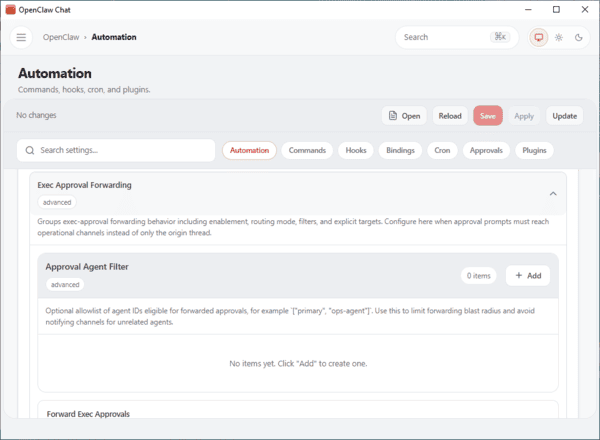
OpenClaw Quick Setup
Requirements
Windows: 10 (64-bit) or later, 4GB+ RAM
macOS: 10.15+ (Apple Silicon or Intel), 4GB+ RAM
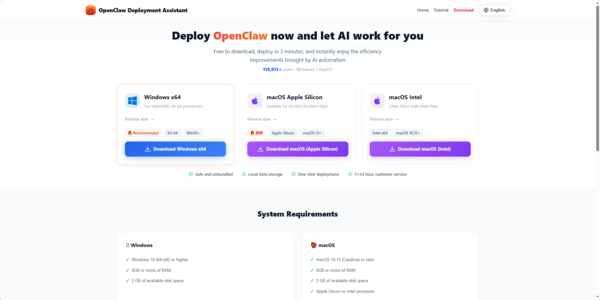
Download
Windows
macOS Apple Silicon
macOS Intel
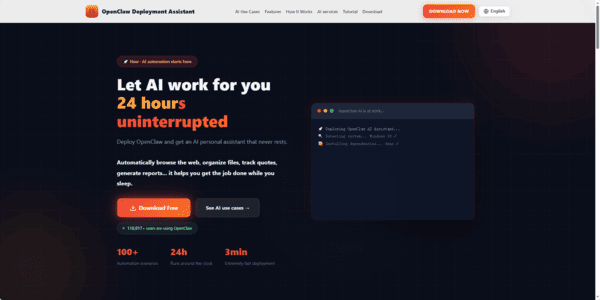
Install
Windows: Run .exe and follow prompts
macOS: Drag .dmg to Applications (if blocked, go to System Settings → Privacy & Security → Still Open)
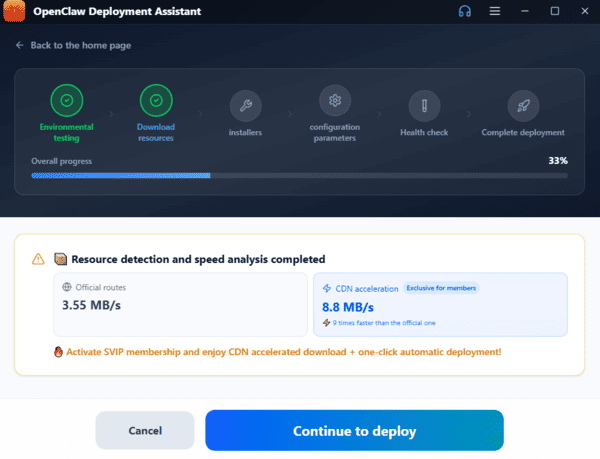
Deploy
OpenClaw auto-runs a 6-step deployment: system check, dependencies, download OpenClaw, and configure settings (~3 minutes)
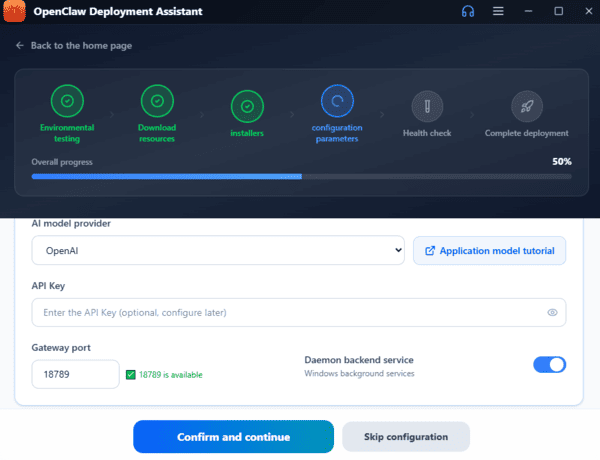
Set API Key
Supports Zhipu GLM, Tongyi Qianwen, DeepSeek, Doubao, OpenAI APIs
Keys are encrypted and stored locally
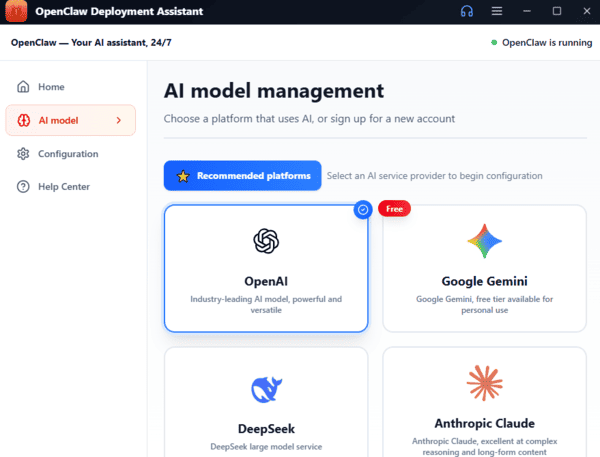
Use OpenClaw
Start automating tasks, browsing, file management, code review, and more via the smart chat interface