You sit down ready to focus on high-value creative or strategic work, but before long, you're bogged down in repetitive tasks—sorting emails, transferring data between apps, updating project boards. These small, mundane activities quietly sap your energy and momentum, leaving less room for meaningful work. A secure personal AI assistant like OpenClaw changes everything. Running directly on your own computer, it automates repetitive routines, connects your tools, and ensures all your sensitive data stays completely under your control. Unlike cloud-based solutions that expose your data to third parties, OpenClaw gives you powerful automation without compromising privacy.
The Hidden Cost of Manual Workflows
Every time you switch between your code editor, calendar, email, and project management tools, you lose precious focus. These micro-interruptions accumulate quickly, potentially costing hours of deep, productive time each week
Without automation, you act as the manual bridge between disconnected apps—copying and pasting data, formatting reports, setting reminders, and chasing follow-ups. This fragmented approach wastes time, increases errors, and adds mental fatigue. A personal AI assistant serves as a central intelligence layer, understanding context and executing repetitive sequences automatically
Why Local Deployment Is Critical
Many popular productivity tools tout convenience but require you to upload sensitive data to the cloud. For developers managing proprietary code, creatives handling unreleased projects, or professionals dealing with client data, this represents a serious security risk
Privacy shouldn't be sacrificed for efficiency. OpenClaw runs entirely on your local machine, ensuring your files, conversations, and automation rules never leave your device. Built-in encryption provides full ownership, protection from breaches, and eliminates the risks of unauthorized access
You still gain advanced AI capabilities—content generation, intelligent scheduling, data analysis, and workflow automation—but with zero exposure to external servers
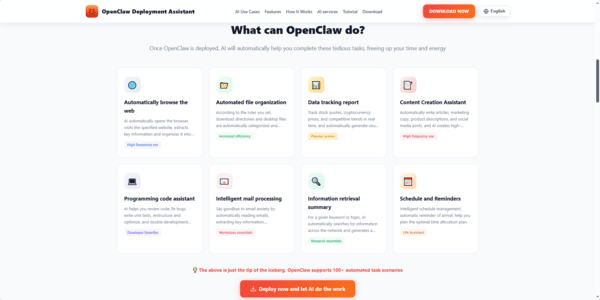
How OpenClawTool Simplifies Secure Automation
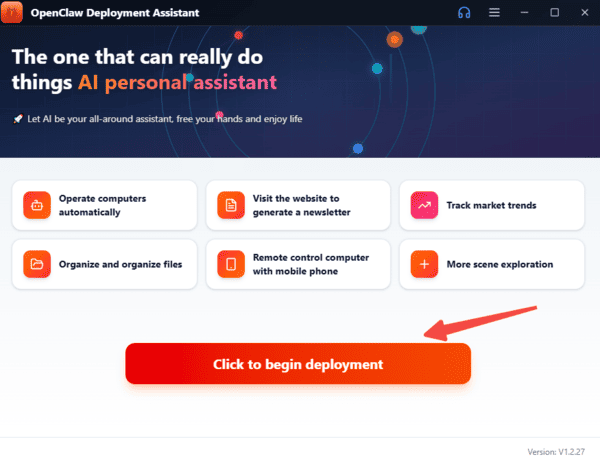
Setting up a local AI assistant can feel daunting. OpenClawTool makes it simple by providing an intuitive interface built around OpenClaw. You can connect apps, design custom automations, and orchestrate complex workflows without writing complicated scripts
Whether you want to link your code editor to task management, generate automatic email summaries, or organize files based on smart rules, OpenClawTool provides a visual, user-friendly experience. Together, OpenClaw and OpenClawTool create a flexible, modular system tailored to your exact workflow
Key Advantages of a Secure Personal AI Assistant
A local AI assistant delivers tangible benefits:
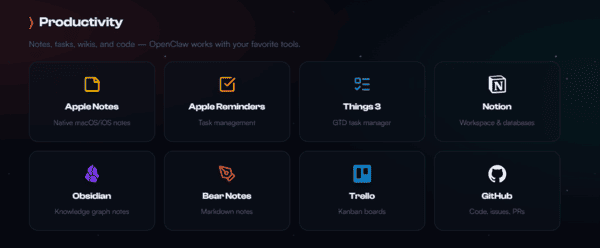
Seamless integration with apps like Google Calendar, Trello, Excel, and more
Custom skills and automations designed around your multi-step processes
Strong privacy via local storage and robust encryption
Significant reduction in repetitive tasks, freeing time for high-value work
By automating administrative chores, you gain more time for creative thinking, strategic planning, and work that truly drives results.
Conclusion
OpenClaw brings powerful automation and full privacy to your workflow. By running locally, it centralizes apps, handles repetitive tasks, and protects your data, freeing you to focus on high-value work, creativity, and strategy. With OpenClaw and OpenClawTool, productivity meets security—without compromise.