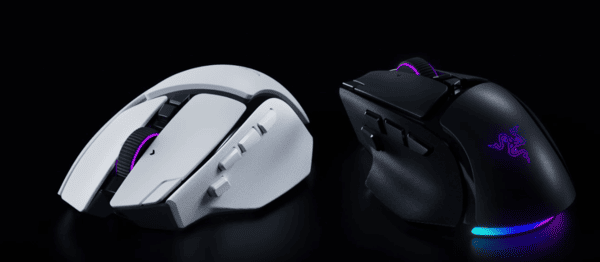
The Razer Basilisk V4 Pro is a premium wireless gaming mouse designed for gamers who want precision, customization, and comfort. As a new addition to Razer's popular Basilisk series, it combines advanced sensor technology, programmable buttons, and versatile scrolling features in an ergonomic design.
Featuring the Razer Focus Pro 50K Optical Sensor Gen-3, Razer Optical Mouse Switches Gen-4, and HyperSpeed Wireless Gen-2, the Basilisk V4 Pro aims to deliver responsive gaming performance while remaining practical for everyday use.
Unlike lightweight esports mice that prioritize speed and simplicity, the Basilisk V4 Pro focuses on versatility. Its additional controls, customizable RGB lighting, and multiple scrolling modes make it suitable for gaming, office work, and general productivity.
First Impressions
The mouse features a right-handed ergonomic shape designed to provide support during extended use. Its curved profile and textured side grips are intended to help users maintain a secure hold.
Compared with its predecessor, the Basilisk V4 Pro features a lighter design, weighing approximately 100 grams. Although it remains heavier than many competitive FPS mice, the weight reduction makes it more appealing to users who prefer a balance between comfort and functionality.
The mouse is available in black and white, with customizable RGB lighting that adds visual appeal without changing its core functionality.
One of the most noticeable characteristics is the number of available controls. In addition to the standard mouse buttons, the Basilisk V4 Pro offers programmable side controls and an advanced scroll wheel.
Shape, Coating, and Mouse Feet
Ergonomic Shape
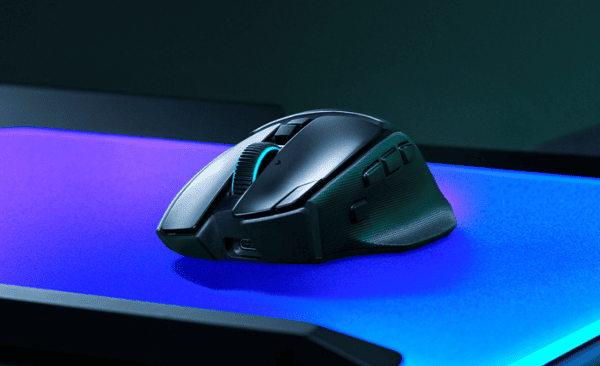
The Razer Basilisk V4 Pro uses an ergonomic design specifically intended for right-handed users.
Its integrated thumb rest supports the thumb and helps reduce the need to grip the mouse tightly during extended sessions.
The body measures approximately 127.5 × 75.8 × 42.5 mm, making it a relatively large gaming mouse.
This shape may be particularly comfortable for users who prefer palm grip or relaxed claw grip.
Surface Coating and Grip
The mouse features a textured exterior with side grip surfaces designed to improve handling.
The coating provides a practical balance between comfort and grip, particularly during longer gaming sessions.
The textured side areas may help reduce slipping when making rapid movements.
Mouse Feet and Glide
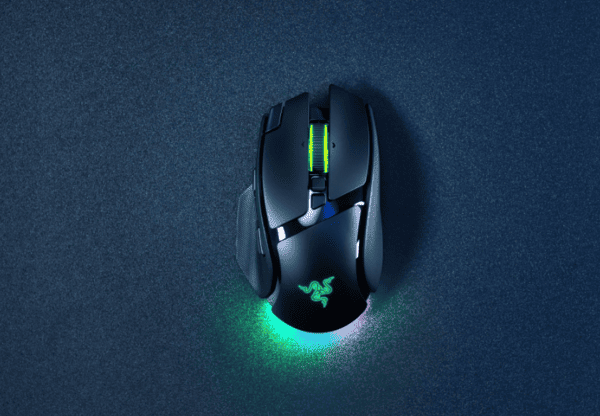
The Basilisk V4 Pro uses low-friction mouse feet designed to support consistent movement across compatible mousepads.
A smooth glide can help with precise aiming, controlled tracking, and everyday navigation.
Actual glide characteristics depend on the mousepad material, surface condition, and user preference.
Players who use large cloth mousepads may experience a different feel from those using harder surfaces.
Buttons and Scroll Wheel
Primary Mouse Buttons
The Basilisk V4 Pro uses Razer Optical Mouse Switches Gen-4.
These switches are rated for up to 100 million clicks and use optical actuation rather than traditional mechanical electrical contacts.
Optical switches are designed to register inputs consistently while reducing certain contact-related issues.
The primary buttons are intended to provide responsive clicking for gaming and everyday tasks.
However, optical switches are not necessarily silent. Users should expect audible clicking during operation.
Programmable Buttons
One of the Basilisk V4 Pro's main advantages is its extensive customization.
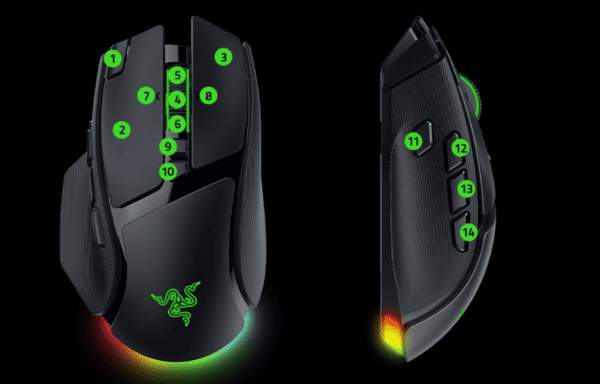
The mouse offers 14 customizable controls, including additional side buttons and an M1 edge button.
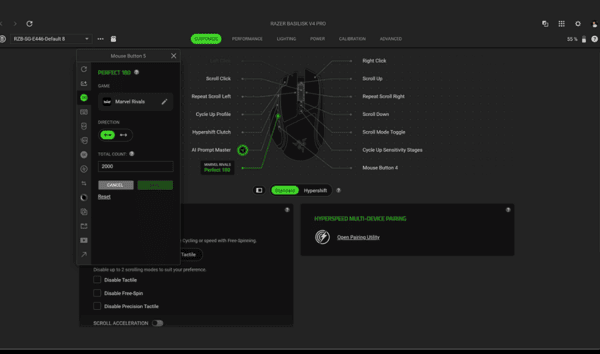
Through Razer Synapse 4, users can assign supported functions, shortcuts, and macros.
This flexibility is particularly useful for games that require multiple commands, such as RPGs and MMOs.
HyperScroll Tilt Wheel Gen-2
The Basilisk V4 Pro features the HyperScroll Tilt Wheel Gen-2, one of its most distinctive components.
The scroll wheel supports multiple operating modes.
Tactile Mode provides conventional stepped scrolling for controlled navigation.
Precision Tactile Mode offers finer scrolling steps for greater control.
Free-Spin Mode allows rapid scrolling through lengthy documents or webpages.
Smart-Reel Mode automatically changes scrolling behavior according to scrolling speed.
Build Quality
The Razer Basilisk V4 Pro is positioned as a premium gaming mouse, and its design reflects an emphasis on functionality and durability. The body combines an ergonomic structure with textured grip areas and integrated controls.
Its optical switches are rated for extensive use, while the mouse feet are designed to provide consistent movement.
Wireless Connectivity
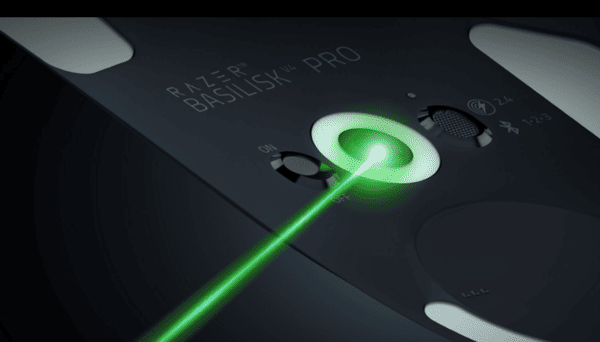
The Basilisk V4 Pro supports Razer HyperSpeed Wireless Gen-2, Bluetooth 6.2, and wired USB operation.
HyperSpeed Wireless is designed for low-latency gaming, while Bluetooth provides an alternative for everyday use.
The mouse also supports polling rates of up to 8,000 Hz with compatible wireless hardware.
Battery Life and Charging
According to Razer's advertised specifications, the Basilisk V4 Pro can provide up to 200 hours of battery life through HyperSpeed Wireless under specified conditions.
Bluetooth operation can extend the advertised battery life to up to 275 hours.
Actual battery performance varies according to lighting settings, polling rate, connection mode, and usage.
The mouse supports USB-C charging, and Razer offers the Mouse Dock V2 Pro as an optional accessory.
Focus Pro 50K Optical Sensor Gen-3
The Razer Basilisk V4 Pro features the Focus Pro 50K Optical Sensor Gen-3.
This sensor supports a maximum sensitivity of 50,000 DPI, tracking speeds of up to 930 IPS, and acceleration of up to 90 G.
These specifications provide substantial performance headroom for demanding gaming scenarios.
Most players will use significantly lower DPI settings, but the sensor allows users to customize sensitivity according to their preferences.
Gaming Performance
For FPS games, its advanced sensor and responsive switches provide the technical foundation for precise aiming and quick inputs.
For RPG and MMO games, the programmable buttons provide additional convenience.
Players can assign commonly used actions to the side controls and use Razer Hypershift to access secondary functions.
Everyday Productivity
The mouse's ergonomic shape and advanced scroll wheel also make it useful for everyday computer tasks.
Free-spin scrolling can simplify navigation through long documents, while tactile scrolling offers greater precision.
Programmable buttons can be configured for supported application shortcuts, helping users perform repetitive actions more conveniently.
Bluetooth connectivity also provides flexibility when switching between compatible devices.
For users who want one mouse for both gaming and office work, these features are particularly appealing.
Update Drivers for Stable Performance
Although the Basilisk V4 Pro is designed for reliable operation, some users may encounter connectivity problems, device recognition issues, or intermittent disconnections. These problems can sometimes be related to outdated or incompatible USB, Bluetooth, or other Windows drivers. Keeping relevant drivers up to date can help maintain stable device operation.
If you want a automated way to check for supported Windows driver issues, Driver Sentry can help review your system.
Driver Sentry scans for certain outdated, missing, or problematic drivers and provides available update or repair recommendations.

Alternatives
Razer Basilisk V3 Pro
The Razer Basilisk V3 Pro remains a strong alternative for users who prefer the familiar Basilisk design.
It offers ergonomic handling, programmable buttons, and advanced scrolling functionality.
The Basilisk V4 Pro introduces newer sensor technology, improved wireless connectivity, additional controls, and reduced weight.
However, users who already own the V3 Pro may not need to upgrade unless they specifically want the newer features.
Logitech G502 X Plus
The Logitech G502 X Plus is another premium wireless gaming mouse designed for users who value ergonomic handling and extensive customization.
It offers programmable controls, wireless connectivity, and a distinctive design.
The choice between the Logitech G502 X Plus and Razer Basilisk V4 Pro depends largely on grip preference, software ecosystem, scrolling features, and pricing.
Users should compare the shape and button placement before choosing either model.
Razer DeathAdder V4 Pro
The Razer DeathAdder V4 Pro targets players who prioritize lightweight handling and competitive gaming performance.
Compared with the feature-rich Basilisk V4 Pro, the DeathAdder series emphasizes a more streamlined design.
Players who primarily enjoy competitive FPS games may prefer a lighter mouse with fewer controls.
However, users who want additional programmable buttons, advanced scrolling, and RGB lighting may find the Basilisk V4 Pro more versatile.
Overall, the Razer Basilisk V4 Pro offers a compelling combination of gaming performance, customization, and everyday usability, making it a strong option for users who value functionality over minimal weight.