
Recovering deleted files from the Recycle Bin is still possible even after they have been permanently removed. This guide covers how to restore lost data using PcGoGo Data Recovery, including scanning deleted files, previewing recoverable data, restoring documents, photos, videos, and other file types, plus essential tips to improve recovery success and prevent data overwriting.
Why PcGoGo Data Recovery Is the Best Choice
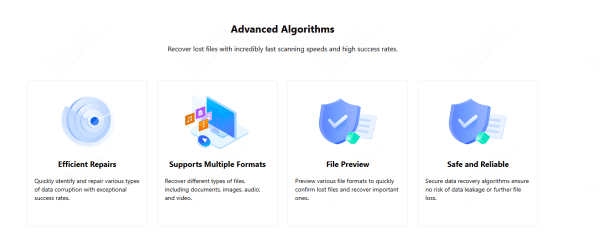
Efficient Repairs: PcGoGo Data Recovery uses advanced algorithms that can quickly detect and repair corrupted or damaged files. Whether your data was affected by malware, system errors, or transfer failures, the software helps restore the original readable state of your files.
Supports Multiple File Formats: The software supports a wide range of file types, including: Documents, Photos and images, Videos, Audio files and Compressed archives. No matter what type of data you lost, PcGoGo Data Recovery is capable of restoring it safely
File Preview Before Recovery: Before restoring data, you can preview images, videos, PDFs, and documents. This helps you verify file integrity and ensures you recover only the files you actually want—saving time and storage
Safe, Non-Destructive Recovery: PcGoGo Data Recovery performs secure, non-destructive scans. It never overwrites or damages existing data on your device. Your privacy and file safety remain fully protected throughout the recovery process
Recover Deleted Data from Recycle Bin
Recovering your deleted files with PcGoGo Data Recovery is very simple and suitable even for beginners. Follow the steps below:
Download and Install PcGoGo Data Recovery
Visit the official PcGoGo Data Recovery website or click the download button to get the latest software version
Install and launch the program to begin your recovery process
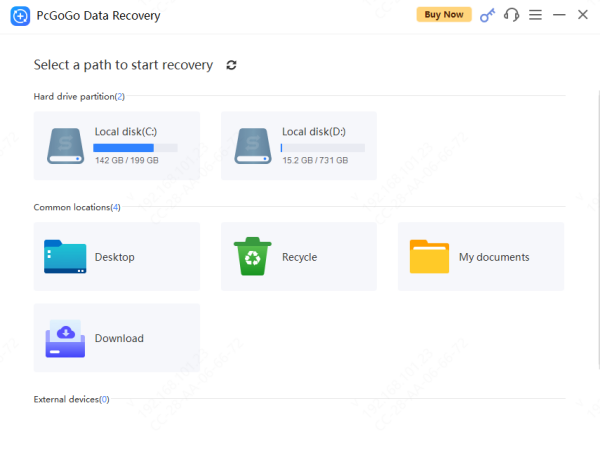
Choose the Disk Partition or Source Location
Select the drive where the deleted files were originally located (e.g., C:, D:, E:)
If you're trying to recover data from an external device—such as a USB flash drive, SD card, or external HDD/SSD—ensure it is properly connected and recognized by your computer
Scan for Lost Files
Click Scan to start searching for deleted or lost data
You can also use search filters, such as keywords or file type selection, to quickly locate specific files
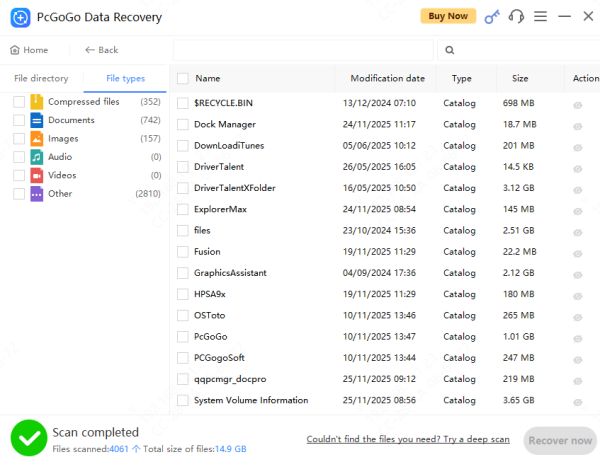
Preview Detected Files
Once the scan is complete, preview photos, videos, PDFs, or documents to check whether they are intact
This ensures that you only recover the important files you need
Recover and Save Your Files
Select the files you want to restore and click Recover
Do not save the recovered files back to the same drive where they were deleted. This may overwrite existing data and reduce future recovery success
Save the files to another partition or an external storage device instead
Conclusion
Recovering deleted data from the Recycle Bin is possible—especially when using a powerful tool like PcGoGo Data Recovery. With advanced repair algorithms, multi-format support, safe scanning, and file preview features, you can restore your files quickly and safely. If you've lost important data, don't wait. The earlier you act, the better your recovery results will be. Download PcGoGo Data Recovery and start restoring your files now.