



The SteelSeries Sensei Pro Mini brings a familiar symmetrical mouse design into a smaller, lighter package aimed at competitive gamers. Rather than relying entirely on weight reduction, SteelSeries combines a high-performance optical sensor, Ultra-Wideband wireless connectivity, high polling rates, and an interchangeable battery system.
Weighing 49 grams, the Sensei Pro Mini is particularly appealing to players who prefer compact gaming mice with greater freedom of movement. However, its premium positioning and unconventional charging system raise an important question: does it offer enough practical advantages over other lightweight wireless gaming mice?
This Sensei Pro Mini review examines its shape, buttons, construction, sensor technology, wireless performance, and everyday usability to help you determine whether it is the right mouse for your setup.
First Impressions
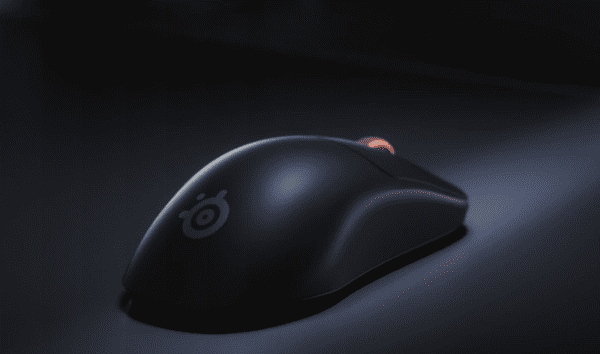
The Sensei Pro Mini takes a clean, understated approach to gaming mouse design. Available in black and white, it avoids the aggressive styling often associated with esports peripherals and focuses instead on lightweight construction and practical features.
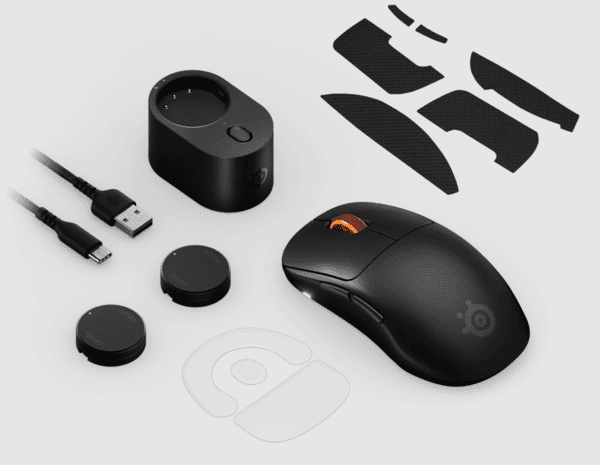
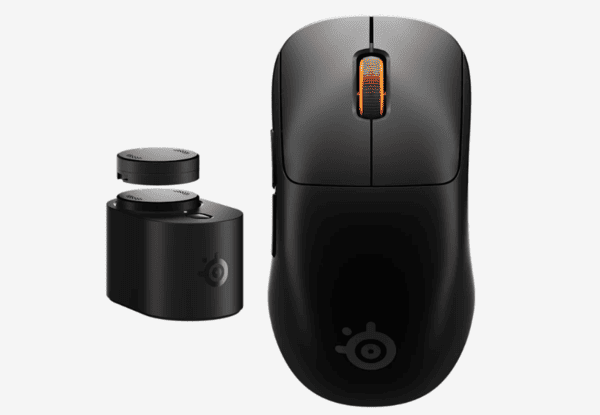
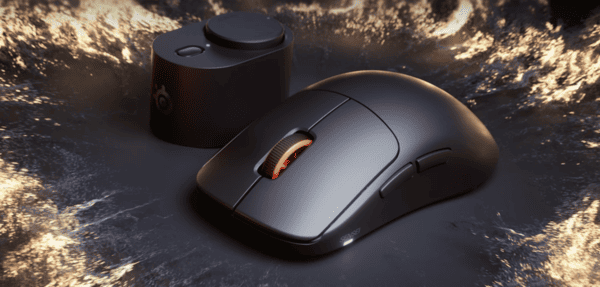
The most distinctive part of the package is the wireless base station. Rather than including a conventional USB receiver and relying on an internal rechargeable battery, SteelSeries uses a dedicated wireless station that also charges a removable battery.
Shape, Coating, and Mouse Feet
Shape and Ergonomics
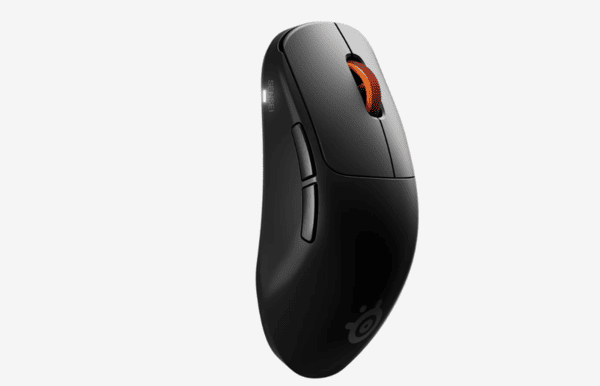
The Sensei Pro Mini retains the symmetrical design of the Sensei series while reducing its overall dimensions. Measuring approximately 118 × 62.5 × 36.2 mm, it provides a compact alternative to the full-size Sensei Pro.
Its relatively low profile and narrowed central section are designed to provide greater finger control without requiring the entire palm to rest against the shell.
Surface Coating
The Sensei Pro Mini features a relatively smooth exterior rather than a heavily textured surface.
This approach keeps the mouse visually simple, although users with sweaty hands or those who prefer a more secure gripping surface may want additional texture.
Mouse Feet and Glide
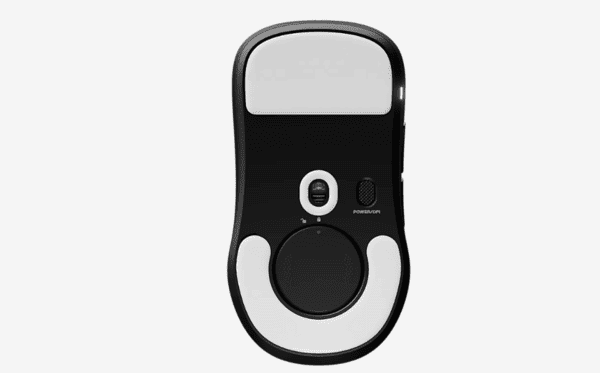
The underside features PTFE mouse feet designed to reduce friction between the mouse and its supporting surface.
Combined with the lightweight body, the low-friction skates should make repeated movements and rapid direction changes relatively effortless.
Buttons and Scroll Wheel
Main Mouse Buttons
SteelSeries equips the Sensei Pro Mini with optical switches rated for up to 100 million clicks. The manufacturer also advertises click latency as low as 0.35 milliseconds, although this figure should not be interpreted as complete system input latency.
Side Buttons
The side buttons are positioned on the left side of the mouse, allowing right-handed users to access them with their thumb.
They can be assigned to common gaming actions such as: Melee attacks, Equipment selection, Push-to-talk, Ability activation, and Navigation shortcuts.
Accessibility will depend on hand size and grip position. Fingertip grip users may need to adjust their thumb placement slightly when reaching the buttons.
Scroll Wheel
The scroll wheel uses defined scrolling steps rather than a free-spinning mechanism. This is practical for gaming situations where accidental additional scrolling could result in selecting the wrong weapon or item.
The middle mouse button also provides an additional customizable input for gaming and productivity.
Build Quality
Reducing a gaming mouse's weight without compromising structural integrity is a significant engineering challenge, particularly when the design also accommodates removable batteries.
At approximately 49 grams, the Sensei Pro Mini belongs to the ultra-lightweight gaming mouse category. Its weight remains competitive despite the additional battery compartment and interchangeable power system.
Sensor and Everyday Performance
TrueMove 42K Pro Optical Sensor
Its advertised specifications include:
- Maximum native sensitivity: 42,000 DPI.
- Maximum tracking speed: 800 IPS.
- Maximum acceleration: 70G.
- Sensor frame rate: up to 20,000 FPS.
- Polling rate: up to 8,000Hz.
- Optional 9K over-polling.
- DPI Overdrive: up to 65,000 DPI.
Gaming Performance
The Sensei Pro Mini's compact dimensions and lightweight construction make it particularly relevant to FPS gaming.
Games involving frequent flick shots, rapid target switching, and small aiming corrections benefit from a mouse that is easy to reposition.
Its smaller shell also allows fingertip and aggressive claw grip users greater freedom to adjust the mouse position using individual fingers.
Everyday Performance
Outside gaming, the Sensei Pro Mini provides the standard functionality needed for browsing, document editing, and general desktop navigation.
Its lightweight construction makes it easy to move across a desktop, while programmable buttons can be assigned to frequently used shortcuts.
For a smoother experience with the Sensei Pro Mini, keeping your Windows hardware drivers up to date is also worth considering. If you encounter wireless receiver detection issues, intermittent disconnections, or USB-related problems, Driver Sentry can help identify outdated or problematic USB and chipset drivers and install compatible updates where available. While SteelSeries GG handles mouse-specific customization and firmware updates, Driver Sentry complements it by helping maintain the underlying Windows driver environment.
Alternatives
1. SteelSeries Rival Pro Mini
The Rival Pro Mini offers similar flagship technologies in a right-handed ergonomic shape.
Its asymmetrical design may provide a more natural resting position for users who prefer additional hand support.
The choice between these two compact models ultimately depends more on grip comfort than sensor specifications.
2. ASUS ROG Harpe Ace Mini
The ROG Harpe Ace Mini is another compact esports mouse featuring a lightweight 49-gram body and a 42,000 DPI optical sensor.
It provides an alternative for players who want a similarly lightweight design without relying on SteelSeries' dedicated battery charging station.
Its lower listed price also makes it worth considering for gamers who prioritize shape and tracking performance over the interchangeable battery system.
Overall, this Sensei Pro Mini review finds that SteelSeries has created a technically ambitious gaming mouse with distinctive advantages for a specific audience. For competitive players who prefer compact mice and want to avoid wired charging interruptions, it is a compelling option. Casual gamers and budget-conscious users, however, may find better overall value in more conventional wireless alternatives.