Star Wars: Outlaws will officially launch on PC on August 30. To play the game smoothly, it's important to know the minimum and recommended system requirements. This guide will help you set up your PC to optimize your gaming experience with Star Wars: Outlaws.
Game Overview
Star Wars: Outlaws is an action-adventure game based on the classic sci-fi movie series "Star Wars". In the game, players take on the role of a freedom fighter resisting the Empire's rule, traveling across various planets to complete missions and engage in intense battles with Imperial forces.
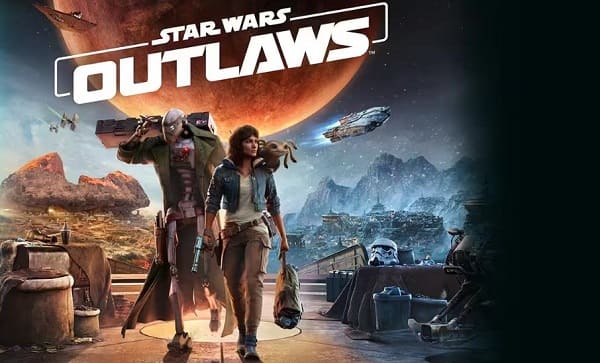
(Image source: Ubisoft)
The game not only features a captivating storyline but also utilizes an advanced graphics engine to present a vivid and immersive Star Wars universe. Whether you're a Star Wars fan or an action game enthusiast, Star Wars: Outlaws is a must-play title.
Enhancing Game Performance
To ensure the game runs smoothly and performs at its best, we strongly recommend using Driver Sentry to automatically detect and download the latest drivers. This helps ensure all hardware functions correctly in-game, preventing crashes or other technical issues caused by driver problems, and ultimately provides a smoother gaming experience.
Click the download button to get the latest version of Driver Sentry. After installing, open the software and click "Scan".
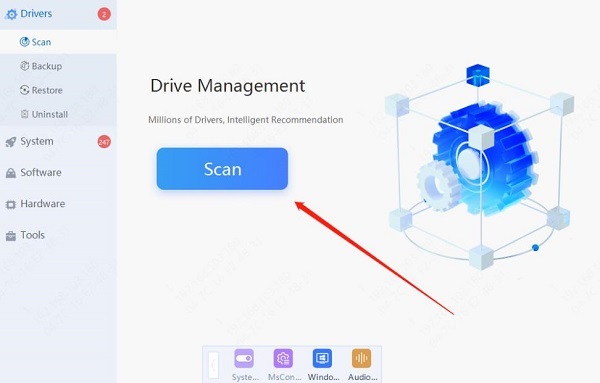
Once the scan is complete, the software will show which drivers are missing or need updating. Find the graphics card driver in the results list and click the "Update" button.
After updating, it's recommended to restart your computer to ensure the updated drivers are applied correctly.
Game Requirements
1. Minimum Requirements
Operating System: Windows 10 / 11 with DirectX 12
CPU: Intel® Core™ i7-8700K, AMD Ryzen™ 5 3600
Graphics: GeForce® GTX 1660 (6 GB), AMD RX 5600 XT (6 GB), Intel® Arc A750 (8 GB) (ReBAR ON)
Memory: 16 GB (dual-channel mode)
Storage space: 65 GB SSD
Resolution: 1080p / 30 FPS / Low Preset with Upscaler Set to Quality
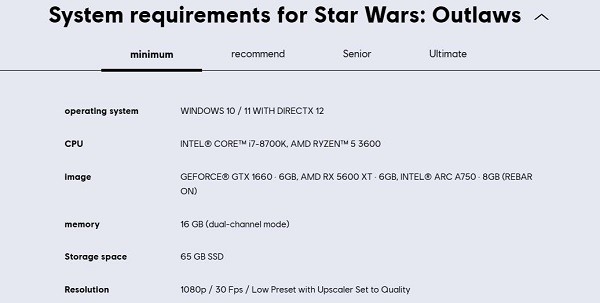
The minimum requirements are suitable for players who want to experience the game at lower graphical settings. If your PC only meets these basic requirements, you may need to lower the game's resolution and visual effects to achieve a smoother experience.
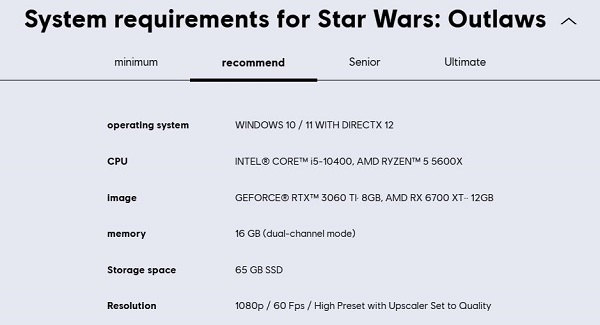
2. Recommended Requirements
Operating System: Windows 10 / 11 with DirectX 12
CPU: Intel® Core™ i5-10400, AMD Ryzen™ 5 5600X
Graphics: GeForce® RTX™ 3060 Ti (8 GB), AMD RX 6700 XT (12 GB)
Memory: 16 GB (dual-channel mode)
Storage space: 65 GB SSD
Resolution: 1080p / 60 FPS / High Preset with Upscaler Set to Quality
If you are a hardcore fan or a professional game tester, the advanced or ultimate configuration will be your best choice. These setups not only ensure the game runs at the highest resolution and frame rate but also provide extra space for installing various mods and additional content, making your gaming experience richer and more colorful.
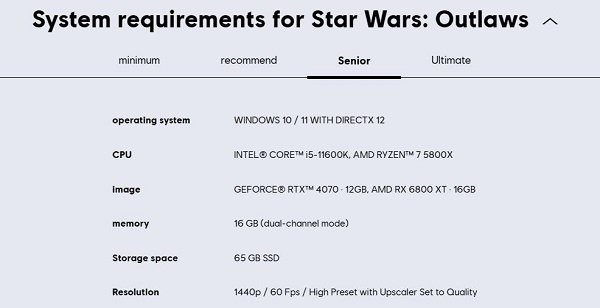
3. Advanced Requirements
Operating System: Windows 10 / 11 with DirectX 12
CPU: Intel® Core™ i5-11600K, AMD Ryzen™ 7 5800X
Graphics: GeForce® RTX™ 4070 (12 GB), AMD RX 6800 XT (16 GB)
Memory: 16 GB (dual-channel mode)
Storage space: 65 GB SSD
Resolution: 1440p / 60 FPS / High Preset with Upscaler Set to Quality
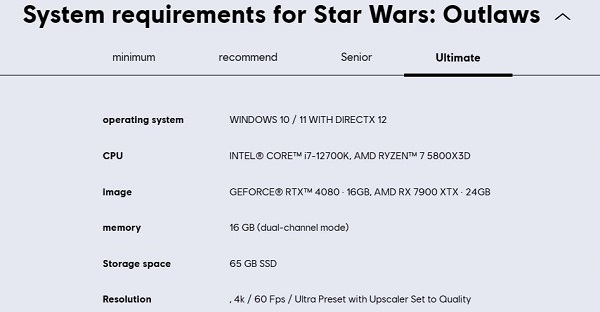
4. Ultimate Requirements
Operating System: Windows 10 / 11 with DirectX 12
CPU: Intel® Core™ i7-12700K, AMD Ryzen™ 7 5800X3D
Graphics: GeForce® RTX™ 4080 (16 GB), AMD RX 7900 XTX (24 GB)
Memory: 16 GB (dual-channel mode)
Storage space: 65 GB SSD
Resolution: 4K / 60 FPS / Ultra Preset with Upscaler Set to Quality
Frequently Asked Questions
1. Can I run Star Wars: Outlaws on a laptop?
Yes, if your laptop meets the minimum or recommended requirements, you can run Star Wars: Outlaws. For players who want the best experience on a laptop, we recommend using a gaming laptop with a dedicated graphics card.
2. Why is my game not running smoothly?
Possible reasons include outdated drivers, high game settings, excessive background programs consuming resources, or aging hardware. Follow the optimization suggestions provided in this article to make adjustments.
By optimizing system performance and adjusting game settings, you can enjoy a lag-free gaming experience. Get ready, gear up, and join the thrilling world of Star Wars!
See also:
8 Common Solutions for No Internet Connection
How to Download and Install Wireless Network Card Drivers