Seeing an api-ms-win-core-libraryloader-l1-2-1.dll error usually means Windows or the affected program is having trouble loading a required system component. Instead of treating it as a simple missing-file problem, it is better to check the application installation, Windows system files, update status, and related dependencies. In this guide, you will learn how to troubleshoot the error step by step by reinstalling the problematic software, applying Windows updates, repairing damaged files with SFC and DISM, restoring the correct DLL when necessary, and using PcGoGo DLL Fixer as an automated option for detecting broader DLL-related problems.
What is api-ms-win-core-libraryloader-l1-2-1.dll?
The api-ms-win-core-libraryloader-l1-2-1.dll is a Windows API set DLL that helps programs communicate with the operating system. It is part of Microsoft’s Windows system libraries and is essential for loading resources and running applications.
When this DLL is missing, corrupted, or incompatible, Windows cannot properly launch the requested program, leading to the error message.
Causes of the Missing DLL Error
Understanding the root cause is key to fixing the issue effectively. The most common triggers of the api-ms-win-core-libraryloader-l1-2-1.dll missing error include:
Accidental deletion of the DLL file during system cleanup.
Corrupted system files caused by sudden shutdowns or malware.
Incomplete installation of Windows updates or third-party programs.
Compatibility issues between older software and new Windows versions.
Damaged registry entries pointing to the wrong file paths.
Method 1: Reinstall the Problematic Program
Many times, the missing DLL error occurs with a single application. Reinstalling that program can replace the missing file.
Press Win + R, type appwiz.cpl, and hit Enter.
Find the problematic program in the list.
Right-click and select Uninstall.
Restart your PC.
Download the latest version of the program from the official website and reinstall it.
This ensures the program installs with its required DLL files.
Method 2: Update Windows
Microsoft often releases updates that repair or replace essential system files. Installing the latest updates can fix missing DLL errors.
Press Win + I to open Settings.
Navigate to Update & Security > Windows Update.
Click Check for updates.
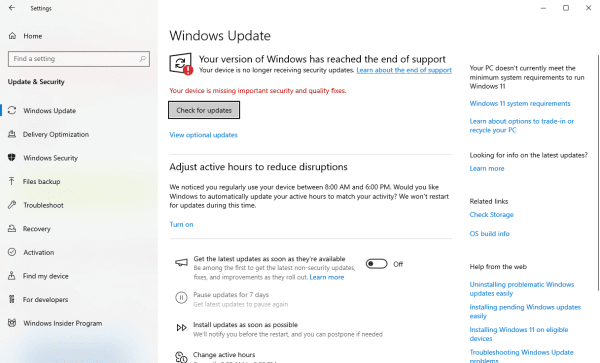
Download and install all available updates.
Restart your computer.
If the missing DLL was included in a Windows patch, the error will be resolved automatically.
Method 3: Run System File Checker (SFC Scan)
The SFC (System File Checker) is a built-in tool that scans and restores corrupted or missing system files.
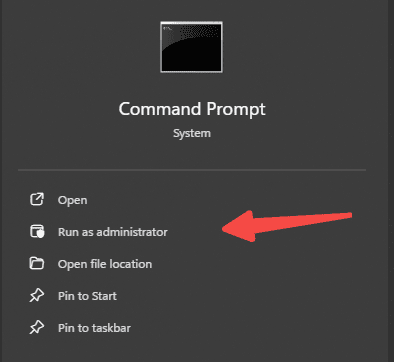
Open the Start Menu, type cmd, and run as Administrator.
Enter the command: sfc /scannow
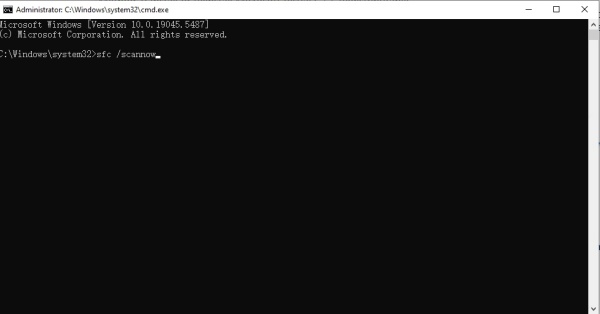
Wait for the scan to complete.
Restart your system.
If Windows detects corruption in api-ms-win-core-libraryloader-l1-2-1.dll, SFC will attempt to repair it.
Method 4: Use DISM Tool for Advanced Repair
If the SFC scan fails, use Deployment Imaging Service and Management Tool (DISM) for a deeper fix.
Open Command Prompt as Administrator.
Type the following commands one by one:
DISM /Online /Cleanup-Image /CheckHealth
DISM /Online /Cleanup-Image /ScanHealth
DISM /Online /Cleanup-Image /RestoreHealth
Restart the system once the process is complete.
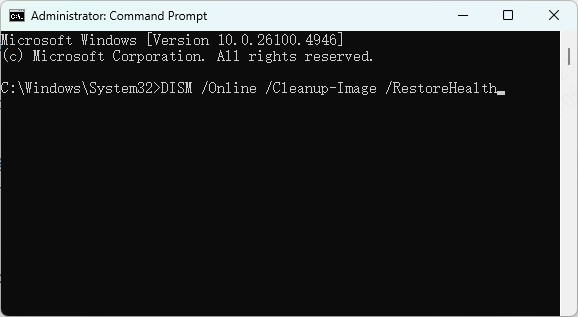
DISM ensures Windows restores damaged system components that SFC cannot handle alone.
Method 5: Manually Replace the DLL File
If the above methods don’t work, you may manually restore the api-ms-win-core-libraryloader-l1-2-1.dll file.
Locate a trusted source: Only download DLL files from Microsoft’s official library or from inside another functioning Windows PC.
Navigate to C:\Windows\System32 and check if the file is missing.
Copy the replacement DLL file to this location.
Restart your computer.
Warning: Avoid third-party DLL download sites, as they may contain malware or incorrect file versions.
Method 6: PcGoGo DLL Fixer
Manual solutions work but are time-consuming and risky for non-technical users. This is where PcGoGo DLL Fixer becomes a powerful alternative.
Why Choose PcGoGo DLL Fixer?
One-click repair for missing and corrupted DLL files.
Safe and verified DLL library directly matched with Windows versions.
Automatic driver and DLL updates, reducing future errors.
User-friendly interface for non-technical users.
How to Use PcGoGo DLL Fixer:
Download and install PcGoGo DLL Fixer from the official website.
Launch the program and run a full scan.
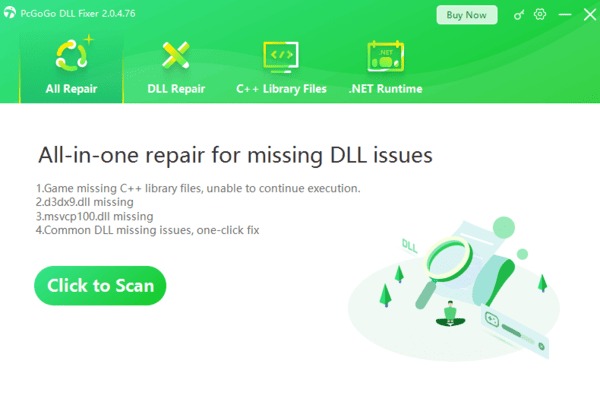
Review detected DLL issues, including api-ms-win-core-libraryloader-l1-2-1.dll.
Click Repair All to automatically restore the missing file.
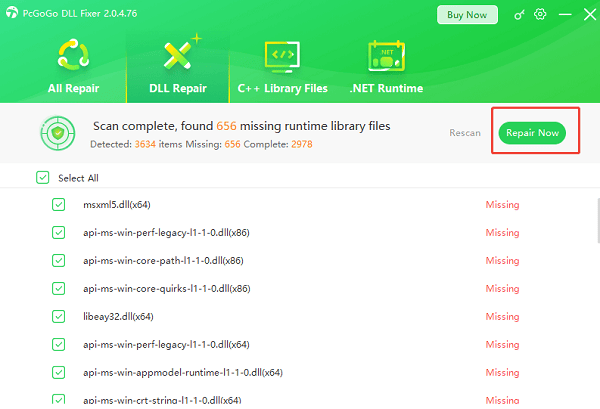
Restart your computer for changes to take effect.
This solution eliminates the risk of downloading incorrect files and ensures long-term system stability.
Frequently Asked Questions
Is api-ms-win-core-libraryloader-l1-2-1.dll included with every Windows version?
Not necessarily. It belongs to the Windows API-set architecture, and its availability varies by Windows version. The error often means the application is incompatible with the installed Windows release rather than that a file was accidentally deleted.
Should I copy this DLL into the System32 folder manually?
Manual replacement is not recommended because the copied file may have the wrong version or architecture. Use Windows Update, SFC, DISM, or the application's official installer first.
Why does the error affect only one program?
That program may be outdated, improperly packaged, or designed for another Windows version. Reinstall it from its official source and check whether the developer provides a compatibility update.
Conclusion
The api-ms-win-core-libraryloader-l1-2-1.dll is missing from your computer error can prevent critical programs from running, but it is solvable through the methods above. While manual solutions such as reinstalling applications, updating Windows, or running system scans are effective, they can be complex for many users.
For a faster, safer, and more reliable fix, we recommend using PcGoGo DLL Fixer, which restores missing DLLs automatically with one click. This ensures system stability and prevents future DLL-related issues.