
From YouTube tutorials and Facebook videos to Instagram Reels, X (Twitter) clips, and TikTok content, millions of videos are shared across different platforms every day. However, most video platforms are designed primarily for streaming, making it difficult to save videos for offline viewing or personal use. Traditional online download tools often come with limitations, such as unstable performance, format restrictions, or complicated steps. In this guide, we'll explain how copy link video downloading works, explore the limitations of common online methods, and show you how to download videos.
Common Issues with Online Copy Link Download Tools
While many websites claim to let you download videos by pasting a link, they often come with serious limitations:
Reduced video quality (often capped at 720p)
Watermarks added to the final video
Slow download speeds and unstable connections
Pop-up ads and redirects that pose security risks
Limited format options
Frequent failures with longer or private videos
Why Use PcGoGo Video Downloader
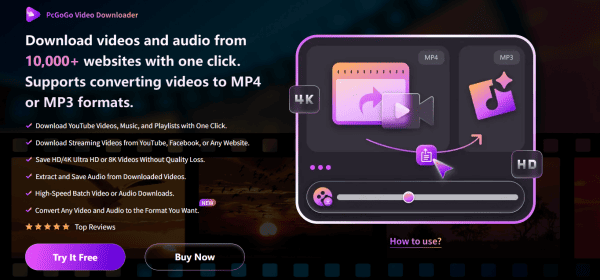
PcGoGo Video Downloader is designed for users who want speed, quality, and flexibility without the risks of online tools. It supports thousands of video platforms and offers full control over formats and resolution.
Key advantages include:
High-quality downloads (HD, 4K, even 8K where available)
No watermark
Fast and stable download engine
Safe, ad-free experience
Beginner-friendly interface
Download Videos Using a Copied Link
Step 1: Copy the Video Link
Open the video you want to download in your browser or app
Use the address bar or the Share option to copy the video URL
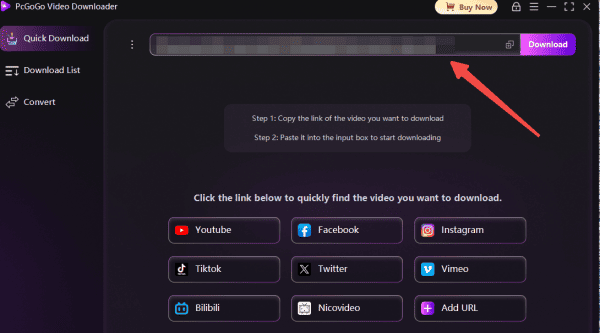
Step 2: Paste the Link into PcGoGo Video Downloader
Launch PcGoGo Video Downloader on your computer
Paste the copied link into the main input bar
The software will automatically analyze the link and detect available video and audio streams
Step 3: Choose Format and Quality
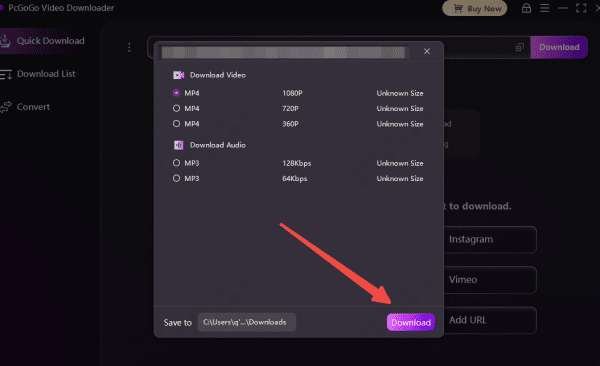
Select your preferred output settings:
Video formats: MP4, MKV, and more
Resolution: SD, HD, 4K, or higher
Audio-only download if needed
You can customize settings for each video or apply default preferences
Step 4: Start the Download
Click the Download button to begin
PcGoGo Video Downloader will process the link and save the video to your selected folder at high speed
Batch Download Videos Using Multiple Links
If you need to save several videos at once, PcGoGo Video Downloader supports batch downloading
Step 1: Copy the Video Link
Collect multiple video URLs from supported platforms
Step 2: Paste the Link
Paste all links into PcGoGo Video Downloader at once

Step 3: Choose Format and Quality
Select format and resolution for individual videos or the entire batch
Step 4: Start the Download
Click Download to start

Tips for Safe and Responsible Video Downloading
Download videos for personal, educational, or fair-use purposes
Respect copyright and platform terms
Avoid suspicious online download sites
Use trusted software to protect your device
Using professional tools helps ensure both quality and safety
Conclusion
Copy link video download is the easiest and most universal way to save online videos. With just a URL and the right tool, you can download content from nearly any platform without hassle. PcGoGo Video Downloader makes the entire process fast, secure, and high quality—whether you're downloading a single clip or managing dozens of videos at once. If you regularly save videos from the internet, it's a reliable solution worth using.