This article breaks down the key differences between 32-bit and 64-bit operating systems, covering memory support limits, processing performance, software compatibility, and driver requirements. It also explains how to check your system type on Windows and recommends using Driver Sentry to update drivers when switching between system architectures.
Basic Concepts of Computer Architecture
The number of bits in a computer usually refers to the ability of the processor (CPU) to process data internally. Specifically, 32-bit and 64-bit represent the bit-width of data that the CPU can process simultaneously. 32-bit CPUs can process up to 32 bits (binary) of data at a time, while 64-bit CPUs can process 64 bits of data simultaneously. Therefore, 64-bit processors are more powerful than 32-bit in terms of data computation.
In addition to this, the number of bits in a computer also affects the size of the registers and the memory addressing capability. 32-bit CPUs can address up to 4GB of memory, whereas 64-bit CPUs exceed this limit by far, supporting hundreds of gigabytes or even larger memory spaces.
The main differences between 32-bit and 64-bit
1. Memory support capability
The maximum memory addressing capacity of a 32-bit system is 4GB, and in practice, the system usually only recognizes about 3GB. This means that a computer with a 32-bit operating system will only be able to utilize a portion of the memory even if 8GB or more is installed.
In contrast, 64-bit systems can support much larger memory capacities, for example, the 64-bit version of Windows 10 can support 128GB or even more. As a result, 64-bit systems are better suited for running large applications such as video editing, 3D modeling, and high-performance tasks such as gaming.
2. Processing performance
A 64-bit CPU is usually faster than 32-bit in terms of processing speed because it can handle larger amounts of data at the same time. For example, at the same clock frequency, a 64-bit processor is able to perform more complex calculations, increasing computing efficiency.
In addition, 64-bit CPUs usually have more registers, allowing the computer to access data faster, reducing the number of memory accesses and improving overall performance.
3. Software compatibility
The difference between 32-bit and 64-bit is not only reflected in the hardware, but also involves software compatibility.
A 32-bit operating system can only run 32-bit programs and cannot run 64-bit programs.
64-bit operating systems are compatible with both 32-bit and 64-bit software, but some older 32-bit programs may not run properly.
64-bit software usually does not run on 32-bit operating systems because it requires more addressing space and registers.
Therefore, when installing operating systems and software, it is important to make sure that their bit numbers match.
4. Driver Support and Updates
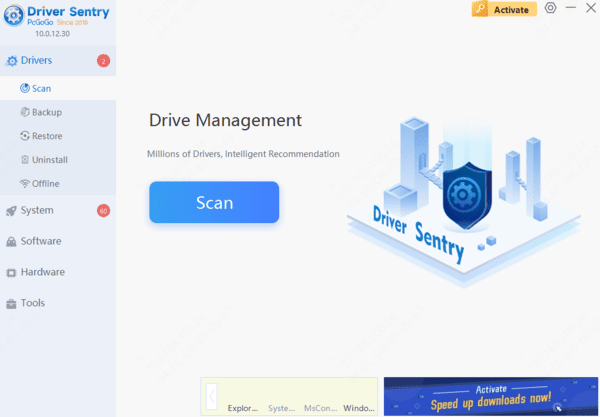
Drivers are the bridge between the operating system and the hardware. 32-bit systems require 32-bit drivers, while 64-bit systems require 64-bit drivers. If you use a 64-bit operating system without proper 64-bit drivers, some hardware devices may not work properly. Therefore, when upgrading or replacing the system, timely open "Driver Sentry" to update the driver to the matching version, which can avoid compatibility problems and improve the stability and performance of the device.
Check whether your computer is 32-bit or 64-bit
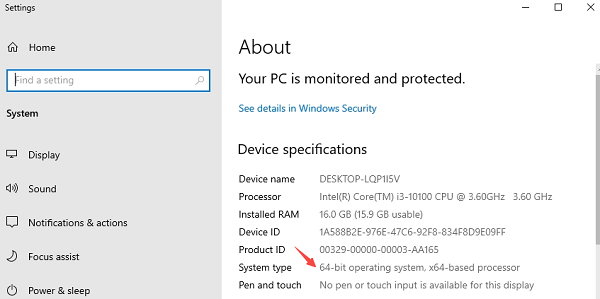
If you want to know whether your computer is 32-bit or 64-bit, take Windows system as an example, you can check it in the following ways:
1. Right-click "This Computer" or "Computer" and select "Properties".
2. In "System Type", you can see "32-bit operating system" or "64-bit operating system".
3. If it is a 64-bit operating system, you also need to check whether the CPU supports 64-bit.
Which is more suitable for 32-bit or 64-bit?
Currently, 64-bit systems have become mainstream. Generally speaking, if your computer supports 64-bit and has more than 4GB of RAM, it is recommended to choose 64-bit system for better performance and software compatibility.
However, if you have an older computer with only 2GB or less of RAM, or need to run certain software that only supports 32-bit, then you can choose a 32-bit system. However, it should be noted that Microsoft and many software vendors have phased out support for 32-bit systems.