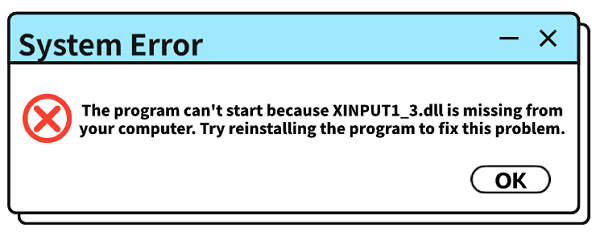
Have you ever tried to launch a game or application only to receive an error message saying that xinput1_3.dll is missing or not found? This is a common Windows issue, especially among gamers, because xinput1_3.dll is a DirectX component required by many games that support controllers and advanced input features. Fortunately, this error can usually be fixed with the right troubleshooting steps. In this guide, we'll walk you through several effective solutions, starting with the simplest methods and progressing to more advanced fixes, to help restore the missing DLL file and get your games or applications running again.
Manual Methods to Fix the Error
If you prefer to tackle the problem yourself, there are a few manual methods you can try. These require more effort but can also be effective.
Method 1: Reinstalling DirectX
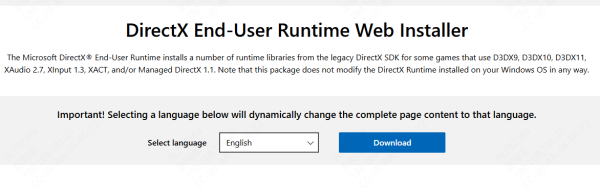
The xinput1_3.dll file is a core component of DirectX. Reinstalling or updating DirectX will replace the missing file.
Download the DirectX End-User Runtime Web Installer: Go to the official Microsoft website and download the DirectX installer.
Run the Installer: Double-click the downloaded file. Follow the prompts, accept the license agreement, and the installer will check your system and download and install all necessary DirectX components, including the missing DLL.
Method 2: Reinstalling the Problematic Application
If the error only appears when you launch a specific game or program, the simplest fix might be to reinstall it.
Uninstall the Application:
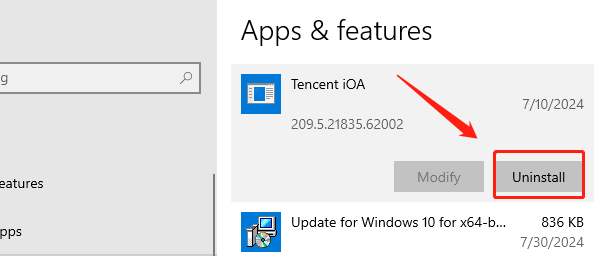
Go to "Settings" > "Apps" > "Apps & features" (on Windows 10) or "Settings" > "Apps" > "Installed apps" (on Windows 11).
Find the application in the list, click on it, and select "Uninstall".
Reinstall the Application:
Re-download and install the application from its official source.
The installation process should include all the necessary DLL files.
Method 3: Using the System File Checker (SFC)
The System File Checker is a built-in Windows tool that can repair corrupted system files.
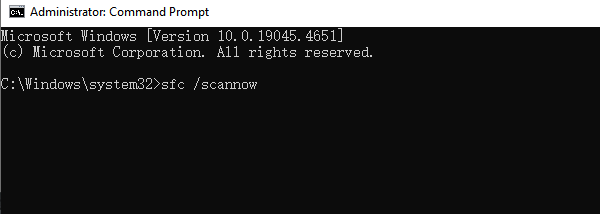
Open Command Prompt as an Administrator: Click the Start button, type "cmd", right-click on "Command Prompt", and select "Run as administrator".
Run the Command: In the Command Prompt window, type "sfc /scannow" and press Enter.
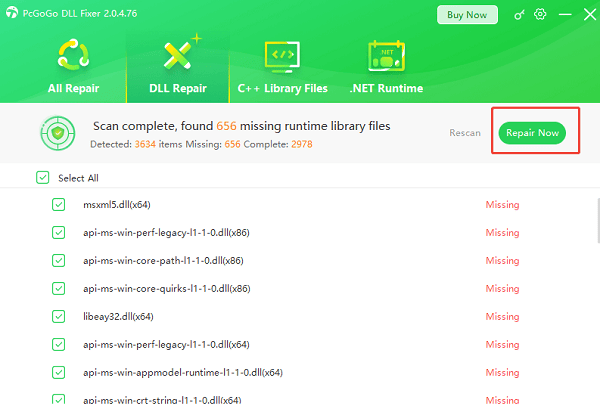
Fix with PcGoGo DLL Fixer
Manually fixing DLL errors can be a complex and risky process. A missing DLL file might be a symptom of a larger issue, and simply downloading a single file from an untrusted source can introduce viruses or further instability.

Common Questions & Answers
Q: What is a DLL file?
A: A DLL (Dynamic Link Library) file is a type of file that contains code and data that can be used by multiple programs at the same time. Think of it as a shared library for applications.
Q: Can I just download the xinput1_3.dll file from a website?
A: It's not recommended. Many websites offering single DLL file downloads are untrustworthy and can be sources of malware, viruses, or incorrect versions of the file, which can cause more problems.
Q: Why does this error happen?
A: The error often occurs because the DLL file was accidentally deleted, corrupted during a software update, or wasn't properly installed with the application that requires it.
A missing xinput1_3.dll file is a common and fixable problem. The most straightforward and risk-free solution is to use PcGoGo DLL Fixer, which automates the entire process.
If you prefer a manual approach, reinstalling DirectX or the problematic application are also highly effective methods. By following these steps, you can resolve the error and get back to using your applications without interruption.