If you've ever tried installing a FitGirl game repack and encountered the unarc.dll returned an error code, you know how frustrating it can be. This error typically appears when the installer tries to unpack the game files and fails due to missing, corrupted, or blocked files. The result is an incomplete installation or a setup that stops unexpectedly. Fortunately, this problem is usually fixable without reinstalling Windows or losing your existing data. In this guide, we'll walk you through practical solutions to fix the unarc.dll error and successfully complete your FitGirl repack installation.
What is unarc.dll and Why Does This Error Occur?
The unarc.dll file is a system dynamic link library used during the extraction of compressed files, such as those found in FitGirl game repacks
When unarc.dll is missing, corrupted, or blocked, the installer cannot unpack the game files, leading to errors. Common reasons include:
Corrupted or incomplete game archives
Insufficient RAM or disk space during extraction
Antivirus software interfering with the installer
Faulty storage devices or bad sectors
Corrupted Windows system files
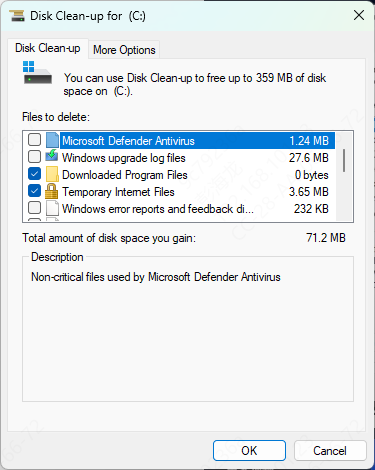
Free Up Disk Space and RAM
Low system resources can cause the installer to fail.
Ensure your target drive has enough free space for installation (FitGirl repacks are often large)
Close unnecessary background programs to free up RAM
Consider restarting your PC before installation to clear temporary memory usage
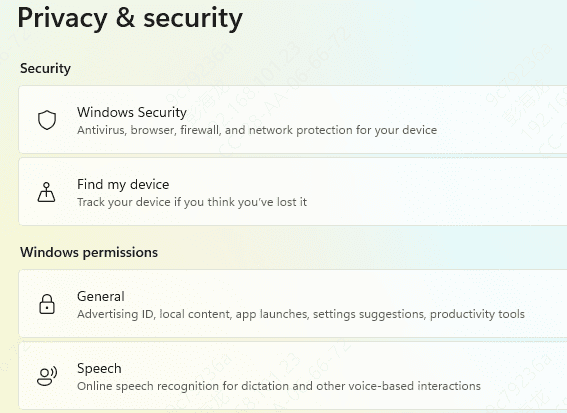
Disable Antivirus Temporarily
Antivirus programs can mistakenly block the installer or unarc.dll, causing extraction failures.
Temporarily disable your antivirus software
Add the FitGirl installer folder to the antivirus exclusion list
Run the installer again
Re-enable your antivirus once installation is complete
Run the Installer as Administrator
Administrator permissions ensure the installer can access all system resources and folders.
Right-click the FitGirl installer → Run as Administrator
Follow the on-screen instructions and see if the error is resolved
Run System File Checker (SFC)
Corrupted Windows system files can prevent unarc.dll from working properly.
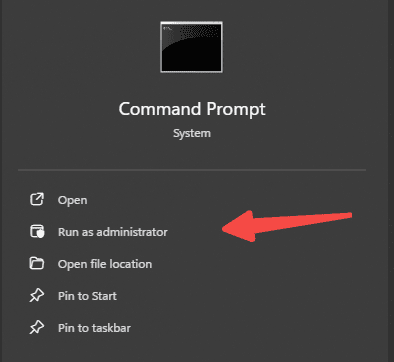
Open Command Prompt as Administrator
Enter the command:
sfc /scannow
Wait for the scan to complete. SFC will repair any corrupted system dll files it detects
Restart your PC and try installing the game again
Check Your Storage Device
Bad sectors on your hard drive or SSD can prevent files from extracting properly.
Open Command Prompt as Administrator
Enter the command:
chkdsk /f /r
Press Enter and allow Windows to scan and repair the drive
Restart your computer once the process completes
Use an PcGoGo DLL Fixer
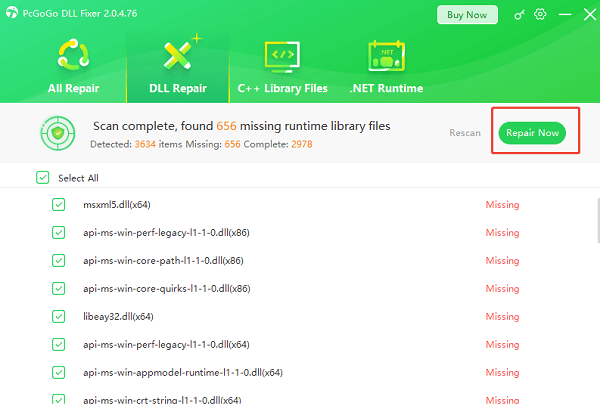
If manual fixes don't work, PcGoGo DLL Fixer can scan for and repair missing or corrupted DLL files, including unarc.dll.
Download and install PcGoGo DLL Fixer
Launch the program and click Scan to detect missing or corrupted DLL files
Click Repair Now to fix any issues automatically
Restart your PC after the repair is complete
Reinstall the FitGirl Repack
If all else fails, reinstalling the game can replace any corrupted files and fix the unarc.dll error.
Delete the partially installed game files
Verify that all archive parts are intact and in the same folder
Run the installer as Administrator with antivirus temporarily disabled
Follow the installation instructions carefully
Tips to Prevent unarc.dll Errors in the Future
Download FitGirl repacks only from trusted and official sources
Always verify archive integrity before starting the installation
Ensure you have enough disk space and free system resources
Temporarily disable antivirus software during installation to avoid interference
Keep Windows system files and drivers updated
Conclusion
The unarc.dll returned an error code is a common obstacle when installing FitGirl repacks, but it can be resolved with these steps. From verifying the archive to checking system files, disabling antivirus, and using DLL repair tools, these solutions should help you successfully complete your installation. Following this guide will ensure your FitGirl games run smoothly without further interruptions.