FitGirl Unarc.dll Error Code 14 occurs when a game fails during installation, usually while unpacking or decompressing files. It can appear early or near the end of setup and often halts the process without a clear explanation. This error is rarely caused by a single missing DLL. Common causes include damaged installer files, antivirus interference, low virtual memory, unstable RAM, insufficient disk space, or corrupted Windows components. The correct fix is to check and stabilize the entire installation environment rather than just replacing one file.
Check the Installation Files First
One of the most common reasons for Error Code 14 is damaged or incomplete setup files. If even one BIN file is corrupted or missing data, the unpacking process may fail
Before changing system settings, check whether all installation files are complete. If possible, verify the archive or torrent files again. If you suspect file corruption, delete the current setup files and download them again
Temporarily Disable Antivirus Protection
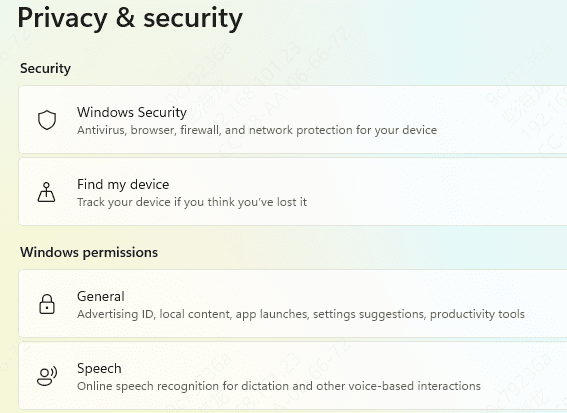
Windows Defender and third-party antivirus tools often interfere with repack installers. In some cases, they quarantine setup components, block temporary files, or interrupt unpacking activity in the background. That can trigger Unarc.dll Error Code 14 even when the installation files are fine
Temporarily disable real-time protection before running the installer again. Also check the quarantine history to see whether any setup-related files were removed. If something important was blocked, restore it before retrying the installation. After the install is complete, you can turn protection back on
Use a Short and Simple Install Path
Long folder names, special characters, and unusual install locations can sometimes break older installers or compressed archive routines. If you are installing to a deeply nested directory or a path with non-English characters, move the setup files to a simpler location
A short path such as C:\Games\GameName is usually safer. Avoid installing to protected folders like Program Files if the installer is already having trouble. A clean and simple path reduces the chance of write failures or path-related extraction issues
Make Sure You Have Enough Disk Space
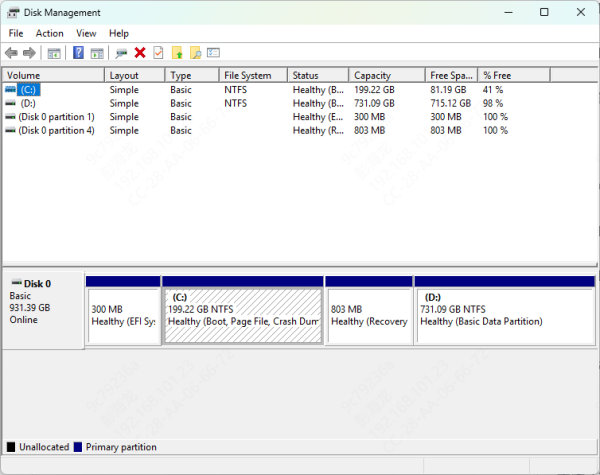
FitGirl repacks are highly compressed, which means the installer often needs much more temporary space than users expect. Even if the final installed game fits on the target drive, the setup may still fail if there is not enough extra room for temporary unpacking
Check both the drive where the game will be installed and the system drive used for temporary files. If storage is low, remove unnecessary files, empty the Recycle Bin, and clear temporary Windows files. Then restart the computer and try again. Lack of free space is a very common but often overlooked cause of extraction failure.
Increase Virtual Memory
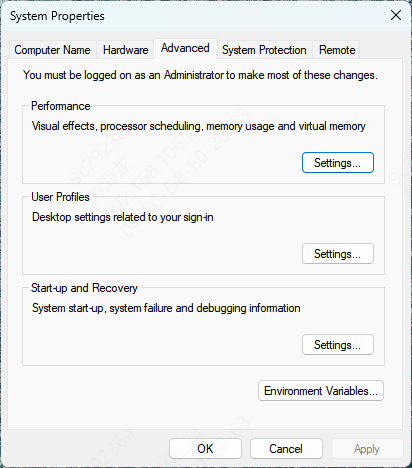
Low virtual memory is another major reason for Unarc.dll Error Code 14. Large compressed game installers may need more memory than your available RAM can provide. When Windows cannot expand memory properly through the paging file, decompression may crash
You can increase virtual memory manually in Windows by adjusting the paging file size in advanced system settings. After increasing it, restart your PC and run the installer again. This is especially helpful on systems with limited RAM or when installing very large games
Check RAM Stability
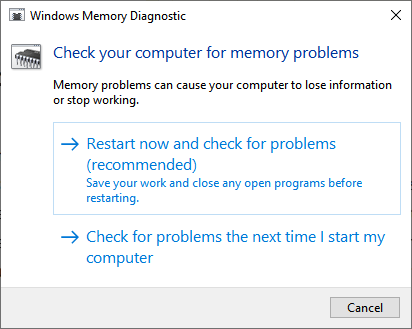
If the same error keeps appearing even after you verify the files and disable antivirus, unstable memory may be the real cause. Decompression is very sensitive to RAM errors. Even small memory instability can lead to archive extraction failure
Run Windows Memory Diagnostic to check for RAM problems. If your system uses XMP, manual RAM tuning, or CPU overclocking, return everything to default settings and test again. Some systems appear stable during normal use but fail under decompression stress
Repair Windows System Files
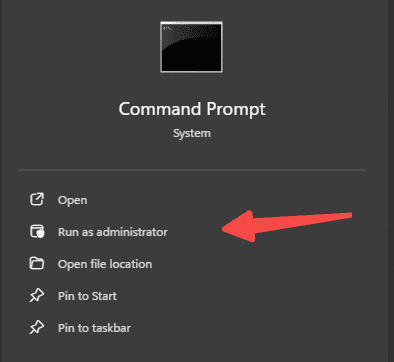
Corrupted Windows components can also interfere with installers and archive extraction. If your system has broader stability issues, use built-in repair tools to scan and fix damaged files.
Open Command Prompt as administrator and run:
sfc /scannow
After that, run:
DISM /Online /Cleanup-Image /RestoreHealth
Install Microsoft Visual C++ Redistributables
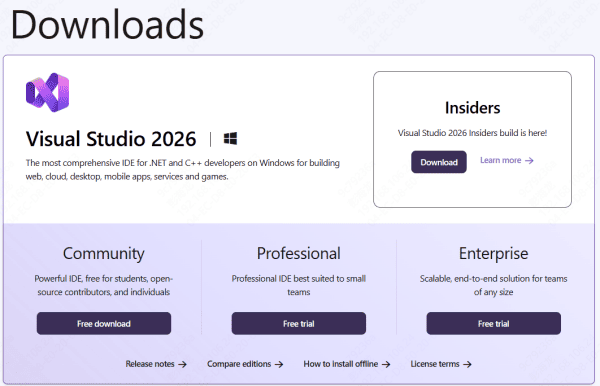
Some installation problems are linked to missing or damaged runtime components. If Microsoft Visual C++ packages are broken or incomplete, setup tools and games may fail to unpack or launch correctly
Install or repair the latest Microsoft Visual C++ Redistributables, including both x86 and x64 versions if needed. Restart the computer afterward
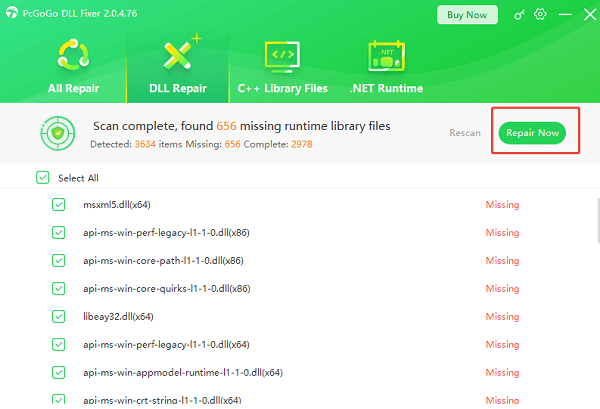
Use PcGoGo DLL Fixer
If the error continues after trying the main fixes, your system may have deeper DLL corruption, damaged registry entries, or missing runtime components beyond the installer itself. In that case, PcGoGo DLL Fixer can help scan the system for broken DLL issues and repair them automatically.
Try a Clean Boot
Background services, overlays, monitoring software, and optimization tools can all interfere with unpacking. If the error still appears, try starting Windows in a clean boot state so only essential Microsoft services are running
This helps isolate software conflicts that may not be obvious during normal use. If the installer works in a clean boot, then a third-party background program is likely involved
Final Thoughts
In most cases, users can fix the problem by verifying the installation files, disabling antivirus temporarily, using a short install path, freeing up disk space, increasing virtual memory, and checking system stability. If Windows itself has deeper DLL or component issues, running SFC and DISM or using a tool like PcGoGo DLL Fixer can help restore the system and improve installation success.
The key is to treat Error Code 14 as an extraction failure, not just a missing file problem. Once the real cause is identified, the installation usually completes without further issues.