

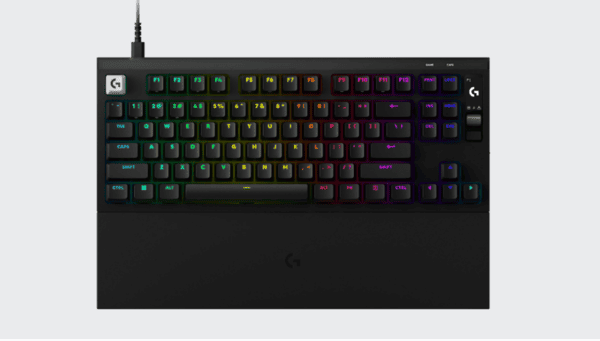
The Logitech G PRO X2 RAPID is a premium wired gaming keyboard designed for competitive players who demand precise control, fast response times, and extensive customization. As the successor to the PRO X TKL RAPID, it introduces refined magnetic switches, improved acoustics, and a built-in OLED display.
Unlike traditional mechanical keyboards, the PRO X2 RAPID uses Hall Effect magnetic switches that allow users to adjust individual key actuation points. Combined with Rapid Trigger technology, this makes it possible to customize how quickly keys activate and reset during gameplay.
First Impressions
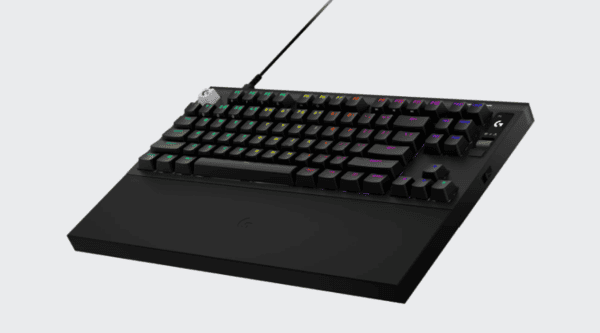
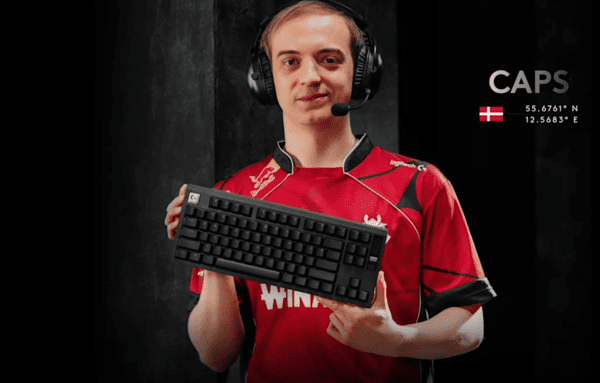
The Logitech PRO X2 RAPID follows the familiar design philosophy of Logitech's professional gaming peripherals. It features a tenkeyless layout, a clean appearance, and a sturdy-looking enclosure.
Removing the numeric keypad creates additional desk space, which is particularly useful for competitive FPS players who frequently make large mouse movements.
The keyboard retains dedicated arrow keys and navigation controls, making it more versatile than smaller 60% gaming keyboards.
Its appearance is relatively understated, although the angular case and customizable RGB lighting give it a recognizable gaming identity.
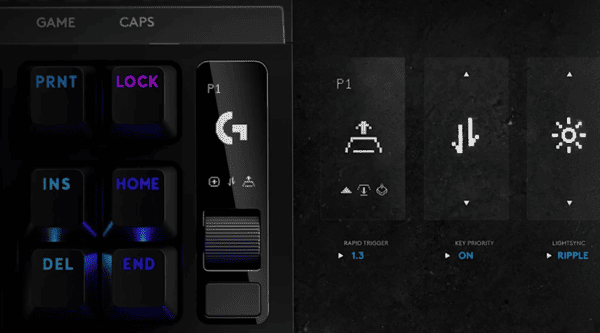
One noticeable addition is the small OLED display in the upper-right corner. Together with its control wheel and dedicated buttons, it allows users to access important settings directly from the keyboard.
Packaging
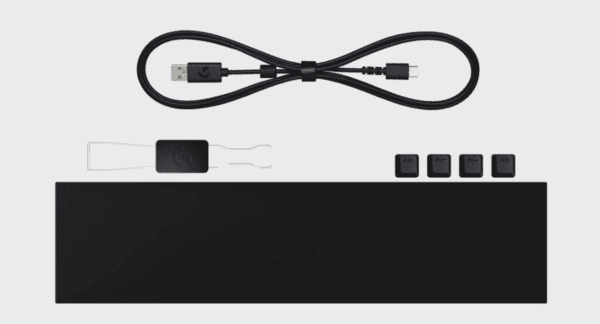
The Logitech PRO X2 RAPID includes a selection of accessories intended to support gaming, customization, and transportation.
Inside the box, users receive:
Logitech G PRO X2 RAPID keyboard
Detachable USB-A to USB-C cable
Silicone wrist rest
Additional replacement keycaps
Keycap and switch removal tool
Product documentation
Features and Build Quality
Design and Construction
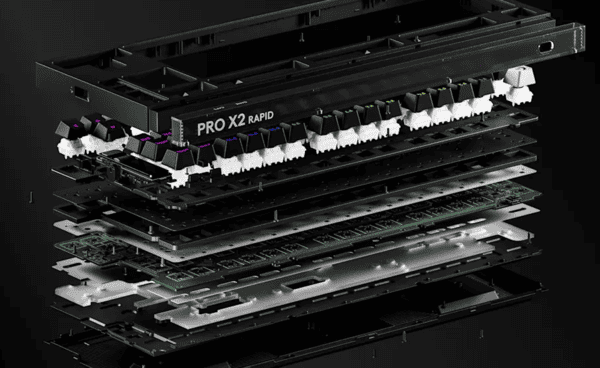
The Logitech PRO X2 RAPID uses a plastic outer case combined with an aluminum switch plate.
Although the exterior is not made entirely from metal, the internal structure is designed to provide stability during intensive gaming.
Independent reviews report minimal unwanted case flex during normal typing and gameplay.
The matte exterior helps reduce visible fingerprints, while the angular design gives the keyboard a distinctive appearance.
OLED Display and Onboard Controls
One of the most practical upgrades is the integrated OLED display.
Users can access several important settings without opening Logitech G HUB.
These include actuation points, Rapid Trigger sensitivity, KEY PRIORITY settings, and LIGHTSYNC RGB controls.
The nearby control wheel makes it possible to navigate options and adjust values directly.
This feature is particularly convenient for players who frequently switch between different games or sensitivity preferences.
Driver and Firmware Maintenance
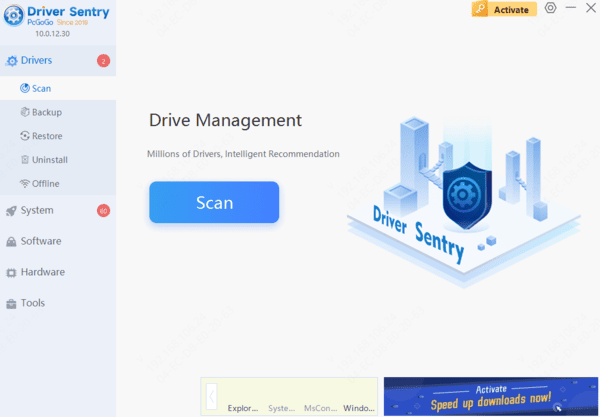
Outdated or corrupted USB controller drivers may occasionally cause device recognition or connection problems.
If these issues occur, Driver Sentry can provide an additional way to check for supported Windows driver problems and install compatible updates when available.
Switches
Magnetic Analog KS-20 POM Switches
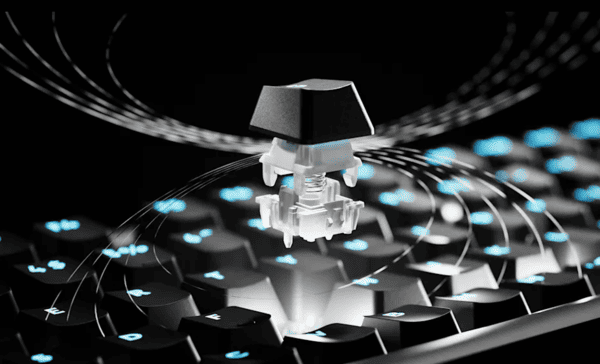
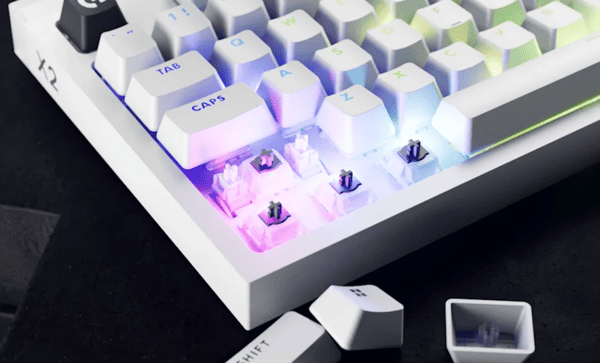
The Logitech PRO X2 RAPID features factory-lubricated KS-20 POM magnetic switches developed in collaboration with Gateron.
Unlike conventional mechanical switches, Hall Effect switches detect key movement through changes in a magnetic field.
This allows the keyboard to register inputs at adjustable travel distances instead of relying on a fixed mechanical actuation point.
Logitech provides an actuation range from 0.1mm to 4.0mm, adjustable in 0.05mm increments.
The switches have a relatively light actuation force of approximately 30g, making them suitable for quick inputs.
Their factory lubrication and POM construction contribute to a smooth linear feel.
Independent reviewers have praised the consistent movement and satisfying rebound of these switches, although some minor stem wobble has been noted.
Rapid Trigger Technology
Rapid Trigger is one of the keyboard's most important gaming features.
On conventional mechanical keyboards, a key usually needs to pass a fixed reset point before another input can register.
Rapid Trigger dynamically adjusts the reset behavior based on key movement.
This allows users to release and reactivate keys with smaller movements, potentially improving responsiveness during repeated inputs.
The feature is particularly relevant in competitive FPS games where movement timing and counter-strafing matter.
However, extremely sensitive settings can increase accidental key presses.
Players should experiment with different actuation and reset distances to find a balance between responsiveness and control.
KEY PRIORITY Functionality
The PRO X2 RAPID also supports KEY PRIORITY, Logitech's implementation of simultaneous opposing cardinal direction handling.
This feature controls how the keyboard responds when opposing movement keys are pressed together.
For example, it can prioritize a particular directional input during rapid movement changes.
Such functionality may appeal to players who want greater control over counter-strafing behavior.
However, some competitive games and tournaments restrict certain SOCD-related input features.
Players should review the relevant game rules before enabling KEY PRIORITY in competitive matches.
Typing and Gaming Experience
Everyday Typing Experience
Although the PRO X2 RAPID is primarily designed for esports, its magnetic switches also make it suitable for everyday typing.
The factory-lubricated switches provide smooth travel, while the PBT keycaps offer a textured surface.
The keyboard's adjustable actuation points are especially useful outside gaming.
For example, setting a deeper actuation distance can reduce accidental keystrokes when typing documents or emails.
The TKL layout also retains dedicated navigation keys, making it more practical for general productivity than smaller keyboards.
Competitive Gaming Performance
Gaming performance is where the PRO X2 RAPID offers its most distinctive features.
Its magnetic switches support adjustable actuation, Rapid Trigger, and KEY PRIORITY, allowing users to customize movement-related inputs.
The keyboard also supports 8,000Hz scanning and USB polling.
At 8,000Hz, the theoretical interval between input reports is approximately 0.125 milliseconds, compared with one millisecond at 1,000Hz.
However, this difference does not guarantee a noticeable improvement in every game.
Actual responsiveness depends on the complete system, including processing delays, game behavior, and display latency.
For competitive games such as Valorant and Counter-Strike 2, adjustable actuation and Rapid Trigger may provide more practical benefits than the polling rate alone.
Independent reviews generally describe the keyboard as highly responsive and well suited to fast-paced gaming.
Comfort During Extended Sessions
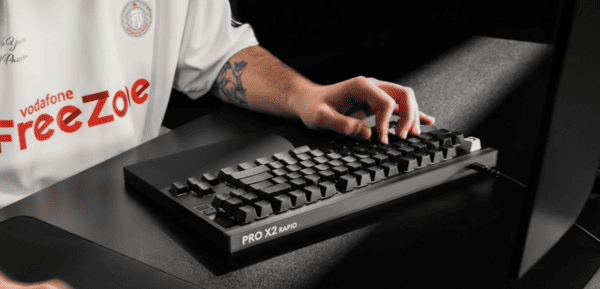
The PRO X2 RAPID's compact layout provides additional room for mouse movement, making it suitable for competitive gaming setups.
Its relatively tall case may be less comfortable for users who prefer a lower typing position.
The included silicone wrist rest helps address this issue by supporting the hands during longer sessions.
Users should also avoid selecting unnecessarily sensitive actuation settings for every key, as this can make normal typing less predictable.
Sound Test
Overall Sound Characteristics
Sound quality is one of the more interesting aspects of the Logitech PRO X2 RAPID.
Many gaming keyboards prioritize speed and responsiveness while paying less attention to acoustics.
Logitech has taken a different approach by incorporating a six-layer sound-dampening structure.
This design uses multiple internal materials to reduce unwanted vibrations, echo, and hollow resonance.
Combined with the factory-lubricated magnetic switches, the keyboard produces a relatively deep and controlled sound profile.
Independent reviewers frequently describe the sound as smooth, muted, and slightly thocky rather than sharp or metallic.
The result is a more refined acoustic character than many conventional gaming keyboards.
Stabilizer and Spacebar Sound
Larger keys often reveal weaknesses in keyboard construction because they require stabilizers to maintain consistent movement.
The PRO X2 RAPID uses screw-in stabilizers designed to reduce wobble and unwanted noise.
Independent reviews generally report stable larger keys with limited rattling.
This difference is common in keyboards because the spacebar has a larger surface area and different acoustic characteristics.
Overall, the stabilizers contribute positively to the keyboard's typing feel.
Sound During Gaming and Typing
During fast typing, the PRO X2 RAPID produces a consistent sound with relatively little case resonance.
Its internal dampening materials help reduce the hollow noise sometimes associated with plastic gaming keyboards.
When gaming, rapid repeated key presses create a more controlled sound than the sharp clicks produced by many traditional switch designs.
However, the keyboard is not completely silent.
Sound levels also depend on typing force, desk material, mousepad placement, and room acoustics.
Users who prefer a deeper, less metallic keyboard sound may appreciate the PRO X2 RAPID's acoustic design.
For an accurate impression of its sound, listening to an independent recording made with consistent microphone placement is recommended.
Alternatives
Wooting 80HE
The Wooting 80HE is one of the strongest competitors in the magnetic gaming keyboard category.
It offers adjustable actuation, Rapid Trigger, and extensive software customization.
Compared with the Logitech PRO X2 RAPID, the Wooting provides more advanced options for users who want detailed control over keyboard behavior.
However, the Logitech may appeal more to players who prioritize a refined sound profile and familiar TKL design.
Both are strong choices for competitive gaming, but they emphasize different aspects of the experience.
Razer Huntsman V3 Pro TKL
The Razer Huntsman V3 Pro TKL is another premium keyboard designed for competitive players.
It uses analog optical switches and supports adjustable actuation and Rapid Trigger functionality.
Razer also provides extensive gaming-focused customization.
Compared with the Logitech, the Huntsman offers a different switch feel and software experience.
The PRO X2 RAPID may be more attractive to users who value smooth magnetic switches and improved acoustics.
Players who prioritize advanced competitive features should compare the customization capabilities of both models.
SteelSeries Apex Pro TKL
The SteelSeries Apex Pro TKL is another alternative featuring adjustable magnetic switches.
It offers Rapid Trigger functionality, gaming-focused software controls, and a compact layout.
Its OLED display and onboard controls provide conveniences similar to those of the Logitech.
The choice between these keyboards depends on switch feel, software preferences, available features, and price.
Users who already own compatible SteelSeries peripherals may prefer its software ecosystem, while Logitech users may appreciate G HUB integration.
For competitive players who want responsive magnetic switches without sacrificing typing comfort and sound quality, the Logitech PRO X2 RAPID is a compelling option.
Those seeking the deepest customization or better value may prefer alternatives such as the Wooting 80HE or Razer Huntsman V3 Pro TKL.
Overall, the Logitech PRO X2 RAPID delivers strong gaming performance and a satisfying typing experience, although its premium price makes it most suitable for users who will take advantage of its specialized features.