
Recovering data from an SD card is often possible even after accidental deletion, formatting, corruption, or file system errors. The key is to stop using the card immediately to prevent new data from overwriting lost files. Depending on the situation, you can try checking the card status in Windows, using built-in recovery options, or relying on professional tools like PcGoGo Data Recovery to scan and restore photos, videos, and documents. For physically damaged SD cards, professional recovery services may be necessary. Regular backups and proper card usage can also help prevent future data loss.
Common Causes of SD Card Data Loss
Accidental Deletion: You deleted photos or videos unintentionally. You cleared your camera gallery or formatted the card inside the device
Card Formatting: "SD card needs to be formatted" error. Accidental format via PC or camera
File System Corruption: SD card becomes unreadable. Folders turn into shortcuts. Errors like "The file or directory is corrupted and unreadable"
Physical Damage: Bent, cracked, burned, or water-damaged SD card. Card not detected by any device
Malware Attacks: Files become hidden or replaced by strange shortcuts. Card behaves abnormally after connection to an infected device
Essential Things To Do Before Recovery
Stop Using the SD Card Immediately: Any new data written may overwrite deleted files
Do Not Reformat (unless necessary for repair): Formatting can make recovery harder—perform only after backing up raw data
Use a Reliable Card Reader: A faulty reader can make the card appear corrupted
How to Check If Your SD Card Is Still Recoverable
Check Detection in Windows
Go to:
This PC → Check if SD card has a drive letter
If it appears but is inaccessible → logical corruption
If it does not appear → possible hardware failure
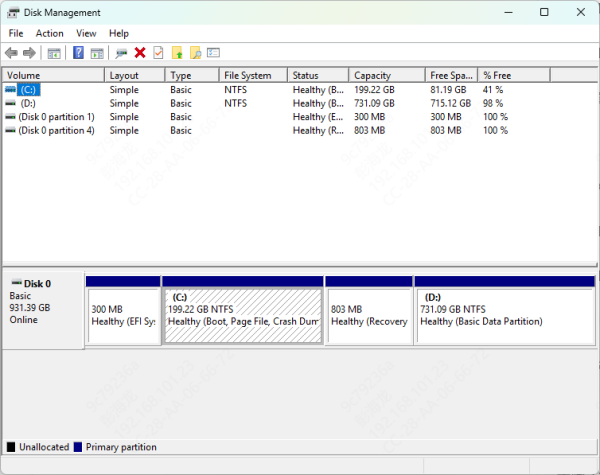
Check Disk Management
Open:
Win + X → Disk Management
If listed as RAW, Unallocated, or Unknown → recoverable using software
If completely invisible → physical failure (needs a data recovery lab)
Recover Data From SD Card
PcGoGo Data Recovery is a powerful tool for high success rates when recovering photos, videos, documents, and more from SD cards.
Step 1: Download and Install PcGoGo Data Recovery
Install the program on your computer—not on the SD card
Step 2: Insert the SD Card Using a Card Reader
Make sure the card is detected by the computer
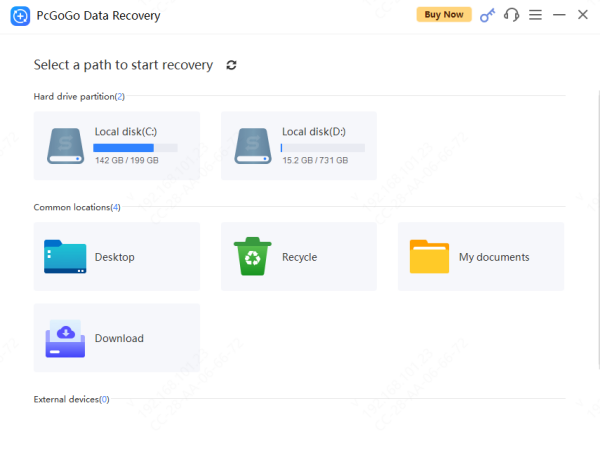
Step 3: Select the SD Card Drive
Open PcGoGo Data Recovery and choose the SD card from the drive list
Step 4: Scan the SD Card
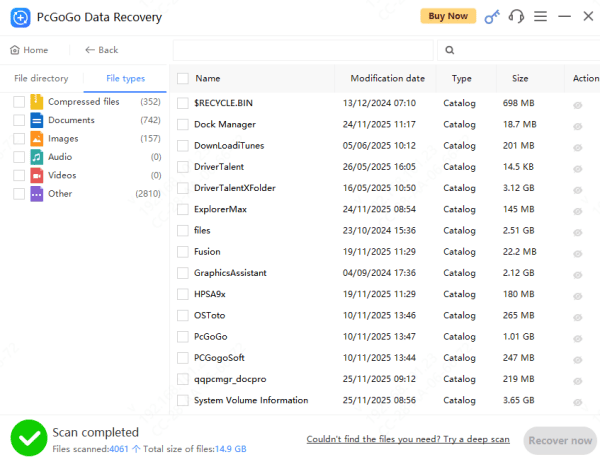
The program will begin scanning for: Deleted files, Formatted data, Lost partitions, and Hidden or corrupted files
Step 5: Preview Recoverable Files
You can preview photos, videos, and documents before recovery
Step 6: Recover and Save the Files
Click Recover, then save your files to a folder on your computer—not the SD card—to avoid overwriting
Tips to Prevent SD Card Data Loss in the Future
Always eject the SD card safely before removing
Avoid using the same card in too many devices
Replace SD cards that show frequent errors
Back up photos and videos regularly
Don't use low-quality or counterfeit SD cards
Never remove the card while recording or transferring files
Conclusion
Recovering data from an SD card is possible in most cases—especially if the card is still recognized by your computer and you stop using it immediately. Tools like PcGoGo Data Recovery offer fast, reliable recovery for deleted, formatted, or corrupted files. For severely damaged cards, professional recovery services may be required. With the right steps, you can protect your data and prevent future losses.