
A system crash can be a frustrating experience, especially when it leads to the loss of important data stored on your portable hard drive. Whether caused by software conflicts, hardware failure, power surges, or other unexpected issues, a crash can sometimes make an external drive inaccessible or corrupt. In such situations, recovering lost data becomes a top priority. Fortunately, with the right approach and tools, it is often possible to restore files from a portable hard drive after a system crash. In this guide, we'll explain the common causes of data loss, the immediate steps you should take, and the most effective methods to recover your files safely.
Check Recycle Bin
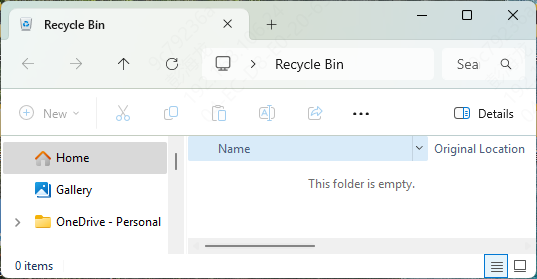
Before proceeding with more complex recovery methods, check your Recycle Bin
If the deleted files are still there, simply restore them by right-clicking the files and choosing the Restore option
File History / Previous Versions
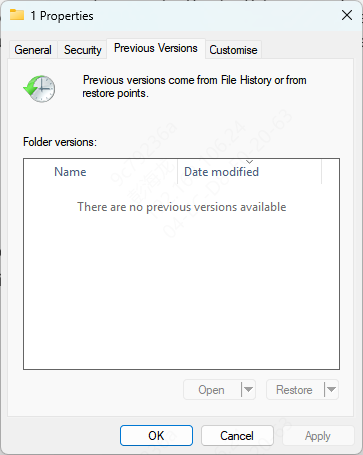
If you've enabled File History on Windows, you can recover previous versions of files:
Right-click on the folder that previously contained the lost file
Select Restore previous versions
Browse through available versions and restore the files you need
Windows File Recovery Tool
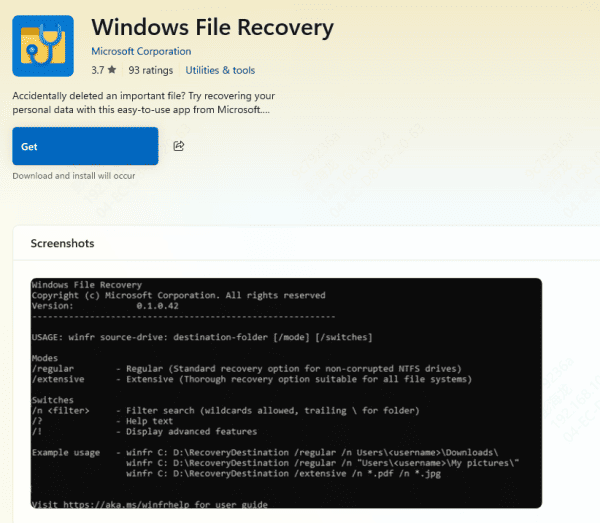
If the above methods don't work, you can use the Windows File Recovery Tool. This tool helps recover lost files from a corrupted or damaged hard drive
Download and install Windows File Recovery from the Microsoft Store
Launch the tool and follow the prompts to select the appropriate recovery mode (Normal, Extensive, or Deep) based on your needs
Start the recovery process to retrieve your files
Using PcGoGo Data Recovery
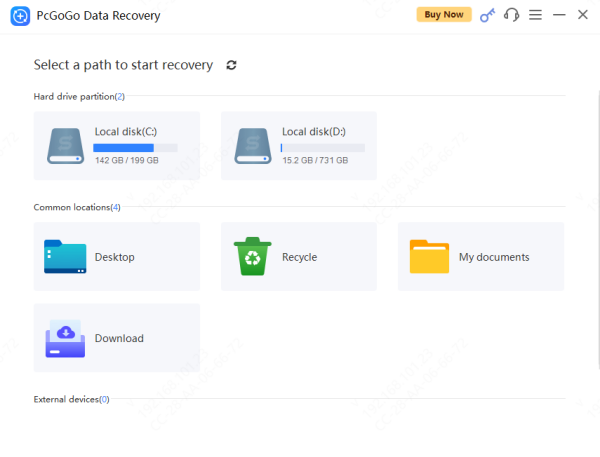
For more comprehensive recovery, you may need to rely on third-party data recovery software like PcGoGo Data Recovery. This software offers a safe and effective way to recover lost files from your portable hard drive after a system crash.
Download and Install
Download PcGoGo Data Recovery from the official website and install it on a different drive (not the affected drive)
Select the Drive
Open the software and select the portable hard drive from the list of available drives
Scan the Drive
Scan for recently deleted files
Preview and Select Files
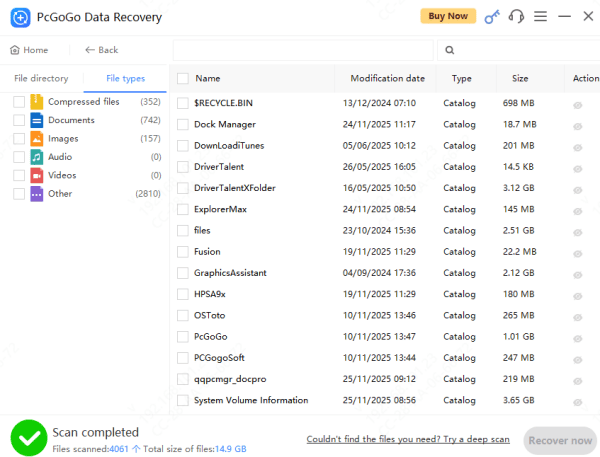
Once the scan is complete, preview the recoverable files to verify that they are intact
Select the files you wish to recover
Recover Files
Choose a safe location (e.g., another external drive or cloud storage) to save the recovered files
Click Recover to restore your lost data
Causes of Data Loss on Portable Hard Drives After System Crash
Several factors contribute to data loss following a system crash. Understanding these causes helps in better recovery management:
File System Corruption
When a system crash occurs, it can cause file system corruption on your portable hard drive. This means that the system can no longer recognize the files and folders on the drive, rendering your data inaccessible
Bad Sectors
A system crash can also result in bad sectors on the hard drive, which can make parts of your data irretrievable. Bad sectors occur when the drive's physical hardware is damaged during the crash.
Incomplete Data Transfers
If the system crashes during an ongoing file transfer, the files may not be copied properly to your portable hard drive. This can result in incomplete or corrupted files that are difficult or impossible to open
Conclusion
Data loss after a system crash can be distressing, but with the right methods, you can recover your important files. Whether you choose built-in Windows recovery tools, PcGoGo Data Recovery, it's important to act quickly and avoid overwriting lost data. By following the steps outlined in this guide, you can maximize your chances of successful data recovery and prevent future data loss.