
Reddit videos are popular for sharing entertainment, tutorials, discussions, and useful content, but saving them offline is not always straightforward. Many online downloaders have limitations such as poor quality, watermarks, or excessive ads. This guide explains how to download Reddit videos without watermarks using PcGoGo Video Downloader, including single-video downloads, batch downloads, quality selection, and tips for managing saved content.
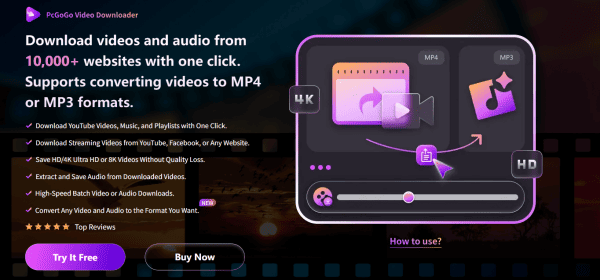
Why Choose PcGoGo Video Downloader for Reddit Videos
No Watermarks: Every downloaded video comes clean, making it perfect for editing, reposting (with permission), or personal use
High-Resolution Downloads: Get videos in HD, 4K, or even 8K while keeping the original quality intact
Download in Bulk: Save multiple Reddit videos at once, whether they're from posts, threads, or bookmarked content
Cross-Platform Support: Works seamlessly with YouTube, TikTok, Instagram, Facebook, and more, making it an all-in-one tool
Format Flexibility: Choose MP4 for video or extract audio as MP3, depending on your project needs
Fast and Reliable: Advanced parsing technology ensures downloads are completed quickly and smoothly
Step-by-Step Download Reddit Videos
Step 1: Install PcGoGo Video Downloader
First, visit the official PcGoGo Video Downloader website, download the software, and complete the installation
Launch the program, and you'll find a clean interface that's easy to navigate
Step 2: Copy the Reddit Video Link
Open Reddit in your browser or app, navigate to the video post you want, and copy the URL from the address bar or Share menu
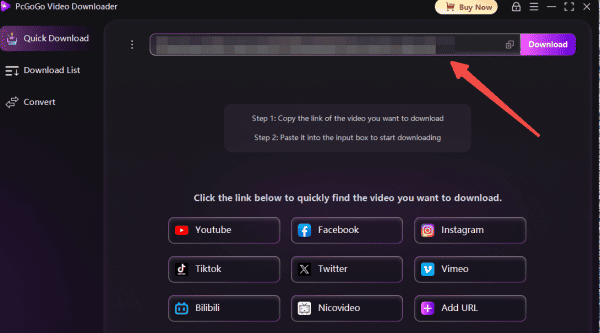
Step 3: Paste the URL into PcGoGo Video Downloader
Return to PcGoGo Video Downloader and paste the copied link into the download bar
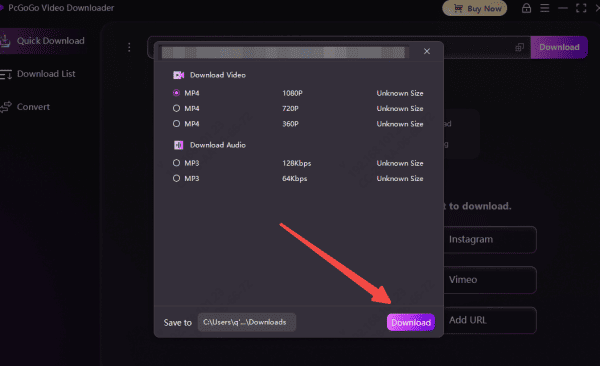
The software will instantly analyze the video and display available download options, including format and resolution
Step 4: Select Format and Resolution
Choose MP4 for full video downloads, or MP3 if you only need the audio
Pick your preferred resolution—HD, 4K, or 8K—based on what's available
Step 5: Start the Download
Click the Download button to begin
Track progress in the download list, and once complete, your video will be saved to your selected folder, ready for offline viewing or editing
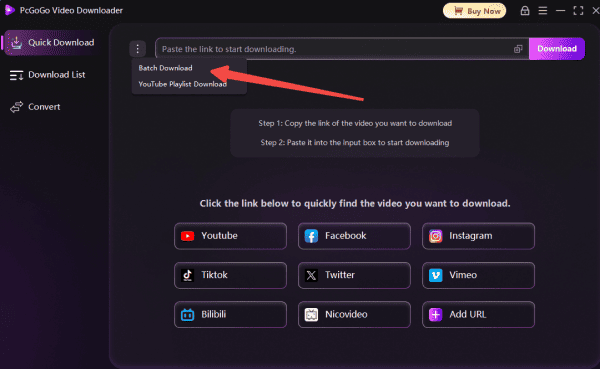
Batch Downloading Multiple Reddit Videos
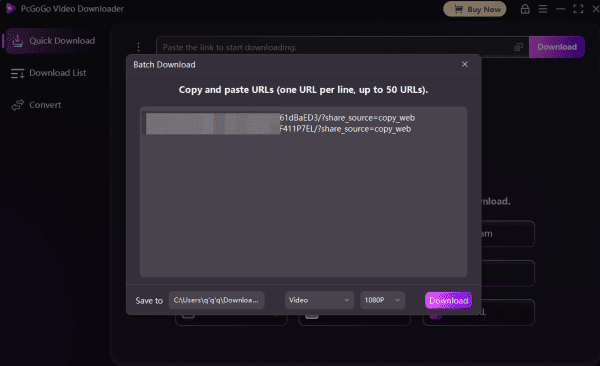
If you want to download several Reddit videos at once, PcGoGo Video Downloader makes the process fast and easy. Instead of saving videos one by one, you can use the batch download feature to handle multiple links simultaneously. Follow these steps:
Step 1: Collect All Reddit Video URLs
Browse Reddit and locate the posts containing the videos you want to save
Copy the URL of each video. You can usually do this by clicking the "Share" button on a post and selecting "Copy Link," or by copying the link from your browser's address bar
Keep all the links handy in a text file or document so you can easily paste them all together later
Step 2: Paste All Links Into PcGoGo Video Downloader
Open PcGoGo Video Downloader on your Windows PC
Locate the download bar at the top of the interface
Paste all the copied Reddit video URLs into the bar. PcGoGo Video Downloader will automatically recognize multiple links and queue them for analysis
Step 3: Analyze and Select Options
Once the software parses all the links, it will display each video separately along with available download options
Choose the format for each video: MP4 for full video or MP3 if you only want the audio
Select the resolution for each video (HD, 4K, or 8K depending on availability). You can choose different resolutions for different videos if you like
Step 4: Start Batch Downloading
After confirming the formats and resolutions, click the Download button
PcGoGo Video Downloader will process each video sequentially or simultaneously, depending on system resources
You can monitor the progress of each video in the download list, which shows the status, file size, and estimated remaining time
Tips for Managing Your Downloads
Organize Folders: Arrange videos by category, topic, or date for easy access
Rename Files: Give videos descriptive names to simplify searching and sorting
Backup Your Library: Keep a copy on cloud storage or an external drive to prevent accidental loss
Legal and Privacy Reminders
Always respect the rights of content creators
Never repost or distribute videos without permission
Stick to trusted software like PcGoGo Video Downloader to safeguard your computer from malware or intrusive ads, and download content only for personal or authorized use
Conclusion
Downloading Reddit videos without watermarks has never been simpler. PcGoGo Video Downloader for Windows allows you to save high-quality videos effortlessly, whether you're working on a personal collection, editing projects, or archiving content. With its fast processing, batch downloading, watermark-free output, and flexible format options, it's a must-have tool for creators, editors, and Reddit enthusiasts alike.