
Portable hard drives are essential tools for storing and backing up important data such as personal files, work documents, photos, and videos. Their portability and large storage capacity make them indispensable in today's digital world. However, accidental deletion, formatting errors, system crashes, or even hardware failures can lead to the loss of valuable data.
Method 1: Using Windows Built-in Tool
Recycle Bin: If the files were deleted recently, check the Recycle Bin for any recoverable files. You can easily restore them by right-clicking and selecting Restore
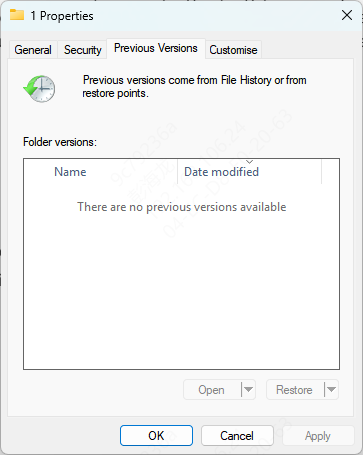
File History: If you've enabled Windows File History, you can restore previous versions of files by right-clicking on the folder and selecting Restore previous versions
Previous Versions: Right-click on the folder or file that contained the lost data, go to Properties, and look for Previous Versions. This will allow you to restore older versions
Command Prompt: For minor file system errors, you can use the chkdsk command in the Command Prompt to attempt to fix issues with the file system and recover data
Method 2: Using PcGoGo Data Recovery (Recommended)
PcGoGo Data Recovery is an easy-to-use software tool that helps recover lost or deleted files from portable hard drives, even if you have no technical experience. Here's how to use it:
Step 1: Download and Install PcGoGo Data Recovery
Visit the official PcGoGo Data Recovery website and download the latest version of the software
Install it on a different drive (not the one from which you wish to recover data) to avoid overwriting lost data
Step 2: Select the Portable Hard Drive to Scan
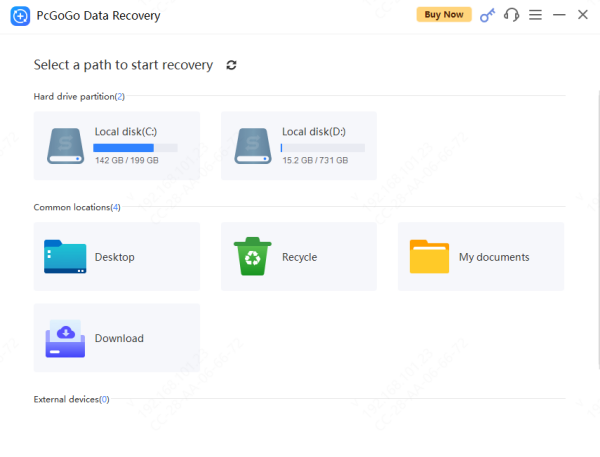
Launch PcGoGo Data Recovery and select the drive from which you need to recover data
If you're using an external hard drive, ensure it's connected to your computer and recognized
Step 3: Scan for Lost Files
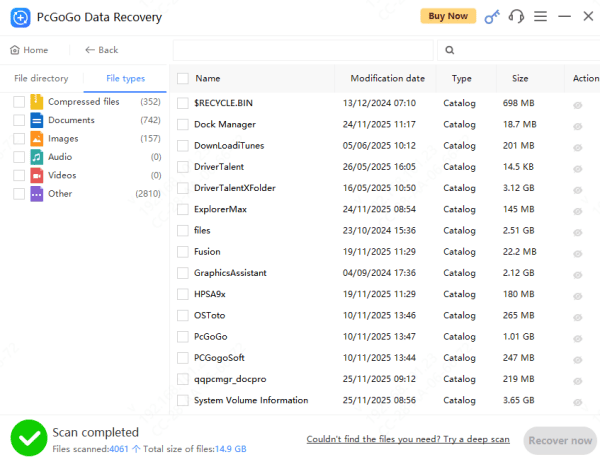
Click on the Scan button to begin searching for lost files. PcGoGo Data Recovery will quickly locate deleted or lost files on the portable hard drive
Step 4: Preview Files Before Recovery
After the scan is complete, you can preview the recoverable files to verify their integrity
This step is crucial as it helps you identify which files are intact and avoid recovering unnecessary data
Step 5: Recover and Save Your Files
Select the files you want to recover and click Recover
Choose a safe location to save the recovered files. Make sure to save the files to a different drive or storage device to prevent overwriting any remaining lost data
Preventing Future Data Loss
Here are some important tips to avoid data loss on your portable hard drive:
Regular Backups: Make it a habit to regularly back up your files to an external drive, cloud storage, or a backup service to protect against data loss
Safely Eject the Drive: Always safely eject your portable hard drive before disconnecting it to prevent file system corruption
Drive Health Monitoring: Use tools to monitor the health of your portable hard drive (such as SMART monitoring tools) to catch potential issues early
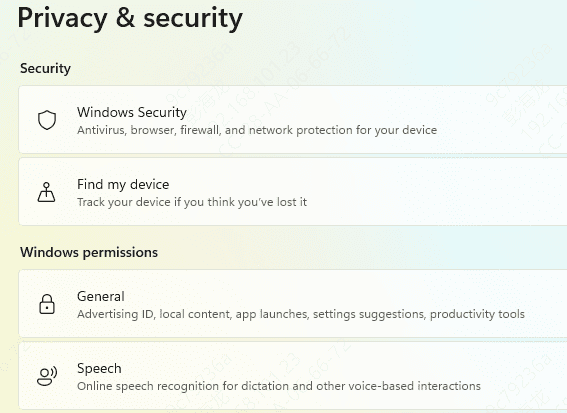
Antivirus Protection: Protect your data from malware and viruses by keeping your antivirus software up to date and avoiding suspicious files
Conclusion
Losing data from your portable hard drive can be a stressful experience, but with the right tools and prompt action, you can often recover your files. Whether you use built-in Windows tools or dedicated recovery software like PcGoGo Data Recovery, it's crucial to follow the correct steps and avoid overwriting your data. Remember to regularly back up your files and take precautions to protect your portable hard drive from future data loss.