
AI assistants are evolving beyond traditional chatbots. Modern AI agents can monitor information, organize workflows, and complete tasks with less manual intervention.
Claude Duet follows this trend by offering proactive assistance across connected applications. However, its availability, usage limits, and integration options may not suit everyone. For users seeking more flexibility, OpenClaw Tool is another option worth considering.
What Is Claude Duet?
Claude Duet is an AI assistant developed by Anthropic to help users manage communications, organize tasks, and automate everyday workflows.
Unlike conventional chatbots, it is designed to handle ongoing tasks, provide daily briefings, and work with connected applications. Users can interact with it through text or voice and review results when tasks are completed.
Its potential applications include summarizing emails, preparing reports, scheduling meetings, and supporting business operations.

Claude Duet Availability and Pricing
Access to Claude Duet depends on eligibility and invitation requirements during its research preview. Prospective users should check Anthropic's official website for current availability.
The service is included with eligible subscriptions during the preview, but its background activities share usage limits with the user's existing Claude plan.
This means frequent monitoring and complex tasks may consume available usage more quickly. Users should consider these limitations before subscribing specifically for automated assistance.
Key Features of Claude Duet
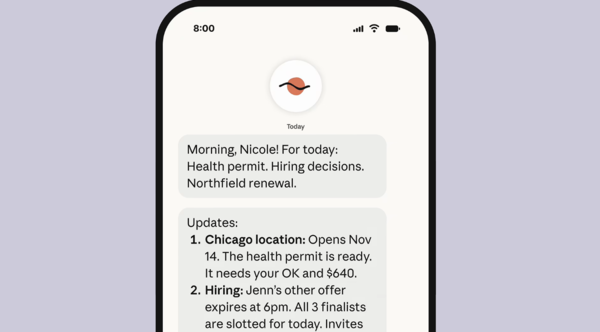
1. Proactive Daily Briefings
Claude Duet can summarize information from connected applications, helping users identify important emails, upcoming meetings, and tasks that need attention.
However, periodic checks mean new information may not be detected immediately.
2. Background Task Execution
The assistant can perform supported tasks in its own virtual environment, allowing certain workflows to continue while users are away from their devices.
It can help prepare reports, organize information, and handle multistep tasks. Complex workflows may still require clarification or human review.
3. Business Application Integrations
Claude Duet can work with supported connected applications to retrieve information and assist with communications, marketing, and administrative tasks.
Available features depend on each integration and its permissions. Users should review access settings before connecting sensitive business accounts.
4. Text and Voice Interaction
Users can assign tasks, provide additional instructions, and follow up through text or voice. This makes it easier to manage ongoing projects without starting from scratch each time.
5. Approval-Based Actions
Certain consequential actions may require user approval, helping maintain human oversight when the assistant handles important communications or sensitive information.
Nevertheless, users should review important outputs and approval requests before proceeding.
Advantages and Limitations of Claude Duet
Claude Duet offers several productivity benefits:
Proactive assistance: Highlights important information and pending tasks.
Background execution: Handles supported workflows without constant supervision.
Business integrations: Connects information across supported applications.
Flexible interaction: Supports text and voice communication.
Human oversight: Requires confirmation for certain consequential actions.
However, it also has limitations:
Restricted access: Preview availability may be limited.
Shared usage limits: Background tasks consume subscription usage.
Limited model choice: Users may have less flexibility in selecting AI providers.
Periodic monitoring: Updates may not be detected immediately.
Integration gaps: Not every application or workflow is supported.
Reliability concerns: AI-generated results may require verification.
OpenClaw Tool: An Alternative to Claude Duet
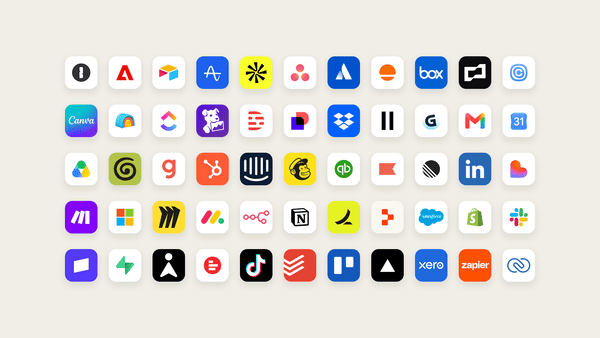
For users seeking a more configurable AI assistant, OpenClaw Tool offers another approach to AI-powered productivity. OpenClaw Tool is designed to simplify the deployment and configuration of OpenClaw, helping users establish an AI environment without managing every setup step manually.
Once configured, OpenClaw can support a variety of everyday tasks, including:
Web research: Collect information from websites.
File management: Organize files and handle routine operations.
Data tracking: Monitor relevant market information and other data.
Content creation: Assist with writing and content development.
Programming: Support coding and technical workflows.
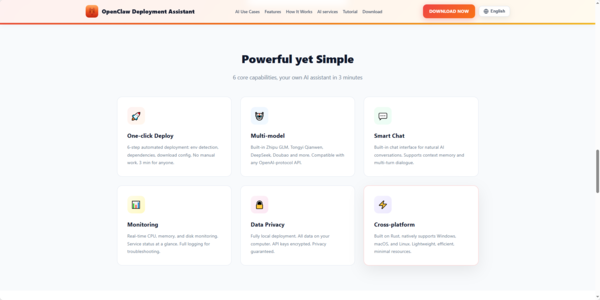
Its approach is particularly useful for users who want to build customized automation workflows and explore different AI providers.
Compared with a cloud-based assistant focused on connected business applications, a locally deployed OpenClaw environment can offer greater control over deployment and configuration. However, actual capabilities depend on the setup, integrations, and selected AI services.
Conclusion
Claude Duet brings proactive notifications, background execution, and connected application workflows to AI-assisted productivity. It may be a practical choice for professionals who want help managing routine business tasks. However, access restrictions, shared usage limits, and integration availability may affect its usefulness.
For users who want a more configurable assistant, OpenClaw Tool provides an alternative for setting up AI-powered workflows involving web research, file management, content creation, data tracking, and programming. If you want greater flexibility in configuring an AI assistant for everyday automation, visit the official OpenClaw Tool website to explore its features and setup options.