Facebook is packed with videos—tutorials, news clips, live recordings, personal memories, and creative content shared every day. While watching videos online is easy, saving them for offline viewing or future use is not always straightforward. Facebook does not provide a universal download button, especially for videos shared by others. In this guide, you'll learn why link-based downloading works best and how to download Facebook videos quickly and safely using PcGoGo Video Downloader.
Step-by-Step: How to Download a Facebook Video Using a Link
Step 1: Copy the Facebook Video Link
Open Facebook in your browser or app
Find the video you want to save
Click Share or copy the URL directly from the address bar
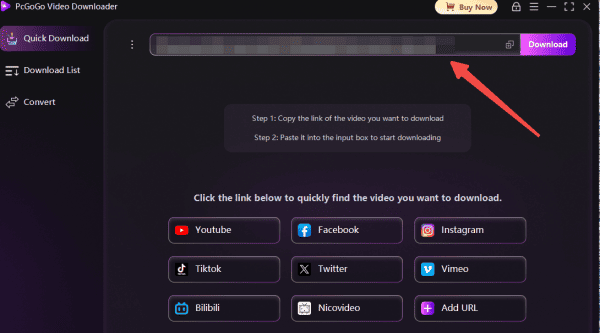
Step 2: Paste the Link into PcGoGo Video Downloader
Launch PcGoGo Video Downloader on your computer
Paste the copied link into the download bar
The software will automatically analyze the video
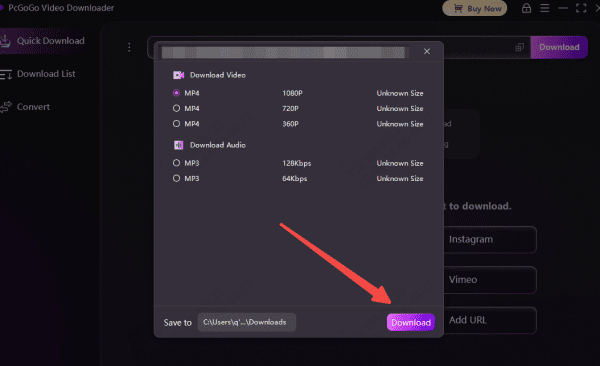
Step 3: Choose Format and Quality
Pick the available resolution that fits your needs
Step 4: Download and Save
Click the Download button
The video will be saved to your selected folder within seconds
You can access it anytime without an internet connection
How to Download Multiple Facebook Videos at Once
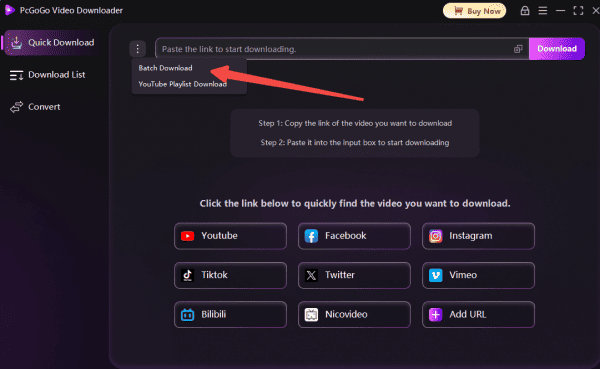
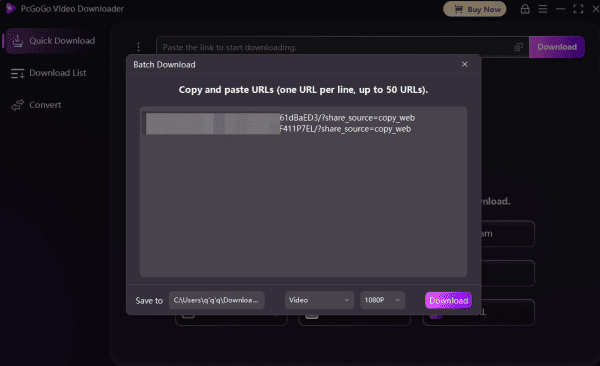
If you want to save several videos, PcGoGo Video Downloader supports batch downloading
Step 1: Copy all the Facebook Video Links
Collect all the Facebook video links you want to download
Step 2: Paste all the links
Paste all the links into PcGoGo Video Downloader at the same time
Step 3: Choose Format and Quality
Choose the format and resolution for each video or apply one setting to all
Step 4: Download and Save
Click Download, and PcGoGo Video Downloader will process each video automatically
This feature is especially useful for content creators, educators, and social media managers
Important Things to Keep in Mind
Always respect copyright and privacy rules
Only download videos you have permission to save
Avoid redistributing content without the creator's consent
Use trusted software to protect your device and data
Why PcGoGo Video Downloader Works Best for Facebook Videos
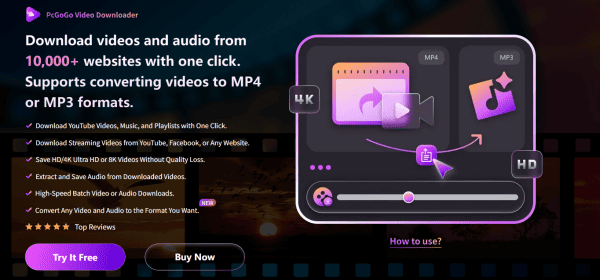
PcGoGo Video Downloader is built to handle social media video links efficiently. When used with Facebook videos, it offers:
Automatic video detection from pasted links
Multiple resolution options without quality loss
Watermark-free output
Support for both video and audio downloads
No intrusive ads or pop-ups
Final Thoughts
Downloading Facebook videos doesn't have to be complicated. By using a simple video link and a reliable tool like PcGoGo Video Downloader, you can save videos quickly, safely, and in high quality. Whether you're downloading one clip or managing a large collection, PcGoGo Video Downloader provides a smooth and professional experience that works every time.