
Online videos are an essential part of modern digital life. From YouTube tutorials and Facebook videos to Instagram Reels, TikTok clips, X (Twitter) posts, and Reddit content, valuable videos are shared across countless platforms every day. While streaming is convenient, many users want to download video from a link without watermarks for offline viewing, editing, archiving, or content reuse. In this guide, we'll how to download videos safely and cleanly using PcGoGo Video Downloader.
Key Benefits of PcGoGo Video Downloader
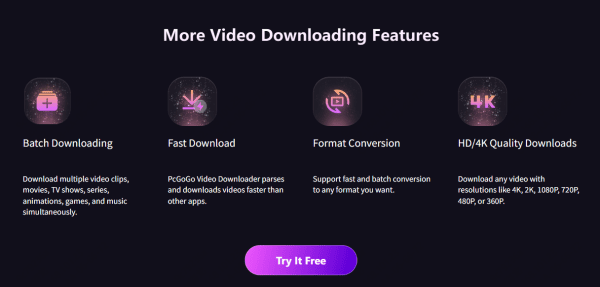
Supports YouTube, Facebook, Instagram, TikTok, X (Twitter), Reddit, and many more platforms
High-quality downloads up to 4K and 8K
Multiple output formats (MP4, MKV, MP3, etc)
Fast download speeds with stable performance
Batch download multiple videos at once
Clean interface with no ads or pop-ups
How to Download Video from a Link Without Watermark (Step-by-Step)
Step 1: Copy the Video Link
Open the platform where the video is hosted
Find the video you want to download and copy its URL from the browser address bar or via the platform's Share → Copy link option
Step 2: Open PcGoGo Video Downloader
Launch PcGoGo Video Downloader on your Windows computer
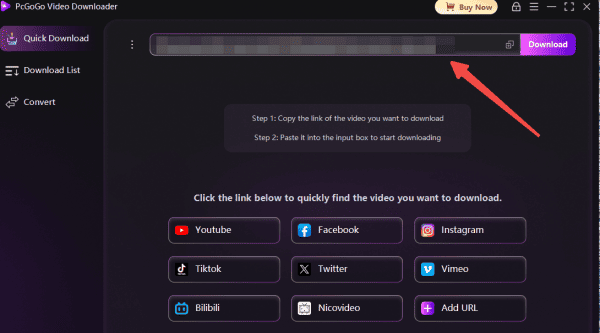
You'll see a straightforward interface with a download bar ready for link input
Step 3: Paste the Link
Paste the copied video URL into the input field
The software will automatically analyze the link and detect available video streams
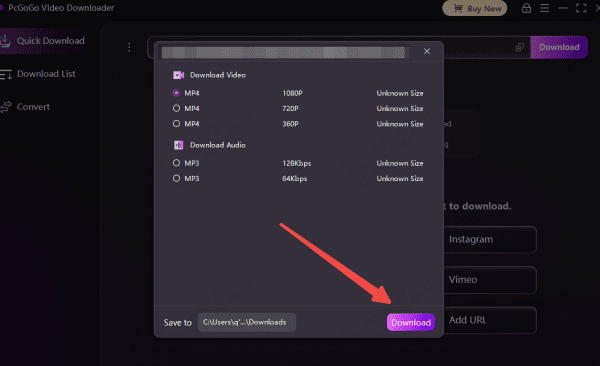
Step 4: Select Format and Resolution
Choose your preferred video format (such as MP4 or MKV) and resolution
Depending on the source, you can select HD, Full HD, 4K, or even 8K quality
Step 5: Download Video
Click Download to start saving the video
PcGoGo Video Downloader will process the file and store it on your computer without adding any watermark, logo, or branding.
Batch Download Multiple Videos from Links
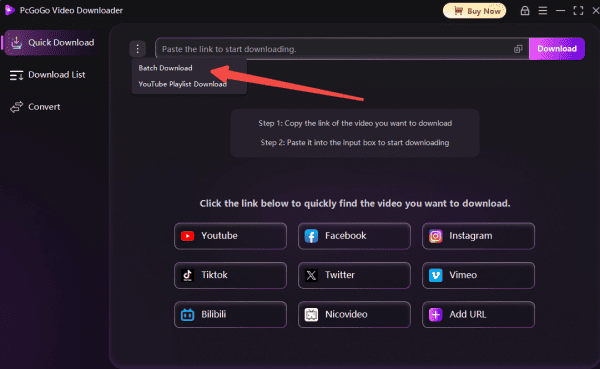
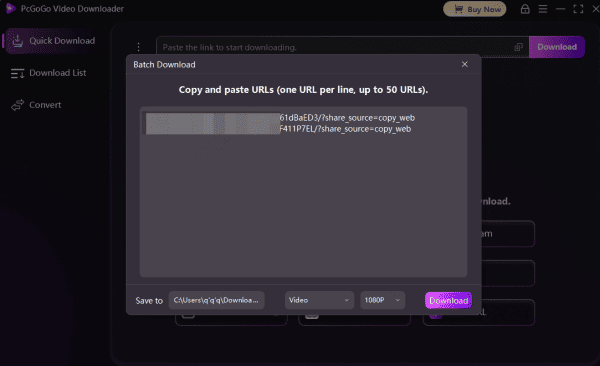
If you need to download multiple videos at once, PcGoGo Video Downloader makes batch downloading effortless.
Step 1: Copy all the Video Links
Copy multiple video URLs from supported platforms
Step 2: Paste all the Links
Paste all links into PcGoGo Video Downloader at the same time
Step 3: Select Format and Resolution
Apply the same format and quality settings to all videos, or customize individually
Step 4: Download Video
Click Download to start the batch process
Is Downloading Videos from Links Legal?
Downloading videos may be legal for personal use, offline viewing, education, or content you own or have permission to use. However, always respect platform terms of service and copyright laws
Avoid redistributing copyrighted content without proper authorization
Final Thoughts
If you're looking for a reliable way to download videos from a link without watermark, PcGoGo Video Downloader is a powerful and user-friendly solution. Unlike online tools, it delivers high-quality results, full format control, fast speeds, and clean, watermark-free videos.Whether you're saving a single clip or downloading videos in bulk, PcGoGo Video Downloader provides a professional, safe, and efficient experience—making it one of the best tools for link-based video downloading.