
Downloading videos using a direct link is one of the easiest and most efficient ways to save online content for offline viewing, editing, or archiving. Whether the video comes from YouTube, Instagram, Facebook, X (Twitter), TikTok, Reddit, or other popular platforms, having the right tool makes the process fast, safe, and high quality. This guide explains how to download videos reliably using PcGoGo Video Downloader.
How to Download a Video with a Link Using PcGoGo Video Downloader
Follow these steps to download any supported video using a link.
Step 1: Install PcGoGo Video Downloader
Download PcGoGo Video Downloader from the official website
Install the software and launch it on your computer
Step 2: Copy the Video Link
Open the platform where the video is hosted
Copy the video's URL from the address bar or use the platform's Share option to copy the link
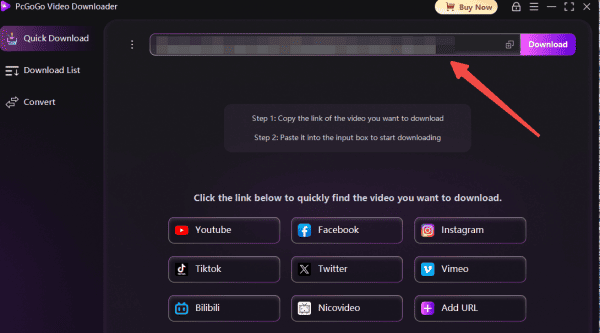
Step 3: Paste the Link into PcGoGo Video Downloader
Open PcGoGo Video Downloader and paste the copied link into the download bar
The software will automatically analyze the video source
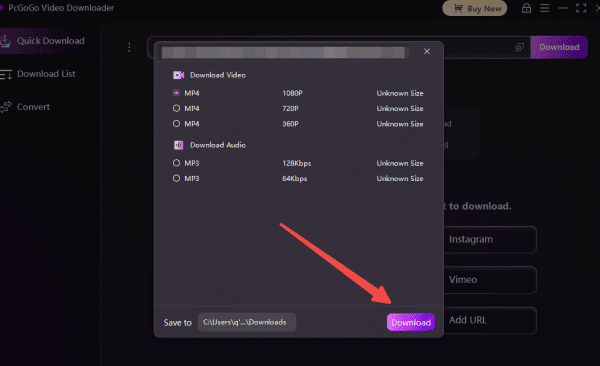
Step 4: Choose Format and Quality
Select MP4 if you want the full video or MP3 if you only need the audio
Choose the available resolution, such as 720p, 1080p, or higher if supported
Step 5: Start the Download
Click the Download button. PcGoGo Video Downloader will save the video to your selected folder
You can monitor progress in the download list
How to Batch Download Videos Using Multiple Links
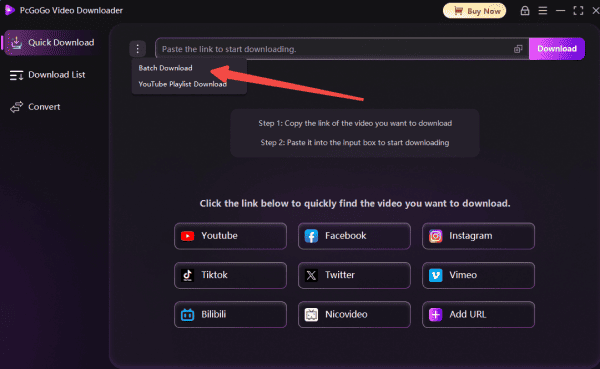
PcGoGo Video Downloader also supports downloading multiple videos at once.
Step 1: Copy Multiple Video Links
Collect and copy all video URLs you want to download from supported platforms
Step 2: Paste All Links into PcGoGo Video Downloader
Paste all copied links into the download bar at once
The software will analyze each link automatically
Step 3: Select Formats and Quality
Choose the desired format and resolution for each video or apply the same settings to all files
Step 4: Start Batch Download
Click Download to begin
PcGoGo Video Downloader will process and save all videos efficiently

Why You Should Choose PcGoGo Video Downloader
Support for Multiple Platforms: PcGoGo Video Downloader works with a vast array of popular video sites, allowing you to effortlessly download content from virtually any major platform
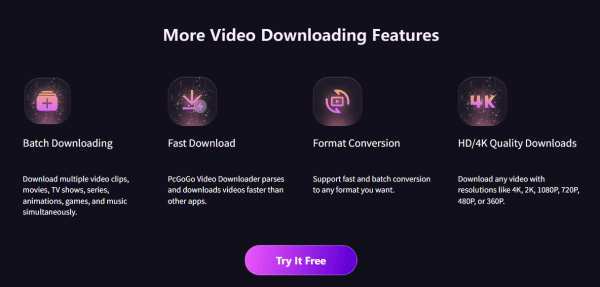
Efficient Batch Downloading: As a content creator or editor, handling multiple videos at once is common. PcGoGo Video Downloader excels with its batch downloading capability, enabling you to grab entire playlists, channels, or series from just one URL. This powerful feature dramatically saves time when dealing with large volumes of content or user-generated videos
Superior High-Resolution Downloads: A key advantage of PcGoGo Video Downloader is its support for downloading videos in the highest available quality—including HD, 4K, and even 8K. You get the exact same crisp, original resolution, making it an ideal tool for professional editors who require top-tier footage for their projects
Clean, Watermark-Free Videos: Watermarks can ruin downloaded footage for editing or repurposing. PcGoGo Video Downloader ensures every download is completely free of watermarks, so your videos are ready to use immediately in personal projects, advertisements, or social media content without extra cleanup
Versatile Format Conversion Options: Whether you're editing video or need audio for podcasts, music, or other creations, PcGoGo Video Downloader provides flexible format conversion. Download videos as MP4, extract high-quality audio as MP3, or choose other formats to match your specific workflow and device requirements
Lightning-Fast and Dependable Performance: Thanks to its advanced parsing and downloading engine, PcGoGo Video Downloader offers exceptionally quick speeds—even for large files or batch operations. You can count on smooth, uninterrupted downloads, minimizing downtime and keeping your creative process flowing efficiently
Legal and Ethical Considerations
Before downloading videos, it is important to respect content ownership and privacy
Always avoid downloading private or restricted content
Do not repost or distribute videos without permission from the original creator. Downloaded content should be used for personal, educational, or authorized professional purposes only
Conclusion
Downloading videos with a link is the fastest and most reliable way to save online content when done with the right tool. While online converters often fall short in quality and safety, PcGoGo Video Downloader provides a professional solution with high-speed downloads, watermark-free results, and full control over format and resolution. Whether you are downloading a single video or managing large batches, PcGoGo Video Downloader makes downloading videos from links simple, secure, and efficient.