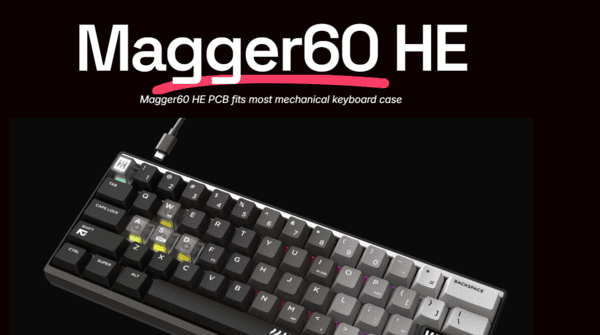
In 2026, the Hall Effect (magnetic) keyboard scene is dominated by rapid-trigger beasts, with Wooting still setting the benchmark—but challengers are closing the gap fast. Enter the LUMINKEY Magger60 HE, a flagship 60% magnetic gaming keyboard that combines full CNC aluminum construction, ultra-low latency (~0.08ms claimed), genuine 8000Hz polling, 0.005mm RT precision, and surprisingly strong typing/sound characteristics for an enthusiast audience.
First Impressions
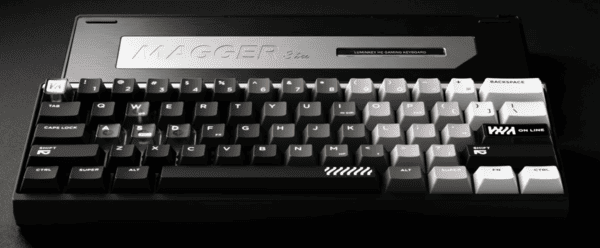
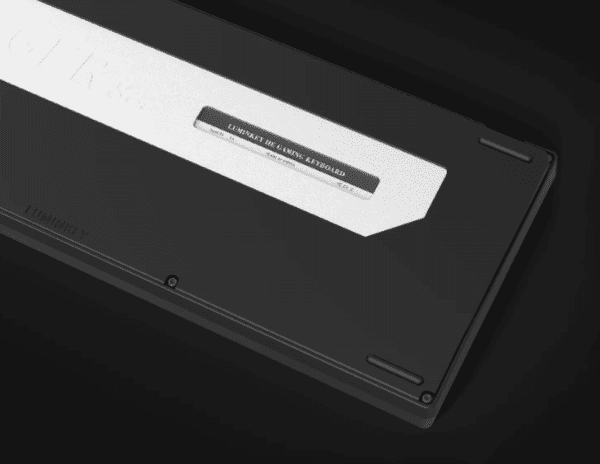
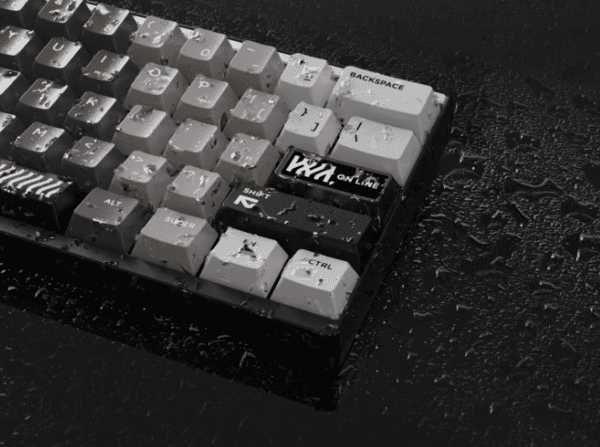
Right out of the box, the Magger60 HE screams premium. The full aerospace-grade CNC aluminum case (Ano-Black, Ano-Silver, Ano-Champagne options) has flawless anodizing, minimal branding (just a subtle "Magger" etch), and an ultra-clean aesthetic
Many reviewers call it "one of the sickest looking boards" in the 60% HE category
At ~980g, it feels substantial and planted on the desk
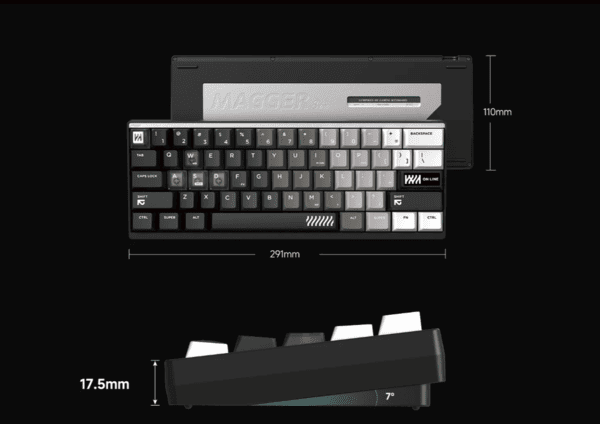
The front height is impressively low (~17.5mm), delivering excellent ergo for both typing and claw/fingertip grips during long gaming sessions. South-facing per-key RGB looks sharp without being overly flashy. First touch? Solid, luxurious, expensive—in the best way
Packaging
The box is sleek black with gold accents—high-end unboxing vibes without excess gimmicks.
Magger60 HE keyboard
Premium braided USB-C cable with aluminum connectors
High-quality 60% velvet carry pouch
Keycap & switch puller tool
Quick start guide & warranty info
No spare switches, extra keycaps, or modding kit, but everything feels thoughtfully chosen and upscale. Packaging alone sets expectations high for the price
Features and Build Quality
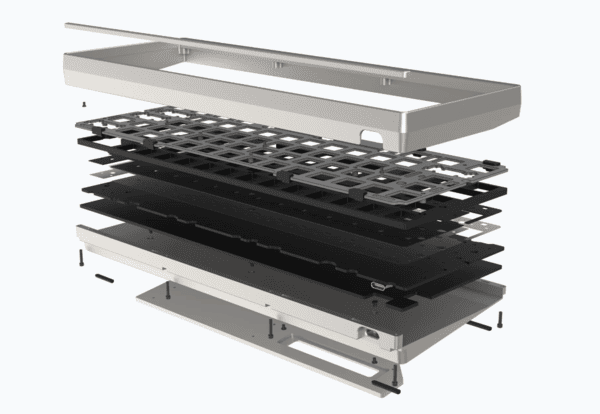
Case & Mount: Full CNC aluminum top + bottom, upgraded gasket mount with multi-layer soft foam for flex and dampening
PCB: IPX4 water-resistant, innovative daughterboard design for ultra-clean cable routing and modularity
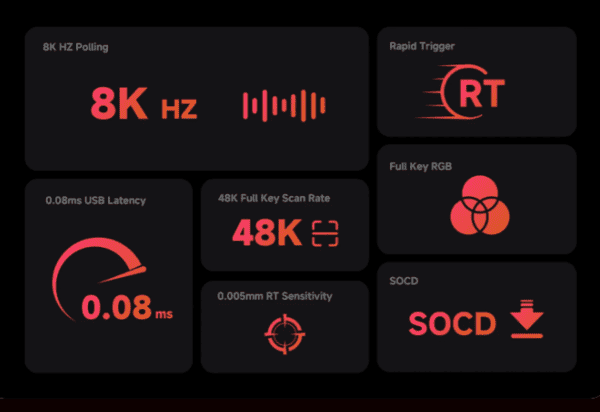
Performance: Wired-only, true 8000Hz polling, 48000Hz scan rate, official latency as low as ~0.08ms
HE Features: Adjustable actuation (0.1–3.3mm+), 0.005mm Rapid Trigger precision, full SOCD, DKS, snap tap support
Software: Clean web-based configurator (no download needed)—per-key actuation/RT tuning, macros, RGB, SOCD modes, profiles
Other: Hot-swappable magnetic switches, full south-facing per-key RGB
Build quality punches way above most $150–170 HE boards. The solidity, finish, and attention to detail rival some $200+ customs
Switches
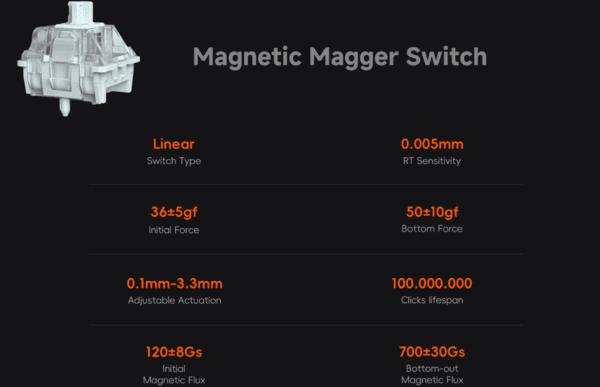
Stock switches are LUMINKEY's custom Magger Magnetic linear Hall Effect switches:
Actuation force ~36±5gf, bottom-out ~50±10gf
Total travel ~3.5±0.2mm
Factory lubed + filmed for excellent consistency
RT precision officially rated to 0.005mm
Typing and Gaming Experience
Typing: The gasket + aluminum + foam stack delivers a surprisingly thocky, meaty typing experience for a magnetic board. It's not the glassy clack of high-end mechanical customs, but it's deep, controlled, and fatigue-free—many call it one of the best-sounding/ feeling 60% HE options for daily driving
Gaming: Rapid Trigger is lightning-fast and consistent (0.005mm granularity feels precise in Valorant/CS2 strafing, counter-strafing, rhythm games)
SOCD implementation is clean (last-input priority)
8K polling + ultra-low latency shines on high-refresh-rate monitors
Competitive players report buttery input for air strafes, bunny hops, and micro-adjustments
Sound Test
The combo of aluminum case, upgraded gasket mount, factory-lubed switches, and thoughtful internal dampening produces a deep, thock-heavy profile with controlled clack highs and minimal case ping or hollowness
It's noticeably more refined and "enthusiast" than most budget/mid-range HE boards—and even edges out stock Wooting 60HE in depth and cleanliness for many listeners
(Imagine here: rich low-end thock, crisp but not harsh mid-range, no cheap plasticky ring)
Mod potential exists (extra foam, tape, etc.), but stock is already at a level where most users won't feel the need to tinker
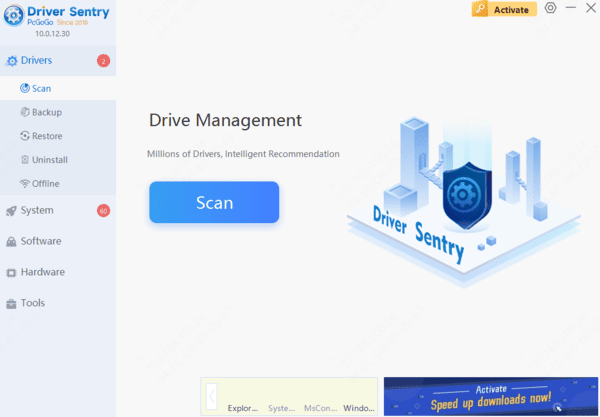
Optimizing Keyboard's Performance with Driver Sentry
To get the most out of your LUMINKEY Magger60 HE, it's important to ensure that all of your system drivers—especially those related to peripherals like keyboards—are up-to-date
Keeping drivers current helps avoid input lag, ensure smoother communication between your keyboard and system, and prevent issues that might compromise your competitive gaming performance
Driver Sentry scans your system for outdated or missing drivers and automatically downloads and installs the latest versions. This is particularly useful for maintaining optimal performance on high-speed gaming peripherals like your keyboard
Alternatives
Wooting 60HE+: Best software ecosystem and proven latency, but plastic case, thinner sound, higher price (~$190+)
Other 60% HE boards (Epomaker, ATK Flux60, etc.): Cheaper, but usually compromise on build, sound, or software polish
Higher-end: ATK EDGE 60 HE or full custom HE builds (if budget is unlimited)
Mechanical 60%: Keychron Q60, Tofu60 + tactile/linear switches—if you prefer classic feel over RT/adjustable actuation
The Magger60 HE carves out a sweet spot: premium aluminum build + enthusiast sound + elite gaming performance at a price that undercuts many flagships
Conclusion
Is the LUMINKEY Magger60 HE one of the best 60% Hall Effect keyboards of 2026? Yes—very likely the top all-rounder in the $150–170 range.
Strongly recommended for: Competitive FPS/rhythm gamers wanting the fastest, most precise RT/SOCD. Enthusiasts who want aluminum, great sound, and premium feel without spending $200+. Anyone tired of lightweight plastic HE boards
Look elsewhere if: You're locked into Wooting's software/features. You need F-row/arrows for productivity/macro-heavy use. Budget is under ~$120 (better entry-level options exist)