
Losing important pictures on a Windows computer can be frustrating, especially when those images capture valuable memories, creative work, or essential business materials. Picture data loss can happen for many reasons, including accidental deletion, formatting, system crashes, or storage device corruption. Fortunately, with the right pictures data recovery software for Windows, lost images can often be restored safely and efficiently.
Can Deleted Pictures Be Recovered?
In many cases, yes. When pictures are deleted, Windows usually removes the file references rather than the actual data
This means the images remain on the storage device until new data overwrites them
The success of picture recovery depends on how quickly you stop using the affected drive and whether the data has been overwritten Acting promptly significantly increases recovery chances
How to Recover Pictures on Windows Using PcGoGo Data Recovery
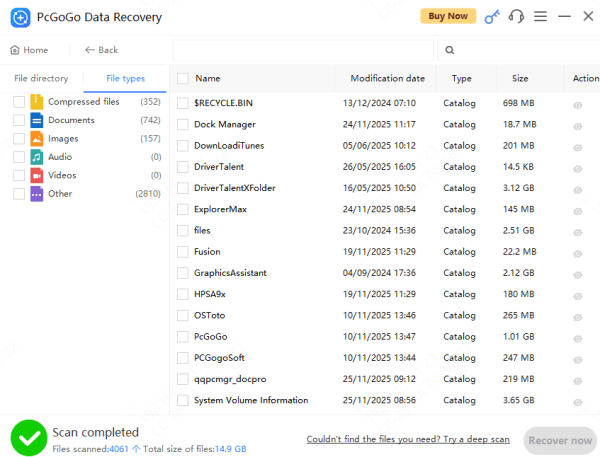
Recovering pictures with PcGoGo Data Recovery is straightforward
First, download and install the software on a drive different from the one where your pictures were lost
Launch the program and select the storage device that originally contained the missing images, such as an internal hard drive, external drive, USB flash drive, or SD card
Click the scan button to search for deleted or lost pictures
Once the scan is complete, preview the recoverable images to confirm they are intact. Finally, select the pictures you want to restore and save them to a secure location on another drive
Key Features of PcGoGo Data Recovery
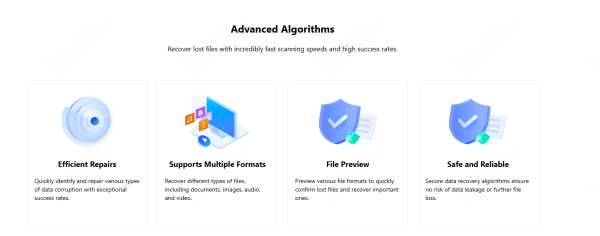
PcGoGo Data Recovery uses advanced scanning algorithms to detect lost pictures with high accuracy
The built-in preview feature allows you to check image quality before recovery, ensuring you only restore the files you need
Most importantly, PcGoGo Data Recovery performs read-only, non-destructive scans, meaning your existing data remains safe throughout the recovery process
Tips to Improve Picture Recovery Success
To maximize recovery success, stop using the affected storage device immediately after data loss
Avoid saving new files or installing software on the same drive
Always save recovered pictures to a different disk to prevent overwriting remaining data
How to Prevent Picture Data Loss in the Future
Preventing data loss is just as important as recovery
Regularly back up your pictures to cloud services or external drives. Safely eject storage devices before removal, use reliable antivirus software, and monitor disk health to detect potential issues early
Replacing aging storage devices can also help reduce the risk of unexpected picture loss
Common Causes of Picture Loss on Windows
Picture loss on Windows systems is more common than many users expect
Accidentally deleting photos or emptying the Recycle Bin is one of the most frequent causes
Formatting a hard drive, USB drive, or memory card without a backup can also erase pictures instantly
System crashes, file system errors, malware attacks, and improper removal of external storage devices may further lead to inaccessible or missing image files
Conclusion
Losing pictures on a Windows PC does not have to mean losing them forever. With the right pictures data recovery software, most deleted or lost images can be recovered successfully. PcGoGo Data Recovery provides a safe, efficient, and easy-to-use solution for Windows users, making picture recovery simple even for beginners. By acting quickly and following best practices, you can restore your pictures and protect your data against future loss.