The api-ms-win-crt-runtime-l1-1-0.dll file is an important dynamic link library (DLL) that is required for many applications to run properly on Windows. When this file is missing or corrupted, you may see error messages such as "api-ms-win-crt-runtime-l1-1-0.dll is missing", "The program can't start because api-ms-win-crt-runtime-l1-1-0.dll is missing from your computer", or "Error loading api-ms-win-crt-runtime-l1-1-0.dll". These errors can prevent applications from launching or cause them to crash during use. Fortunately, there are several effective methods available to restore the missing DLL file and resolve the issue
What is api-ms-win-crt-runtime-l1-1-0.dll?
The api-ms-win-crt-runtime-l1-1-0.dll file is part of the Microsoft C Runtime Library, which provides essential runtime components needed by many applications
This DLL file is particularly involved in programs built with Microsoft Visual C++. If this file is missing or corrupted, software that relies on it will not function properly, leading to errors like the ones mentioned above
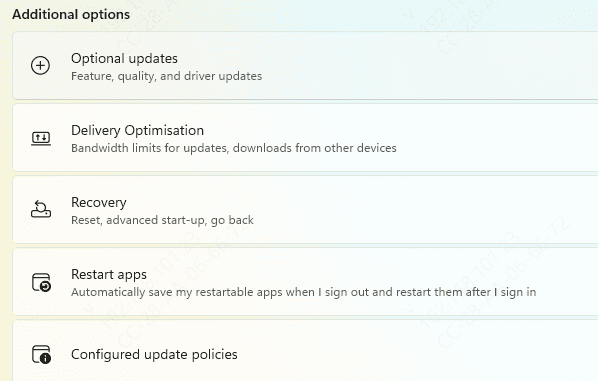
Check for Windows Updates
Windows updates can often fix missing or corrupted system files, including api-ms-win-crt-runtime-l1-1-0.dll. Here's how to check for updates:
Open Settings: Press Windows + I to open the settings window
Go to Update & Security → Windows Update
Click Check for updates
Install any available updates and restart your computer
If Windows was the cause of the error, updating your system may fix it automatically
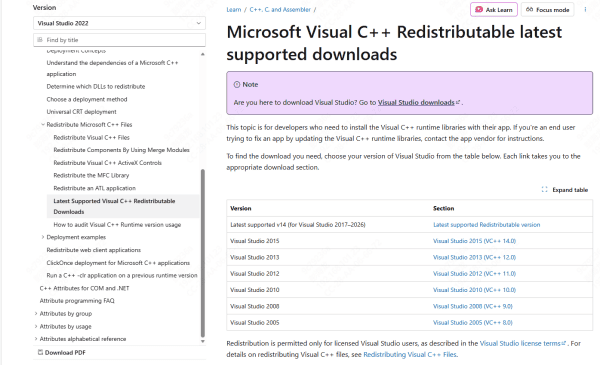
Reinstall Microsoft Visual C++ Redistributable Packages
Since the api-ms-win-crt-runtime-l1-1-0.dll file is part of the Microsoft Visual C++ Redistributable, reinstalling these packages can often fix the issue.
Go to the official Microsoft website
Download and install the latest Visual C++ Redistributable package for your system (x64 or x86, depending on your version)
Restart your computer and check if the error persists
Use System File Checker (SFC) to Repair Corrupted Files
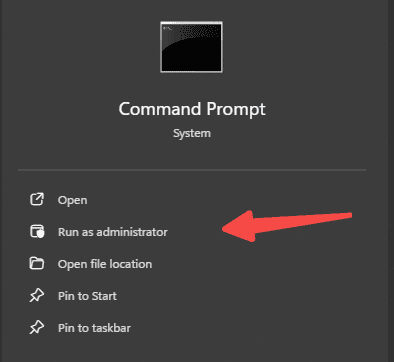
Windows includes a built-in tool called System File Checker (SFC) that can scan your system for corrupted files and automatically restore them. To run SFC:
Press Windows + X and select Command Prompt (Admin)
In the Command Prompt, type the following command:
sfc /scannow
Press Enter and wait for the scan to finish
Restart your PC
This tool will attempt to repair any missing or corrupted dll files, including api-ms-win-crt-runtime-l1-1-0.dll.
Run the DISM Tool to Repair System Images
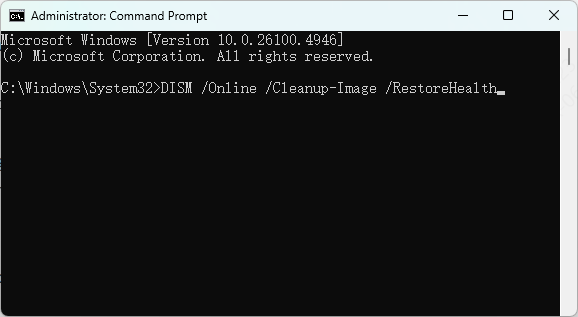
If SFC doesn't resolve the issue, use the Deployment Imaging Service and Management Tool (DISM) to fix deeper system corruption. Here's how:
Open Command Prompt (Admin)
Type the following commands one by one:
DISM /Online /Cleanup-Image /CheckHealth
DISM /Online /Cleanup-Image /ScanHealth
DISM /Online /Cleanup-Image /RestoreHealth
Press Enter after each command
Restart your computer once the process completes
DISM can fix issues related to Windows imaging, which could be preventing api-ms-win-crt-runtime-l1-1-0.dll from loading correctly.
Repair DLL Automatically
If the error persists even after trying the basic fixes, it could indicate deeper system issues, such as corrupted DLL entries or damaged registry settings. In such cases, using an automated repair tool like PcGoGo DLL Fixer can quickly detect and restore missing or corrupted DLL files, including api-ms-win-crt-runtime-l1-1-0.dll, while also fixing related system issues.
Step 1: Download PcGoGo DLL Fixer
Click the Download button to get the installer for PcGoGo DLL Fixer
Run the setup file and follow the on-screen instructions to complete the installation
Step 2: Run a Full System Scan
Open PcGoGo DLL Fixer once the installation is complete
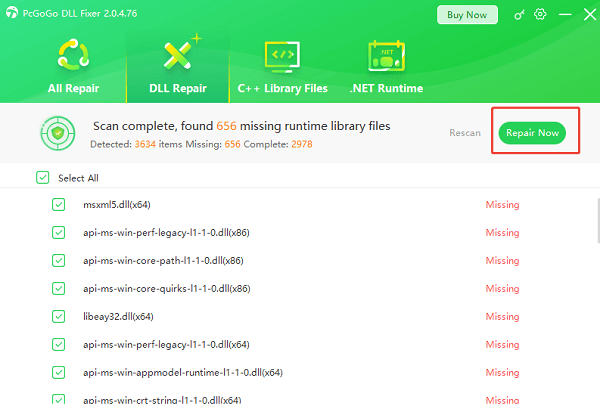
Click Scan to allow the tool to check your system for any missing, corrupted, or incorrectly registered DLL files, including api-ms-win-crt-runtime-l1-1-0.dll

Step 3: Repair Detected Issues
After the scan completes, locate api-ms-win-crt-runtime-l1-1-0.dll in the list of detected issues
Click Repair Now to restore the missing or corrupted DLL file
The tool will automatically download the correct version of the file and place it in the appropriate system directory
Step 4: Restart Your PC
Restart your computer to apply the repairs
Once rebooted, try opening the program or game that was previously showing the api-ms-win-crt-runtime-l1-1-0.dll error to confirm that the issue has been resolved
This method is particularly effective when system corruption, unstable DLL registrations, or other complex issues prevent manual fixes from working
Scan for Malware
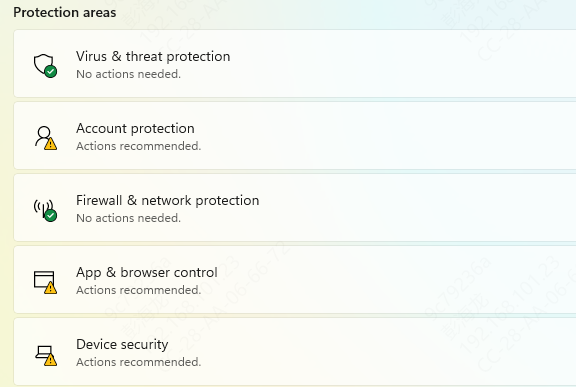
Malware infections can corrupt system files, including DLL files. Perform a full system scan using Windows Defender or another trusted antivirus program to ensure your system is free from malware.
Open Windows Security
Go to Virus & threat protection
Select Full scan and wait for the scan to complete
Remove any detected threats
Restart your computer and check if the issue is resolved
Perform a System Restore
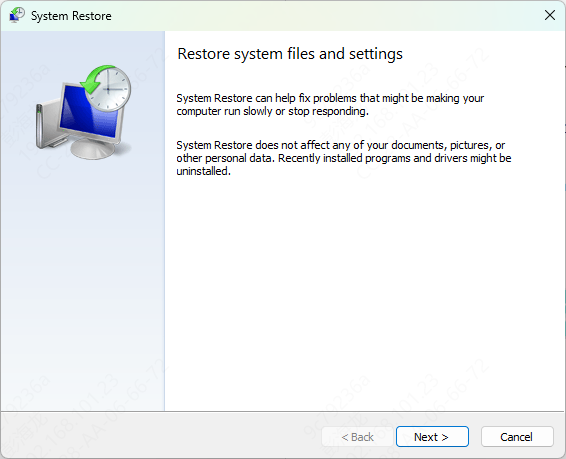
If you've recently made changes to your system (like installing new software or updates) and the error started afterward, performing a system restore can help.
Press Windows + R, type rstrui, and hit Enter
Select a restore point from before the issue began
Follow the on-screen instructions to restore your system to that state
This method will not affect your personal files but will undo recent system changes.
Common Causes of api-ms-win-crt-runtime-l1-1-0.dll Missing Error
Several issues can cause the api-ms-win-crt-runtime-l1-1-0.dll file to become missing or corrupted:
Corrupted or deleted DLL files due to incomplete installations or system updates
Outdated software or system files, especially after major updates
Malware infections that damage or delete DLL files
Incorrect system configurations or bad installations of programs requiring this DLL
Windows system updates that may not install properly
Conclusion
The api-ms-win-crt-runtime-l1-1-0.dll missing error can be frustrating, but by following the steps outlined above, you should be able to resolve it effectively. Whether through updating Windows, reinstalling Visual C++ Redistributables, or manually replacing the DLL, these methods will ensure your system is restored and your applications can run smoothly again. Always keep your system updated and protected from malware to avoid such errors in the future.