





Sound
How to Fix Bluetooth Speaker No Sound Issue
Sudden sound loss in Bluetooth speakers is a common issue that can disrupt your experience. This article provides effective solutions to quickly restore your speaker's normal function and ensure high-quality audio.
How to fix the no audio output device is installed?
In modern life, computers have become essential tools for work, study, and entertainment. Occasionally, you may encounter minor issues, such as your computer suddenly being unable to find an audio output device. What should you do in such cases? Here are seven methods to help you resolve the problem easily.
What is a sound card driver?
As the audio output and input device of the computer, the sound card driver ensures that audio signals are processed and transmitted correctly, enabling a high-quality audio experience. This article will detail the functions, importance, common types, and installation and update methods of sound card drivers.

How to Update Sound Drivers
Sound card drivers are responsible for handling the communication between your computer and audio devices to ensure the quality and stability of audio output. We provide 5 methods to help you update your computer sound card driver easily.
7 Ways to Recover Laptop with No Sound
When you open your laptop to work or enjoy entertainment and find that there is no sound, there’s no need to panic. This article will outline some common causes and corresponding solutions to help you restore the audio functionality of your laptop.
7 Ways to Fix Disabled Audio Devices on Windows 10
In Windows 10, audio devices may be accidentally disabled, preventing normal audio output. This article offers effective methods to quickly fix disabled audio devices.
7 Ways to Fix Computer Not Recognizing Headphones
Sometimes, headphones may not be recognized by the computer. This article offers effective methods to quickly resolve this issue and restore headphone functionality.
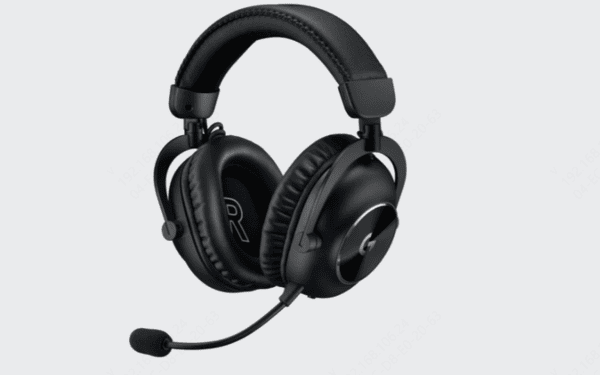
Logitech Headset Not Working
Logitech headset not working on Windows? Check the connection, update audio drivers, restart the device, adjust sound settings, run the troubleshooter, and test the headset on another device.

How to Fix Headphones Plugged In but Not Working
It's common for headphones to suddenly stop working on computers or mobile devices. This article offers effective methods to help you resolve the issue and enjoy music and games smoothly.
When PC sound is not working?solution methods
Experiencing sound issues on your PC can be frustrating, especially when you’re trying to enjoy a movie, play a game, or attend an important online meeting. Fortunately, many common sound problems have straightforward solutions. This essay will explore various methods to troubleshoot and resolve sound issues on your computer.