





PC Help & How-To Articles

Resolve Mouse Wheel Issues and Restore Smooth Scrolling
To fix a mouse scroll wheel that is not working, first rule out hardware issues by cleaning the wheel and testing another mouse, then update the mouse driver, check Windows mouse settings, install system updates, try System Restore if the issue started recently, switch USB ports or receivers, and confirm whether the problem only happens in a specific browser or app.

Troubleshooting Guide Network Driver Error on Windows
To fix a network adapter driver error, update the adapter driver, reset Winsock, show hidden devices in Device Manager, run the Windows network troubleshooter, install Windows updates, and check the adapter, router, cables, and other devices for hardware problems, since these errors are usually caused by bad drivers, corrupted network settings, or connection hardware faults.

Windows 10 Blue Screen Error: Causes and Complete Solutions
To fix a Windows 10 blue screen error, disconnect external devices, update problematic drivers, boot into Safe Mode, run SFC, remove recently installed software, check the drive and memory, and use System Restore if the issue started recently, since BSODs are usually triggered by driver conflicts, corrupted system files, faulty hardware, or unstable recent changes.

Windows 11 Screen Goes Black Randomly? Here's the Fix
To fix a black screen on Windows 11, start by checking power and display connections, then restart the PC, update the graphics driver, adjust power settings, disconnect external devices, boot into Safe Mode, install Windows updates, and reset the system only if simpler fixes do not work, since black screens are usually caused by display driver conflicts, power issues, external hardware, or corrupted system settings.

How to Download Bluesky Videos – The Ultimate Guide (2025)
Want to download Bluesky videos in HD? Learn the best methods, including PcGoGo Video Downloader—fast, secure, and high-quality! Get step-by-step instructions & compare all options.

How to Fix Windows 11 Taskbar Disappeared
In this article, we will introduce the possible reasons for the disappearance of the taskbar from various aspects and provide detailed solutions.

How to Transfer TikTok to RedNote
As rumors of a potential TikTok ban in the U.S. continue to grow, many creators are seeking new platforms to host their content. RedNote, a lifestyle-focused community with a vibrant global user base, is quickly becoming a popular alternative to TikTok. This guide will show you how to efficiently migrate your content using a TikTok watermark remover and build a strong presence on RedNote.
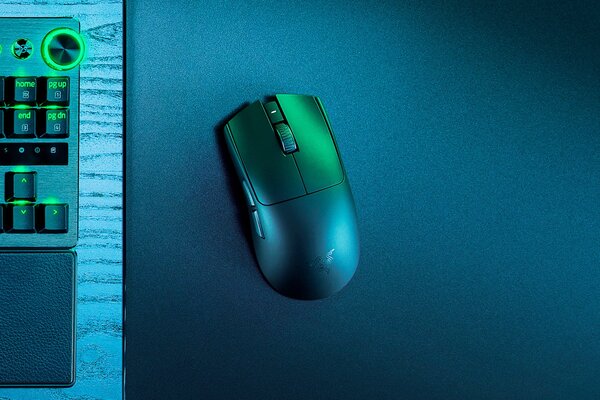
Razer Viper V3 Pro vs Razer Viper V3 Pro SE
The Razer Viper V3 Pro lineup stands as the ultimate in esports gaming mice, celebrated for their featherlight construction, pinpoint accuracy, and lightning-fast responsiveness optimized for intense competitive gaming. Ever since its debut, the Viper series has been a go-to for elite players, featuring ergonomic symmetrical designs perfect for claw or fingertip grips. In this comparison, we'll explore the standard Razer Viper V3 Pro alongside its SE edition (branded as a streamlined "no-frills, pure-performance" option), underscoring their commonalities and distinctions to assist you in selecting the ideal match for your setup.

How To Connect Bluetooth Headphones To PC
With the continuous development of wireless technology, Bluetooth headset has become the preferred audio device for many people. So, how to connect Bluetooth headset to PC? This article will provide you with detailed steps and solutions to some common problems.

Solve Direct X 11 Error: Guide to Running the Engine
Encountering a Direct X 11 Error with “DX11 Feature Level 10.0 is required”? This blog offers fixes, from driver updates to hardware checks, to get your engine running smoothly.