





PC Help & How-To Articles

8 Methods to Fix Persistent Crashes in Ghostwire: Tokyo
Ghostwire: Tokyo is an eagerly awaited action-adventure game, but some players may face persistent crashes during gameplay. This article will provide effective methods to help you resolve this issue and enjoy smooth gaming.

How to Fix Dread Hunger Crashing Issues
Dread Hunger is a popular survival adventure game, but some players may experience crashes at startup or during gameplay. This article offers effective methods to help you resolve these issues and enjoy the game smoothly.
6 Methods to Fix GTA 5 Not Launching on PC
Some players may face login issues when accessing GTA 5 on their PCs, causing frustration and interrupting gameplay. This article offers several methods to quickly resolve the problem so you can get back to enjoying the game.

7 Ways to Fix Cities: Skylines 2 Not Launching
Cities: Skylines 2, a highly anticipated city-building game, has attracted many players since its release. However, some may face issues launching the game. This article outlines common fixes to resolve the problem of Cities: Skylines 2 not starting.

How to Fix Star Wars Outlaws Crashing Issues
Released on August 30 for PC, Star Wars Outlaws has been eagerly awaited, but some players have experienced crashes. This guide offers solutions to help you resolve these issues and improve your gaming experience.
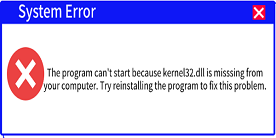
kernel32.dll Missing or Not Found – Complete Solution
The kernel32.dll file is vital for Windows. If it's missing or corrupted, apps may not launch, and your system may crash. This guide explains how to fix the error and restore stability.

How to Fix Space Marine 2 Crashes on PC
When playing Space Marine 2, many players may encounter game crashes, which can negatively impact the gaming experience. This article provides several effective solutions to help you fix this issue and ensure smooth gameplay.
Battlefield 5 Randomly Crashing? Fix Game Errors Easily
Fix Battlefield 5 crashing on PC by confirming your hardware meets the game requirements, updating graphics drivers, running the game as administrator, verifying game files, increasing virtual memory, disabling the in-game overlay, repairing Windows system files, closing unnecessary background apps, and reinstalling the game if crashes still persist.

Why Is KernelBase.dll Crashing? Causes and Solutions
KernelBase.dll crashes are common in Windows 10/11 and can cause apps to freeze or close. This guide explains the causes and shows how to fix it step by step with PcGoGo DLL Fixer.

How to Fix d3dx9 43 dll Not Found
Fix d3dx9_43.dll not found errors with this detailed troubleshooting guide. Learn how to install DirectX runtime and repair missing Windows DLL files.