





Others

Guide to Fixing NVIDIA Control Panel Not Opening in Windows
The NVIDIA Control Panel is essential for adjusting your graphics settings. If it won't open on Windows, it can affect performance. This guide provides solutions to fix the issue and keep your graphics card working well.

Fix HP Printer Driver Error on Windows
HP printer showing "Driver is unavailable"? Learn how to repair missing or corrupted printer drivers, restore device detection, and get your HP printer working again on Windows.

Windows 10 0x80072f8f Error: Step-by-Step Solutions
Windows 10 error code 0x80072F8F commonly appears when Windows cannot establish a secure connection with Microsoft services, affecting features such as the Microsoft Store, Windows Update, or activation. Incorrect date and time settings, network problems, security software, damaged system configuration, or outdated components can all contribute to the error. This guide covers several troubleshooting methods, including checking your connection and system clock, updating drivers with Driver Sentry, running Windows troubleshooters, reviewing registry settings, and resetting Windows when other solutions fail.

Fresh Install Windows 11 on Your PC Step by Step
Download and clean-install Windows 11 by first confirming TPM 2.0, RAM, CPU, and storage requirements, then downloading the official Windows 11 ISO, creating a bootable USB with Rufus, booting from that USB to perform a custom install on unallocated space, and finally installing missing drivers after setup.
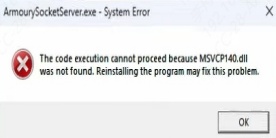
How to Fix "The Code Execution Cannot Proceed Because MSVCP140.dll"
Learn how to fix "the code execution cannot proceed because msvcp140.dll" error with step-by-step solutions. Resolve missing DLL issues and ensure smooth application performance.

How to Update USB Serial Controller D Driver on Windows
This article covers 4 methods to update the USB Serial Controller D driver on Windows 10 and 11, including using Device Manager, downloading directly from the manufacturer's website, running Windows Update, and using PcGoGo Driver Sentry for automatic one-click scanning and installation.

Resolve Code 45 in Device Manager
This article explains what Device Manager Code 45 means, its common causes, and provides 4 fixes including updating or reinstalling the device driver automatically with PcGoGo Driver Sentry, checking and reseating hardware connections, resolving software conflicts by temporarily disabling security software, and running the Windows Hardware and Devices troubleshooter.