





Others

7 Ways to Fix High Latency and Slow Speed on Your Computer
High latency and slow speed are common issues that can impact work and user experience. This article offers effective solutions to resolve these problems and restore smooth computer performance.
Computer Boot Can Not Enter the Desktop System Solution
When your computer is turned on but can't enter the desktop system normally, it will bring inconvenience to your work or study. This article will provide you with a series of practical solutions to help you solve the problem of not being able to enter the desktop system after booting.
How to Check Motherboard Temperature
Monitoring the temperature of your motherboard is essential for ensuring optimal performance and preventing overheating, which could lead to hardware damage or system instability. In this guide, we'll explore several methods for checking motherboard temperature, including using specialized software like Driver Sentry.

7 Ways to Fix Windows 10 Keeps Crashing
Some Windows 10 users may encounter frequent system crashes. This article provides a series of solutions to help you quickly resolve the issue.
How to Fix "Driver Verifier Detected Violation" Error
Learn how to fix "Driver Verifier Detected Violation" errors, including causes, solutions, and FAQs. Stop blue screen issues and improve PC performance.

[Solved] The driver does not appear to support OpenGL
When running certain applications or games, you may encounter the error message "This driver does not appear to support OpenGL". This article provides multiple effective solutions to help you quickly resolve OpenGL compatibility issues and ensure smooth program operation.

Troubleshoot HP Driver Problems Caused by Windows Updates
Windows updates are important for security and stability, but they can sometimes conflict with existing HP drivers. After an update, users may notice issues like printers not working, touchpads becoming unresponsive, missing sound, WiFi disappearing, or other built-in hardware failing to function correctly. In most cases, the hardware is not damaged—Windows may have replaced the original HP driver with a generic version, installed an incompatible update, or created a driver conflict. This can cause devices that previously worked to suddenly stop or behave unpredictably.
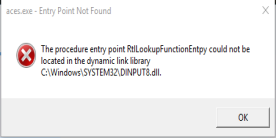
Evil Genius Entry Point Not Found? 7 Fixes That Actually Work
Struggling with the "Evil Genius Entry Point Not Found" error? Discover proven fixes, success rate analysis, and how PcGoGo Driver Sentry ensures smooth gameplay by updating drivers automatically. Get back to gaming fast!
AMD vs Intel processor which is better
The CPU, as the core component of a computer, directly impacts its overall performance. When choosing a processor, AMD and Intel stand out as the two main brands, making the decision challenging for many. This article outlines popular CPUs for various uses, including gaming, content creation, and office work.

Effective Methods to Resolve Windows Driver Issues
Driver issues can cause system instability and hardware problems in Windows. This article provides effective methods to troubleshoot and fix driver issues, helping ensure your hardware works correctly and improving overall system performance.