





PC Help & How-To Articles

How to Verify Channel Reliability on Your OpenClaw
Silent message failures can occur in OpenClaw, where tasks complete successfully but results never reach you. To prevent this, always run round-trip tests on every messaging channel, since each can fail independently. For critical outputs, configure multiple delivery methods as backups, and regularly monitor delivery status—especially after updates or system restarts.

Protecting Your OpenClaw Data in 2026
In 2026, AI assistants like OpenClaw have become indispensable tools for businesses and individuals alike, managing sensitive data, credentials, and automated workflows. With this growing utility comes increased risk: attackers are constantly seeking ways to exploit vulnerabilities, from prompt injections to exposed secrets. Ensuring your OpenClaw instance remains secure is no longer optional—it's critical for protecting both your data and your operations. This guide walks you through the essential encryption methods, best practices, and proactive strategies needed to safeguard your OpenClaw environment.

Pulsar X2H CrazyLight Medium Gaming Mouse Review
The Pulsar X2H CrazyLight Medium is an ultra-lightweight wireless gaming mouse released by Pulsar Gaming Gears at the end of 2025, and is part of their CrazyLight series. Weighing only 43 grams, this mouse is designed for competitive FPS players who prioritize lightweight design, fast response times, and comfortable grip (claw/hybrid claw grip). It features a custom XS-1 sensor (a variant of the PixArt PAW3950), a polling rate of up to 8K Hz, optical micro switches, and a symmetrical high-arch design, aiming to provide superior performance while avoiding unnecessary bulk and RGB lighting. Priced at approximately $130, this mouse competes in the high-end ultra-lightweight mouse market against products like the Razer Viper V3 Pro and Lamzu Thorn. This article will provide a comprehensive analysis of its strengths and weaknesses, based on practical testing and official specifications.
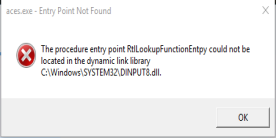
Evil Genius Entry Point Not Found? 7 Fixes That Actually Work
Struggling with the "Evil Genius Entry Point Not Found" error? Discover proven fixes, success rate analysis, and how PcGoGo Driver Sentry ensures smooth gameplay by updating drivers automatically. Get back to gaming fast!

Fix Valorant Black Screen on Startup
Valorant starting with a black screen (sometimes audio only) is usually caused by outdated graphics drivers or wrong display settings, not servers. This guide lists 10 step-by-step fixes, beginning with ensuring your system is stable.

Logitech M510 Mouse Not Working? Common Problems and Fixes
The Logitech M510 is a popular wireless mouse praised for its comfort and reliable daily performance. Still, like all wireless devices, it can develop issues over time. You might see the cursor freeze, lag, jump erratically, or stop responding entirely. Sometimes the mouse disconnects randomly, or Windows recognizes the receiver but the M510 doesn't function correctly. By troubleshooting step by step, most problems can be fixed quickly without needing a replacement.

Logitech Options Not Detecting Mouse? 8 Ways to Fix It
Logitech Options lets you customize advanced mouse. If the app can't detect your mouse usually due to driver conflicts or connection issues. This guide provides step-by-step fixes to get Logitech Options recognizing your mouse, starting with checking driver integrity.
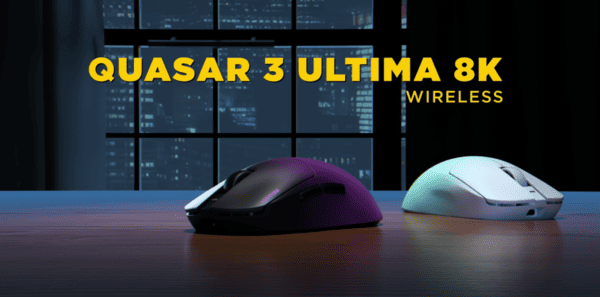
Quasar 3 ULTIMA 8K Wireless Review
In the fast-paced world of competitive peripherals, the Quasar 3 ULTIMA 8K Wireless sets a new benchmark in engineering excellence. While the standard Quasar 3 was already a top-tier performer, the ULTIMA edition pushes every specification to its absolute limit. Built for professional esports athletes and hardware enthusiasts, this mouse delivers uncompromising performance with a sub-50g chassis and a native 8,000Hz wireless polling rate.

ZywOo The Chosen Mouse Gen 2 Review
The collaboration between Pulsar and CS2 GOAT Mathieu "ZywOo" Herbaut goes far beyond a marketing stunt. Following the success of Gen 1, the ZywOo "The Chosen" Mouse Gen 2 is designed to refine the high-hump ergonomic shape while packing Pulsar's most advanced internal technology. This isn't merely a mouse—it's a precision tool built to match ZywOo's "Vitality" playstyle: controlled, accurate, and explosively responsive.

Fix SteelSeries Wireless Headset No Audio
Wireless headsets offer gamers and professionals the ultimate combination of freedom, premium sound, and immersive experiences. But when your SteelSeries wireless headset goes silent, frustration is inevitable. The problem is often software or firmware-related: outdated drivers, corrupted SteelSeries GG software, misconfigured audio settings, or connectivity issues. This guide provides step-by-step solutions to get your audio back and prevent future issues, including how Driver Talent X can make driver updates quick and effortless.