





PC Help & How-To Articles

Resolve Wireless Mouse Pairing and Connection Issues
To fix a wireless mouse connection failure, update the mouse and USB drivers, check the receiver and USB port, replace or charge the battery, re-enter pairing mode, restart the PC, reduce wireless interference, and test the mouse on another device to confirm whether the problem is with the mouse or the computer.

Keyboard LED Lights Not Working: Complete Guide
Fix keyboard indicator lights not working by checking the keyboard connection or receiver, updating the keyboard driver, reviewing Windows keyboard settings, uninstalling and reinstalling the keyboard device in Device Manager, and testing the keyboard on another USB port or another computer to rule out hardware failure.

Specifications of Nvidia GeForce RTX 5090
NVIDIA recently launched its RTX 50 series laptop GPUs, marking a milestone in high-performance computing and AI technology. This article covers the release date, price, performance, and key features of the RTX 5090.

Resolve Windows Shift + S Issues
If Windows Shift S is not working, the problem is usually caused by shortcut conflicts, Snip & Sketch glitches, outdated Windows updates, or faulty keyboard and display drivers, and it can usually be fixed by closing conflicting apps, restarting or resetting Snip & Sketch, updating Windows, repairing drivers, and scanning for malware.

HP Printer Blank Page Troubleshooting
Why is your HP printer printing blank pages? Check ink cartridges, clean the printhead, update printer drivers, review print settings, and reset the printer to restore clear output.

Fix ntoskrnl.exe BSOD on Windows 11
Getting repeated ntoskrnl.exe blue screen crashes on Windows 11? Find and fix the real cause, including bad RAM, disk errors, corrupted files, unstable hardware, and faulty drivers.

Fix 802.11n WLAN Driver Issues on Windows
If your Windows PC suddenly loses Wi-Fi, cannot detect wireless networks, or experiences unusually slow and unstable connections, the 802.11n WLAN driver may be one of the first things to check. A missing, outdated, corrupted, or incompatible wireless driver can prevent Windows from communicating correctly with the Wi-Fi adapter. Fortunately, you can usually restore the connection by reinstalling or updating the correct driver. This guide explains several practical ways to download and update the 802.11n WLAN driver on Windows and troubleshoot common problems after installation.

Fix Steam Not Connecting to the Internet
Steam connection problems can appear in several ways: the client may stay offline, fail to sign in, show a network error, or suddenly lose connection while downloading or playing games. While Steam server outages can occasionally be responsible, the problem may also come from an unstable internet connection, outdated network drivers, firewall restrictions, or a damaged Steam installation. The five solutions below focus on these common causes and can help restore Steam's network connection on Windows.

PC Not Detecting Razer Headset Mic? Fix It
If your Razer headset microphone suddenly stops working on Windows, you may find that teammates cannot hear you in games, your voice is missing in Discord or Zoom, or the microphone is not detected at all. In many cases, the headset itself is not damaged. Incorrect input settings, disabled microphone permissions, audio service errors, outdated drivers, Razer Synapse conflicts, or connection problems can all prevent the mic from working properly. The troubleshooting methods below will help you identify the cause and get your Razer headset microphone working again.
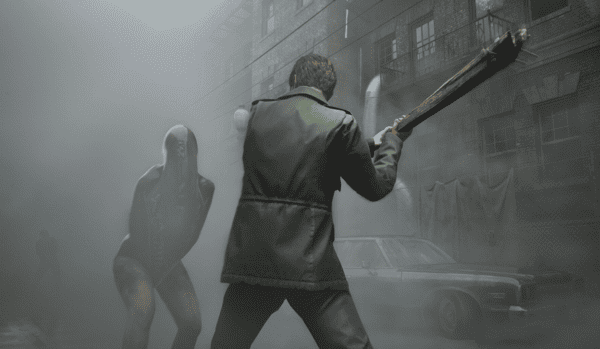
Fix Silent Hill 2 Remake PC Crash
Fix Silent Hill 2 Remake crashing by updating graphics drivers, verifying game file integrity in Steam, lowering graphics settings, installing Windows updates, and reinstalling the game if crashes still continue.