





Graphics

HP Monitor No Signal on HDMI? Try These Fixes
HP monitor showing No Signal? Try 7 fixes, including checking cables and input settings, updating graphics drivers, resetting display output, and testing hardware.

Fix ntkrnlmp.exe BSOD on Windows
Fix ntkrnlmp.exe BSOD errors on Windows with proven solutions. Update drivers, test RAM, repair system files, disable overclocking, update BIOS, and stop crashes.

Acer Screen Flickering Problem: Causes & Effective Solutions
Screen flickering, flashing, or brief blackouts on Acer laptops is usually caused by outdated drivers or wrong display settings. Update your drivers first, then follow this guide's steps to fix the flickering.

Fix Valorant Black Screen on Startup
Valorant starting with a black screen (sometimes audio only) is usually caused by outdated graphics drivers or wrong display settings, not servers. This guide lists 10 step-by-step fixes, beginning with ensuring your system is stable.

How to Recover Deleted Data from Recycle Bin
Lost important files after deleting them from Recycle Bin? Use PcGoGo Data Recovery to recover deleted data with advanced scanning and secure file restoration.

How to Fix Code 22 on Graphics Device
Graphics Device Driver Error Code 22 on Windows? Re-enable your NVIDIA, AMD, or Intel GPU, repair display drivers, fix system files, check BIOS settings, and resolve device conflicts.

Valorant Black Screen on Startup? How to Fix It
Fix the Valorant black screen on startup with proven solutions like updating graphics drivers, checking the VGC service, repairing game files, and adjusting Windows compatibility settings.
Troubleshoot External Monitor Not Detected on Windows PC
If a Windows PC does not detect an external monitor, it can disrupt work, gaming, or any multi-screen setup. The screen may show "No Signal," stay black, or not appear in Windows display settings at all. Most of the time, the cause is one of a few common issues: a faulty cable, wrong monitor input, incorrect display output, Windows display settings, outdated graphics drivers, or docking/adapter compatibility. Checking these systematically usually restores the external monitor without needing to replace hardware.
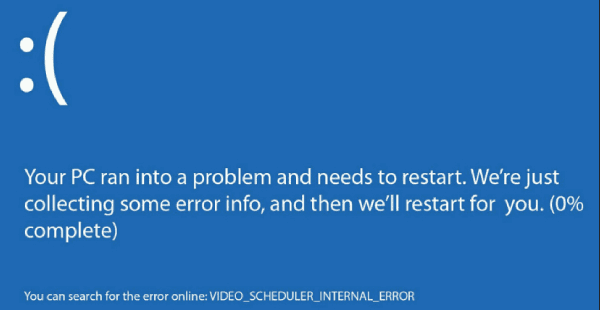
How to Fix Video_Scheduler_Internal_Error BSOD on Windows
Fix the VIDEO_SCHEDULER_INTERNAL_ERROR BSOD on Windows 10 or 11 by repairing graphics drivers, system files, RAM issues, and GPU hardware connections.

Windows Screen Flickering? Check These Solutions
Computer screen flickering on Windows 10/11? Learn how to fix display issues by updating graphics drivers, adjusting refresh rates, and checking monitor cables.